What Is Simulon? AR AI Video Pricing, Free Tier and Limits
Simulon turns character art into 3D assets you place in real phone footage. See the free iOS tier, $14 and $39 plans, how it works, and its limits.

What is Simulon?
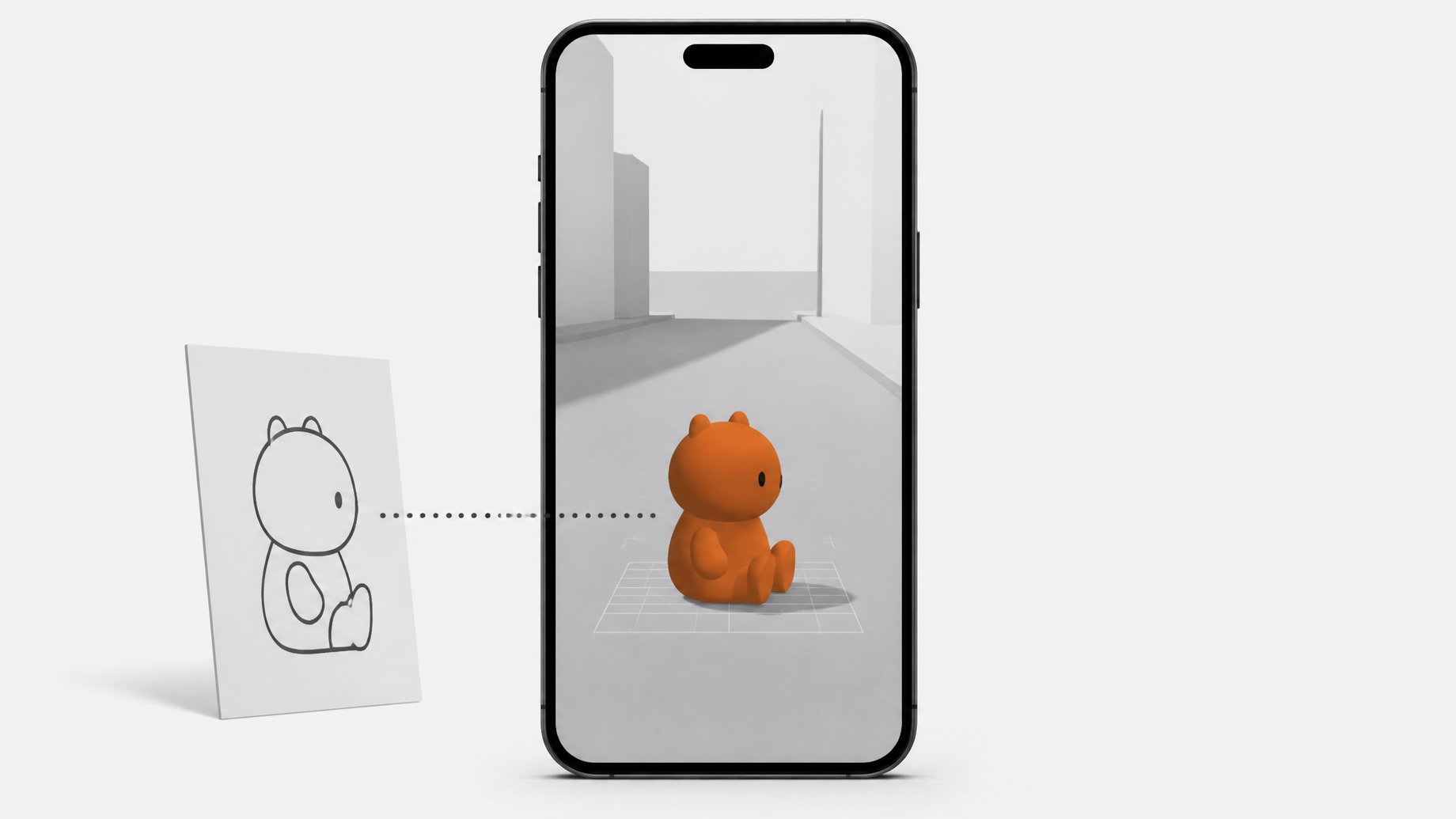
Simulon is a mobile app that places AI characters into footage of your real surroundings. You upload a character reference image, the app converts it into a 3D asset, and you position that asset through your phone's camera like an AR object. An AI video model then renders the result as finished video. The app first surfaced in 2023 and has returned with a different approach built around character interaction. There is a free tier on iOS, plus paid plans at $14 and $39.
TL;DR
- Simulon is a phone-based AR tool that turns a character reference into a 3D asset you place in your real environment.
- The footage uses your actual camera move and location, so it does not invent the surroundings the way a world model does.
- Nothing runs in real time yet. You frame the shot, then prompt for the action and wait for a generated result.
- A feature called reality-aware rendering lets characters react to real-world interventions, such as you poking at the scene or a cat wandering into frame.
- You can try it free on iOS, with Android expected after Google approval, and paid plans cost $14 and $39.
- Output can still get wonky: sports like tennis looked off, and the video model sometimes invents objects that are not in the room.
How does Simulon work?
The workflow has three steps, all on a phone.
- Upload a character reference. This can be a character you made in an image generator. Simulon turns it into a 3D asset.
- Place the asset in your space. You point your camera at the environment, then position, scale and rotate the character. Rotation uses a two-finger gesture that can feel finicky at first, though it is easy to pick up.
- Prompt the action and generate. Because nothing is real time, you describe what should happen and the app returns a video.
The key detail is what the footage is made of. The camera movement and the location are yours. Background details such as a stray ball in the corner of a bar stay exactly where they were. The tool is not hallucinating a new room around the character, which is how many world-model tools behave.
That grounding gives you control over specific camera moves. A creator who tested the app swapped a character between mini size and full size, changed her outfit, and had her run across a bar in a single planned shot.
What is reality-aware rendering?
Reality-aware rendering is Simulon's name for characters responding to what happens in the real scene. Several demonstrations show the idea.
- Poking at a miniature character with a phone while filming produced a reaction from the character in the generated result.
- A cat jumped on a table next to a 3D mech during one test. The mech acted aggressively and the cat ignored it, and the cat's indifference made the interaction work.
- A character reacted to the creator's voice. A pirate character acting as a bartender responded when spoken to.
- Voice commands and a real torch. In a demo from Simulon, a user lit a digital caveman character with a real flashlight, and the character responded to the light. The user then asked the character to pick up the torch and light the user's hand.
Reference-to-video tools can imitate some of this. You could shoot phone footage and feed it to a video model with your character as a reference. The difference is placing and blocking characters on location before generation, which suits fast, run-and-gun shooting.
Can Simulon handle multiple characters?
Yes. One test put a pirate character and another character on a neighborhood tennis court. The scale and location stayed consistent and the characters looked present in the space. The tennis action itself came out wonky, so sports remain a weak spot for AI video.
The setup also let the creator break the 180-degree rule, which AI video models usually struggle with, because the camera position comes from a real shot.
Simulon also ships default characters, including a tiger. A second character placed beside the tiger interacted with it even though the prompt never asked for that.
How much does Simulon cost?
| Plan | Price | Notes |
|---|---|---|
| Free | $0 | Currently iOS only |
| Paid tier 1 | $14 | Subscription |
| Paid tier 2 | $39 | Subscription |
The available material does not say how the plans differ, whether in generation limits, resolution or features, and it does not say whether the prices are monthly. Check the app's subscription screen before paying. Android support is reportedly waiting on Google approval, so it may arrive soon.
What can't Simulon do yet?
- No real-time output. You wait for generation, so you cannot preview the finished result live on set.
- Inconsistent video generation. Most elements stay stable, but the video model sometimes goes off the rails. In one clip a cutout appeared behind a character that does not exist in the room.
- Weak action scenes. The tennis test shows that fast, physical, multi-body motion is still unreliable.
- Fiddly controls. Placing and rotating assets takes practice.
- Voices and personalities are not here yet. Simulon says voices are coming, along with personality settings for characters. Ideas like placing two characters in a room and seeing what they do depend on those features arriving.
One more caution. The creator who tested the app guessed, at roughly 90% confidence, that the video back end resembles a Minimax-style model. That is a guess and not a confirmed detail. Similar guesswork surrounds Iron Goddess, a mystery video model on Arena.
Can you combine Simulon with other AI video tools?
Yes, and the people testing it already have. Because the output keeps your real camera move and blocking, it works as a base layer for video-to-video passes. One suggested use is running a Simulon clip through Kling in video-to-video mode to change the location while keeping the staged motion.
Another experiment fed a Simulon clip into Genie 4, a world model, and explored the resulting space. The result was not great. Genie produced empty hallways and a kitchen full of fireplaces, and the tester admitted there was no clear use case yet. It shows the output can feed into other tools, even if the payoff is unproven.
Is Simulon worth trying?
The free iOS tier makes it cheap to test. It fits best if you already make characters in an image generator and want them in real footage with controlled framing. It also fits if you want a physical, on-location way to block shots instead of describing everything in text.
It fits less well if you need reliable action, dialogue or real-time previews. Those features are either missing or marked as upcoming. The sensible first step is to use the free tier with one character in a simple scene and judge the interaction quality yourself.
Frequently Asked Questions
Is Simulon free?
There is a free version, currently available only on iOS. Paid subscriptions cost $14 and $39. The available information does not list what each paid tier adds.
Does Simulon work on Android?
Not yet. The team said it was waiting on Google approval, so an Android release should follow, but no date was given.
Does Simulon generate video in real time?
No. You place and frame your character through the phone camera, then prompt for an action and wait for the generated result. Real-time output is not available at this stage.
Does Simulon invent the background?
No. The location and camera move come from your own footage. The character is the generated element, though the video model can still add stray artifacts, such as an object that was not in the room.
Can Simulon characters talk?
Not yet. Simulon says voices are coming, along with personality settings. Characters can currently react to a user's voice, and a demo showed voice commands, but they cannot hold full conversations.
How we source, write, and correct our articles. Editorial standards