How to Track Traffic From AI Assistants in GA4 and Server Logs
Learn how to track AI assistant traffic with GA4's AI Assistant channel, a custom source-only channel group, server log analysis, and bot verification.

How do you track traffic from AI assistants in GA4 and server logs?
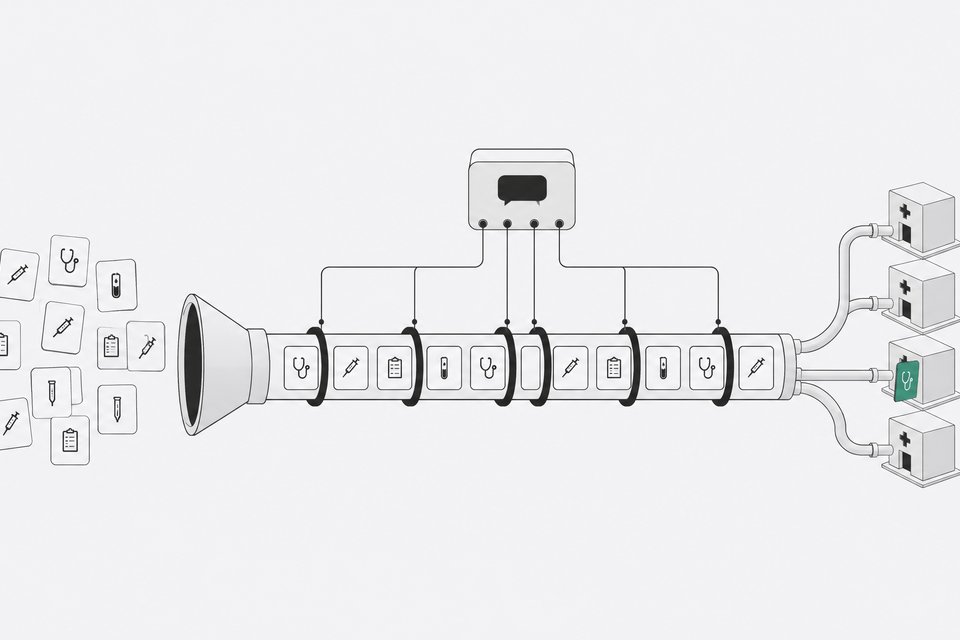
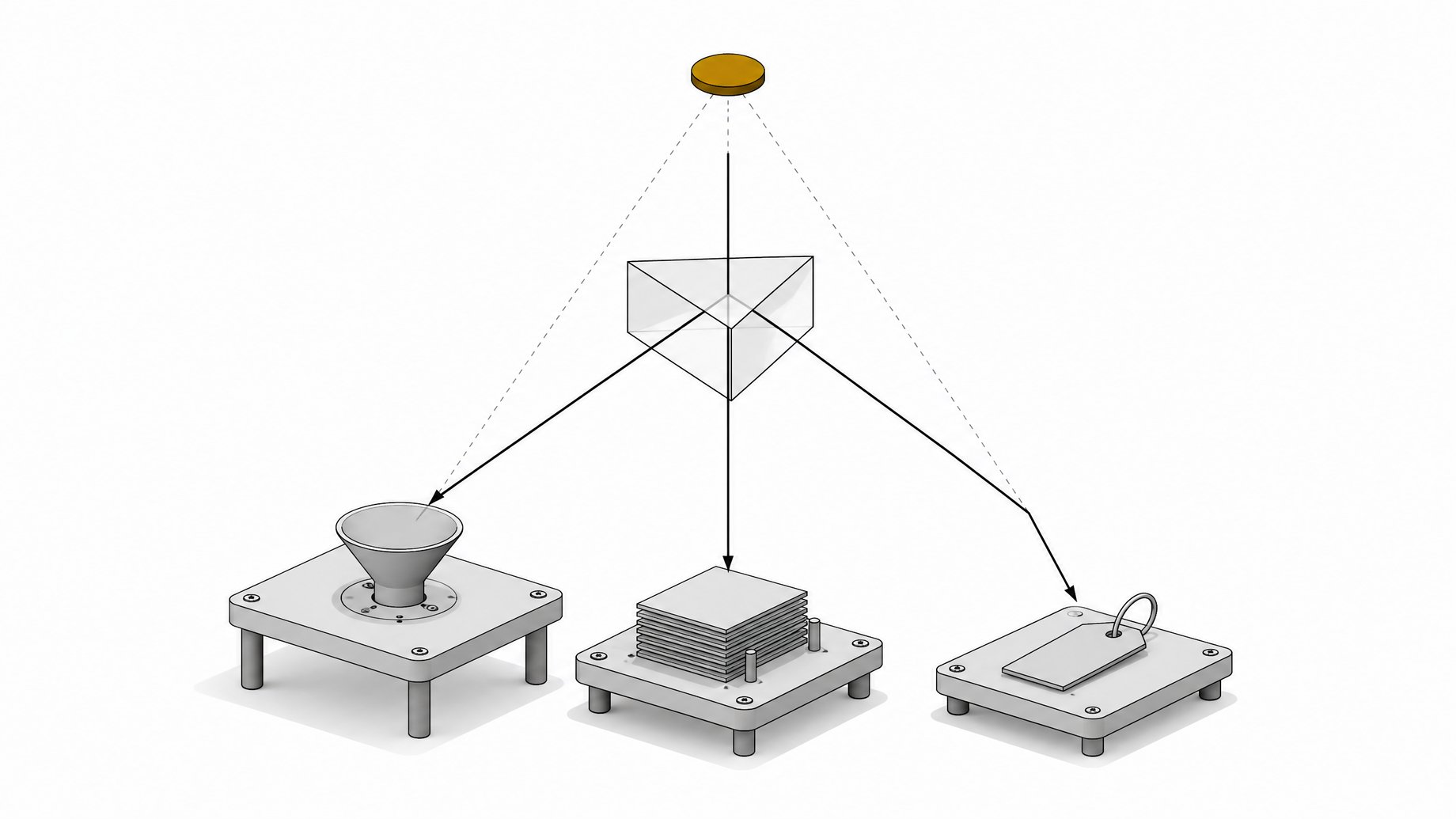
To track traffic from AI assistants, you need three separate systems working together: GA4's native AI Assistant channel (or a custom channel group that fixes its gaps), server log analysis to catch crawler and bot activity GA4 never sees, and IP-based verification to confirm those bots aren't spoofed. No single report gives you the full picture. Here's how to build the layered setup that does.
| Catches referral clicks | Catches crawler/bot hits | Works on historical data | Setup effort | Confirms bots aren't spoofed | |
|---|---|---|---|---|---|
| GA4 native AI Assistant channela zero-setup baseline reading | Yes | No | No | Low | No |
| RecommendedCustom source-only channel groupaccurate, retroactive referral attribution | Yes | No | Yes | Medium | No |
| Server/CDN log analysiscatching crawler traffic GA4 never sees | No | Yes | Yes | Medium | No |
| IP/reverse-DNS verificationconfirming crawler hits are genuine, not spoofed | No | Yes | Yes | High | Yes |
TL;DR
- AI referral traffic is still small, roughly 1% of total website traffic, but it converts at a much higher rate than search, direct, or social.
- GA4's native AI Assistant channel undercounts AI traffic because it only recognizes a handful of platforms and drops sessions with no referrer into Direct.
- A custom source-only channel group matches on source and ignores medium, so it can be applied retroactively and can include platforms Google has not added yet.
- Crawler and bot activity never fires JavaScript, so server or CDN logs are the only way to see it.
- A User-Agent string proves nothing on its own, so verify bots against published IP ranges or with reverse DNS.
- In-app browsers strip referrer headers, so report your AI traffic number as a floor, not a ceiling.
Why does AI assistant traffic hide from your reports?
AI referral traffic is still small in absolute terms. Conductor's analysis of 3.3 billion sessions across 13,000+ domains found it averages 1.08% of total website traffic across ten major industries, growing roughly 1% month over month. Chartbeat's publisher network tells the same story from a different angle: ChatGPT, Gemini, Claude, and Perplexity combined still account for less than 1% of pageviews, even with ChatGPT referrals up more than 200% year over year.
Small doesn't mean invisible, though. It means scattered. The same chatgpt.com session can land in your Referral channel, your Direct channel, or (if you're on a current GA4 setup) a dedicated AI Assistant channel, depending on what the referrer header happened to carry that day. Most teams aren't undercounting AI traffic because it's rare. They're undercounting it because it's split across buckets that were never built to recognize it as one thing.
What are the two kinds of AI traffic, and why do they need different tracking?
Before you touch a dashboard, split this into two separate problems. They need different tools:
- Crawler and bot traffic. This is GPTBot, ClaudeBot, PerplexityBot, and similar agents visiting your pages to index or train on your content. This traffic never fires JavaScript, so GA4 never sees it. You need server or CDN logs.
- Referral traffic. This is a real person who asked ChatGPT, Claude, Perplexity, or Gemini a question, got an answer with a link, and clicked through. This traffic does fire JavaScript, which means it does show up in GA4, but often in the wrong channel.
Treat these as separate tracking projects. Conflating them is the single biggest reason teams misreport their AI traffic number, in either direction.
How do you isolate AI referrer traffic in GA4?
Google Analytics 4 added a native AI Assistant default channel group on May 13, 2026. GA4 recognizes six AI platforms by referrer: ChatGPT, Gemini, Claude, DeepSeek, Copilot, and Grok. When a session matches one, GA4 auto-tags it with medium "ai-assistant" and routes it into the new channel automatically.
Start here. Open Acquisition > Traffic acquisition, filter for the AI Assistant channel, and you'll get a baseline reading with zero configuration. But know its limits going in:
- It only recognizes the platforms Google has explicitly added. Perplexity, as of this writing, is not one of them.
- It explicitly excludes Google's own AI Overviews and AI Mode, which still count as Organic Search, not AI Assistant.
- It only applies going forward. It does not retroactively reclassify historical sessions.
- Sessions that arrive with no referrer header at all, common with in-app browsers, land in Direct regardless of where they actually came from.
So the native channel is a real starting point, not a finished answer.
How do you build a custom channel group that doesn't undercount?
The fragmentation problem is worse than most dashboards reveal. One analysis found the exact same source, chatgpt.com, sitting in three different GA4 channels simultaneously: sessions tagged with medium "ai-assistant" landed in AI Assistant, sessions that defaulted to "referral" landed in Referral, and sessions with no medium at all landed in Unassigned.
The fix practitioners recommend is a custom GA4 channel group that matches on source only and ignores medium entirely:
- Create a new channel group in GA4 Admin under Data display > Channel groups, rather than editing the default one.
- Write a regex rule matching source, catching chatgpt.com, claude.ai, perplexity.ai, gemini.google.com, copilot.microsoft.com, and any others relevant to your traffic, with no condition on medium.
- Name it something distinct from the native AI Assistant channel so you can compare the two side by side.
- Apply it retroactively. Select the custom channel group as a comparison dimension in your reports. Unlike the native channel, it isn't limited to sessions collected after a set date.
This approach also lets you add platforms before Google does. If Perplexity is driving meaningful referral traffic to your site and GA4's native channel hasn't caught up yet, a source-only custom group is the only way to see it today.
How do you verify AI crawler bots in your server logs?
GA4 can't see crawler traffic because crawlers don't execute JavaScript. You need raw server or CDN logs, and you need to know what to look for.
AI companies don't run one bot each. They run several, each with a different job and a different robots.txt token:
- Training crawlers, like GPTBot and ClaudeBot, that collect content for model training.
- Live-answer or search-index crawlers, like OAI-SearchBot, Claude-SearchBot, and PerplexityBot, that index pages to serve in real-time answers.
- User-triggered fetchers, like ChatGPT-User, Claude-User, and Perplexity-User, that retrieve a specific page live because a person asked a question that required it. Perplexity documents that Perplexity-User generally ignores robots.txt because the fetch was explicitly requested by a human, not an automated crawl.
Pulling these apart in your logs matters. A spike in PerplexityBot tells you something about indexing. A spike in Perplexity-User tells you people are actively asking questions your page answers right now. If your internal docs or wikis need to be legible to these fetchers in the first place, serving markdown to the agents that request it is the groundwork that makes this traffic show up at all.
Once you've grepped your logs for these user-agent strings, verify them. A request's User-Agent header proves nothing on its own: any client can claim to be GPTBot or ClaudeBot. The documented way to confirm a hit is genuine is to check the source IP against the vendor's published range, such as OpenAI's IP list at openai.com/gptbot.json, or to run a reverse DNS lookup and forward-confirm the hostname for crawlers like Googlebot that use that method instead. Cloudflare's bot management product assigns a distinct Detection ID to each of these agents for customers who want this automated. Everyone else matches strings by hand.
What attribution blind spots should you know about?
Even a well-built custom channel group plus clean log analysis will still undercount AI traffic, because the ecosystem keeps changing underneath you. Watch for:
- In-app browsers stripping referrer headers. Sessions opened inside a mobile AI app often arrive with no referrer at all and get swept into Direct.
- UTM parameters disappearing without warning. In October 2026, ChatGPT appeared to stop appending UTM parameters to outbound links. One analysis across roughly 500 pages found ChatGPT-attributed visits dropped about 31,000 per day while Direct traffic rose about 26,000 per day over the same window, with two-thirds of pages losing ChatGPT referrals seeing a matching rise in Direct. That pattern points to a reclassification, not a real decline in AI-driven visits.
- Google's AI Overviews counting as Organic Search. GA4's AI Assistant channel is specifically designed to exclude Google's own AI surfaces, so any traffic influenced by AI Overviews or AI Mode is sitting in your Organic Search numbers already, uncredited to AI.
- Delayed conversion through branded search. A user who gets a recommendation from an AI assistant and converts later by searching your brand name on Google shows up as branded Organic Search or Direct, with no trace of the AI assistant that put them there.
None of these blind spots are fixable with a dashboard setting. The honest move is to report your AI traffic number as a floor, not a ceiling, and say so.
How do your AI traffic numbers compare with the market?
Once the layered setup is running, interpret the numbers against what the broader market is seeing, not against zero.
ChatGPT dominates AI referral traffic: Conductor found it responsible for 87.4% of all AI referral sessions across ten industries. But growth rates are shifting. Digiday's analysis of Similarweb data found ChatGPT referral traffic grew 52% year over year from September to November 2025, while Gemini referral traffic grew 388% in the same window, driven largely by a near-doubling of Gemini's desktop visits. If your custom channel group shows Gemini referrals climbing faster than ChatGPT's, that's consistent with the broader trend, not a measurement error.
Crawl volume and referral volume are not the same signal, and the gap between them is enormous. Cloudflare's crawl-to-refer ratio reached as high as 500,000 crawls per referred visit for Anthropic in 2025, against a peak of 3,700:1 for OpenAI. Most AI crawler activity on your server never becomes a session in GA4 at all. That's expected, not a sign your bot tracking is broken.
Finally, weigh volume against value before deciding AI traffic isn't worth the setup. Microsoft Clarity's analysis of 1,200+ publisher and news sites found visitors arriving from LLMs converted to sign-ups at 1.66%, against 0.15% for search, 0.13% for direct, and 0.46% for social. A separate study across 94 ecommerce sites over twelve months found ChatGPT traffic converted 31% higher than non-branded organic search, 1.81% versus 1.39%, with ChatGPT-referred visits growing 1,079% over the year even as they stayed a small fraction of total traffic. Small volume, disproportionate value. That's the case for building this tracking stack properly instead of eyeballing a Referral report once a quarter.
Put a recurring check on the calendar: GA4's native AI Assistant channel, your custom source-only channel group, and a monthly pull of crawler user-agent counts from server logs, each verified for spoofing. Compare the three. Where they disagree is exactly where your real AI-driven reach is hiding.
Frequently Asked Questions
Does GA4's AI Assistant channel capture all AI referral traffic?
No. It only recognizes platforms Google has explicitly added, excludes Google's own AI Overviews and AI Mode, and only applies to sessions going forward. Sessions with a stripped referrer header, common in in-app browsers, still land in Direct.
Why does the same AI platform show up in multiple GA4 channels?
Because the same source, like chatgpt.com, can arrive with different medium tags depending on how the link was shared: medium "ai-assistant" lands in AI Assistant, a defaulted "referral" medium lands in Referral, and no medium at all lands in Unassigned. A custom channel group that matches on source only, ignoring medium, collapses these back into one view.
How do I know if a bot claiming to be GPTBot or ClaudeBot is real?
The User-Agent string alone proves nothing, since any client can set it to whatever it wants. Verify by checking the request's source IP against the vendor's published IP-range file, such as openai.com/gptbot.json, or by running a reverse DNS lookup for crawlers that use that method.
Did ChatGPT stop sending UTM parameters?
ChatGPT appeared to stop appending UTM parameters to outbound links in October 2026. One analysis found ChatGPT-attributed visits dropped roughly 31,000 per day while Direct traffic rose roughly 26,000 per day on the same pages, suggesting sessions were reclassified rather than lost.
How much of my traffic should I expect to come from AI assistants?
Industry-wide, AI referral traffic averages around 1.08% of total website traffic, with ChatGPT responsible for roughly 87.4% of that share. Volume is small, but conversion rates from AI-referred visitors tend to run noticeably higher than from search or direct traffic.
How we source, write, and correct our articles. Editorial standards