Is a Local LLM Cheaper Than an API for Business? Break-Even Math
Learn how to run a local LLM for business: hardware tiers, 7B-30B model picks, Ollama and vLLM setup, and when owning GPUs beats paying API bills.

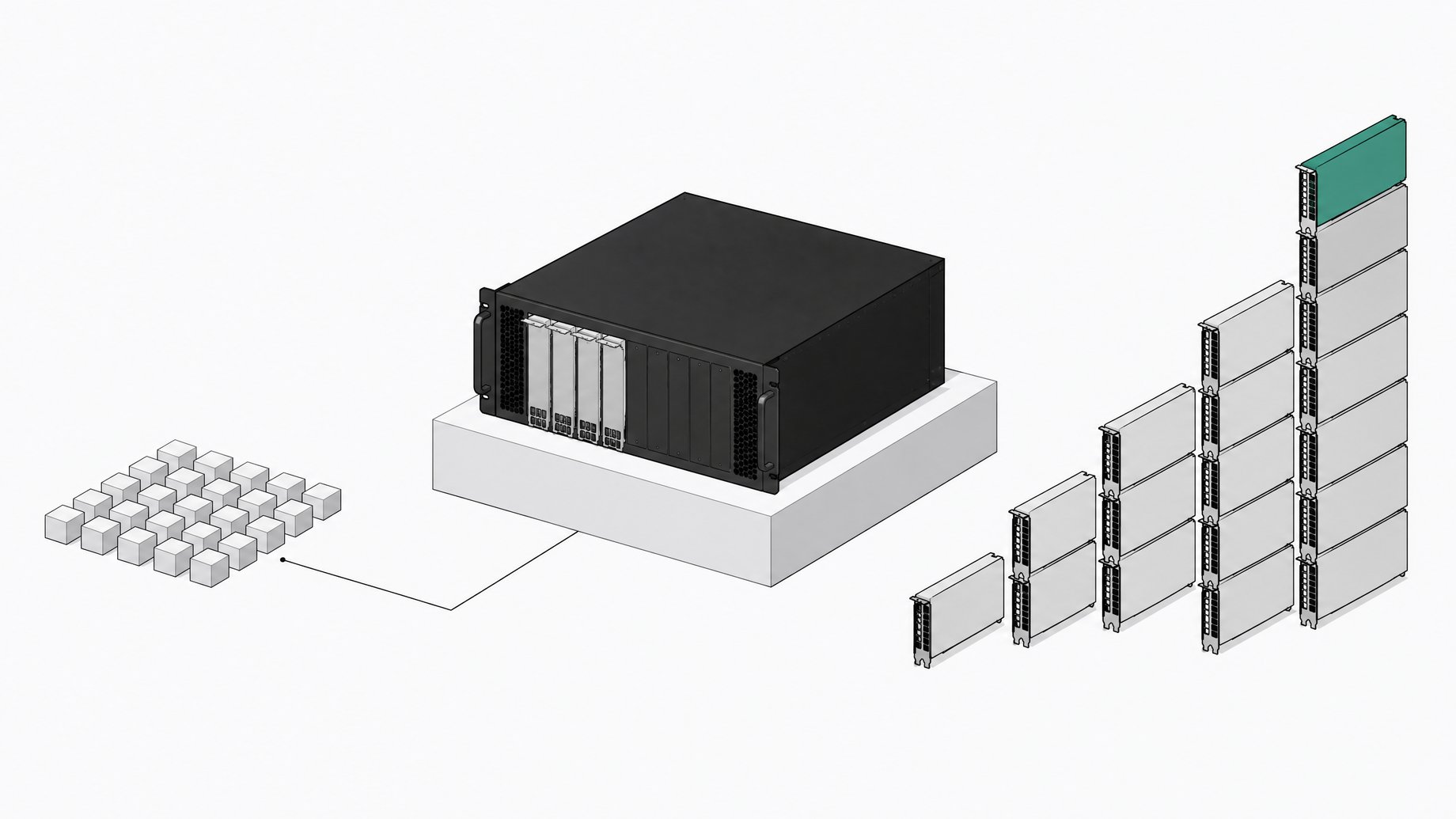
Is a local LLM cheaper than an API for business?
Yes, at real usage volume. Running a local LLM for business comes down to this: pick a 7B-30B open-weight model, run it on a single consumer or workstation GPU with Ollama or vLLM, and route your highest-volume repetitive tasks to it, keeping frontier APIs for the genuinely hard reasoning work. For most companies with real usage, that setup pays for itself in weeks, not years.
API spend stopped being an experiment and became a budget line. Enterprise generative AI spending hit $37 billion in 2025, up 3.2x from $11.5 billion the year before, and 76% of AI solutions are now purchased rather than built in-house, up sharply from near-parity 18 months earlier. The industry default is renting. The real question is whether that default fits your workload, or whether you're paying API margin on tasks a model you already own could handle just fine.
TL;DR
- Small models on a single consumer GPU can break even within about three months against premium commercial APIs, and in as little as 0.3 months.
- Enterprise generative AI spending rose 3.2x to $37 billion in 2025, as the industry shifted toward purchased solutions.
- Most business tasks call for routine extraction and classification, not frontier-level reasoning.
- Below roughly 2 million tokens a day, the API is usually cheaper, so volume sets the crossover where self-hosting pays off.
- High-throughput workloads need a serving stack like vLLM, which reaches roughly 793 tokens per second against about 41 for Ollama under concurrent load.
- Unmanaged local models create shadow AI risk unless you govern them like any other internal infrastructure.
The real math: when does local hardware beat API billing?
A 2025 cost-benefit study across 54 deployment scenarios breaks the math down by scale:
- Small models (24B-32B), like EXAONE 4.0 32B or Qwen3-30B, on a single ~$2,000 consumer GPU: break even against premium commercial APIs in as little as 0.3 months and at most about 3 months.
- Medium models (70B-120B) on $15,000-$30,000 of dual-GPU hardware: break even in 2.3 to 34 months, depending on which API you'd otherwise be paying.
- Large models above 200B parameters, needing $40,000-$240,000 in hardware: only beat aggressively priced APIs like Gemini 2.5 Pro after 5 to 9 years. That's a sovereignty decision, not a cost decision.
Real-world numbers back this up. One home-lab operator built a $6,406 four-GPU server running Qwen3.6 27B that processed about 20.4 million input and 1.32 million output tokens a day, equivalent to $3,701 a year in API cost at that volume. The hardware paid for itself inside its first year. But volume cuts both ways: a step-by-step model puts an RTX 4090 running 500,000 tokens a day at about $59 a month once you amortize the $1,800 card over three years and add electricity, against roughly $6 a month on a budget API at that same volume. Below a certain threshold, the API is just cheaper. Industry analysis puts that crossover around 2 million tokens a day for typical setups. Above it, hybrid self-hosting pays off: one fintech company cut monthly AI spend from $47,000 to $8,000, an 83% reduction, by moving routine volume off GPT-4o Mini onto a self-hosted model. For the full scenario set, this break-even analysis is worth a read.
Do you need a frontier model for most of this work?
Most business AI tasks are not open-ended reasoning. They're classification, extraction, summarization, templated chat, and code completion done thousands of times a day. NVIDIA's research team makes the case for small language models directly: they're sufficiently powerful, inherently more suitable, and more economical for the repetitive narrow tasks that make up most agentic workloads, with larger models reserved for the harder slice of the job. Open-weight models in the 20B-120B range now land within roughly 10% of GPT-5, Claude-4-Opus, and Grok-4 on benchmarks like GPQA, MATH-500, and LiveCodeBench, while running on an order of magnitude less hardware than frontier-scale open models. You're not trading away capability for most of what your team actually needs done.
Step 1: Which hardware tier should you pick?
Match the hardware to the model size you actually need, not the one that sounds impressive:
- Single consumer GPU (16-24GB VRAM, RTX 3090/4090): runs 7B-13B models comfortably and 24-32B models with quantization. This is the sweet spot for the fastest break-even against premium APIs.
- Workstation or dual-GPU rig (48-96GB combined VRAM): handles 24-32B models at full quality or 70B models quantized. Expect $4,000-$8,000 in hardware.
- Multi-GPU server (A100/H100 class, 80GB+ per card): needed for 70B-120B models at production throughput. Budget $15,000-$30,000, with break-even stretching into the 2-to-34-month range depending on the API you're replacing.
- Large-cluster deployments (200B+ params): only justified by compliance or sovereignty requirements, since the cost math rarely favors them on price alone.
Step 2: Which model should you pick?
Match the model family to the job, not the leaderboard:
- General business chat and drafting: Llama 3.x or Qwen2.5/3 in the 8B-32B range.
- Coding assistance: Qwen2.5-Coder or GLM-4.5-Air, both tuned for repo-aware completion.
- Reasoning-heavy tasks without frontier cost: gpt-oss-120b, which runs on a single 80GB GPU, or gpt-oss-20b for edge-friendly deployments.
- Structured extraction and classification: smaller Phi-4 or Qwen3 variants, which are cheap to run at high volume and don't need deep reasoning.
- Multilingual support: Mistral or Qwen3, both with strong non-English coverage.
Step 3: Which serving stack should you pick?
Quantized formats like GGUF compress model weights to fit less VRAM or RAM, at a modest accuracy cost. That's what makes running these models on commodity hardware practical in the first place. Once the weights fit, the serving tool decides how far you can scale:
- Ollama: one-command install, the easiest path to a running model, and the reason it has grown to nearly 9 million monthly users and sits inside 85% of Fortune 500 companies. Good starting point for prototyping and low-concurrency internal tools.
- llama.cpp: the engine many of these tools run on under the hood, good for lean CPU-only or edge deployments.
- vLLM: built around PagedAttention for high-throughput serving. Under concurrent production load, Ollama tops out around 41 tokens per second where vLLM reaches roughly 793. That gap is the usual trigger for migrating once real traffic shows up.
- LocalAI: an OpenAI-compatible layer useful when you want to swap backends without rewriting application code.
Teams building a durable internal stack, not a one-off script, tend to end up with something closer to a full self-hosted AI development stack than a single Ollama install.
Step 4: How do you run the setup?
A minimal working deployment looks like this:
- Install the runtime. On Linux or Mac,
curl -fsSL https://ollama.com/install.sh | sh, or pull the official Docker image if you want it containerized. - Pull a model.
ollama pull qwen2.5:32b(orgpt-oss:20b, or whichever model matches your use case from Step 2). - Test it locally.
ollama run qwen2.5:32band send a prompt to confirm latency and output quality on your actual hardware. - Add a front end. Deploy Open WebUI as a Docker container pointed at your Ollama instance so non-technical staff get a chat interface instead of a terminal.
- Expose the API. Ollama serves an OpenAI-compatible endpoint by default, so existing code written against OpenAI's SDK usually works with a one-line base URL change.
- Load-test before you commit. If concurrent usage climbs, benchmark against vLLM before assuming Ollama will hold up in production.
Step 5: What should stay local and what should still go to the API?
Treat this as routing, not a binary switch. Send high-volume, repetitive, low-ambiguity work, like ticket triage, document extraction, and internal chat, to your local model, since that's where the 2-million-token-a-day crossover makes self-hosting pay off. Keep rare, high-stakes, or genuinely novel reasoning tasks on a frontier API, where the per-call cost is small relative to the value of getting it right. Build the router around actual usage logs, not guesses, and revisit the split quarterly as model quality and API pricing both keep moving.
Why do compliance and shadow AI make the case for going local?
Cost isn't the only driver. Data privacy and security concerns remain a leading barrier to LLM adoption for a large share of enterprises. That's a structural reason, independent of price, to keep sensitive workloads off third-party endpoints. That pressure compounds with a governance problem the industry is only starting to take seriously: employees are already building their own AI-powered tools, often without IT's knowledge, and those tools commonly have broad data access and no named owner. IBM's 2025 breach research found that a high level of shadow AI use added $670,000 to the average global cost of a data breach, and 63% of organizations surveyed had no AI governance policy at all. Running models locally doesn't remove that risk by itself. A self-hosted model with no inventory, no access controls, and no owner is just shadow AI running on your own GPU instead of someone else's. The fix is the same discipline you'd apply to any internal software: a registry, a named owner, and a review process. That's also the argument for treating self-hosted models as infrastructure a company deliberately owns rather than a side project someone spun up over a weekend.
What does this look like in practice?
Say your support team runs roughly 20 million tokens a day through an LLM for ticket classification and first-pass drafting, close to the volume the $6,406 home-lab server handled. At that scale, a single consumer-GPU box running a 27B-32B model breaks even against a premium API inside the first few months, consistent with the 0.3-to-3-month range the Carnegie Mellon study found for small open models against Claude-4-class pricing. If your actual volume is closer to 300,000-500,000 tokens a day, the math flips: the flaviocopes calculator puts local cost at about $59 a month against roughly $6 on a budget API, so you'd be paying more to own the hardware than to rent the calls. The decision isn't ideological. It's a volume calculation you can run with your own logs before you buy anything.
What are the common pitfalls when running local LLMs for business?
- Underestimating ops overhead. Someone has to patch the server, monitor GPU health, and handle model upgrades. That's real engineering time, not a one-time setup cost.
- Over-quantizing and losing quality. Aggressive quantization shrinks VRAM needs but can degrade output on nuanced tasks; test against your actual prompts, not a generic benchmark.
- Running production traffic on prototyping tools. Ollama's throughput ceiling under concurrent load is real; migrate to vLLM before, not after, you hit it.
- Chasing frontier parity you don't need. Most business tasks don't require GPT-5-class reasoning, and chasing it anyway erases the cost advantage that got you here.
- Ignoring low or spiky volume. If your usage is irregular or small, the API is still the right call. The 2-million-token-a-day crossover is a real threshold, not a suggestion.
| Hardware Cost | Model Capacity | Typical Break-Even | VRAM Needed | |
|---|---|---|---|---|
| RecommendedSingle Consumer GPUfastest break-even on 7B-32B workloads | ~$2,000 | 7B-32B (quantized) | 0.3-3 months | Low |
| Workstation / Dual-GPU24B-70B models at higher quality | $4,000-$8,000 | 24B-70B (quantized) | Faster than medium-scale servers (estimate) | Medium |
| Multi-GPU Server (A100/H100)70B-120B models at production throughput | $15,000-$30,000 | 70B-120B | 2.3-34 months | High |
| Large Cluster (200B+)compliance or sovereignty requirements only | $40,000-$240,000 | 200B+ | 5-9 years | High |
If your model feels weaker than the API it replaced, the issue is usually configuration, not the model itself. That's a separate tuning problem worth fixing before you give up on the switch.
Bottom line: own the model, rent only what you must
Running a local LLM for business isn't about ideology. It's about matching the tool to the volume. At real scale, a 7B-30B open-weight model on hardware you own can pay for itself in months, sometimes weeks, while a frontier API stays the right call for the rare, high-stakes query. That's the same calculation companies are starting to run across their whole software stack, not just AI, as the broader push toward owning infrastructure outright, rather than renting it indefinitely, gains ground. Run the numbers on your own token volume before you decide which side of that line you're on.
Frequently Asked Questions
How much does it cost to run a local LLM for a business?
It depends on model size and volume. A single consumer GPU (around $2,000) running a 24-32B model can break even against premium commercial APIs in as little as 0.3 to 3 months at sufficient usage. At low volume, like 500,000 tokens a day, a GPU setup can run about $59 a month versus roughly $6 on a budget API, so the API stays cheaper.
What is the minimum hardware needed to run a 7B-30B model locally?
A single consumer GPU with 16-24GB of VRAM, such as an RTX 3090 or 4090, handles 7B-13B models comfortably and 24-32B models with quantization. That's enough for most repetitive business tasks without moving to multi-GPU hardware.
Should I use Ollama or vLLM for a business deployment?
Start with Ollama for prototyping and low-concurrency internal tools; it's a one-command install and the most widely used local-LLM tool, with nearly 9 million monthly users. Migrate to vLLM once you have real concurrent production traffic, since its PagedAttention architecture reaches far higher throughput under load than Ollama can sustain.
At what usage volume does local AI actually save money over API calls?
Industry analysis puts the crossover around 2 million tokens a day for typical configurations. Below that, API pricing is usually cheaper once you account for hardware and operational overhead; above it, self-hosting starts to win, as shown by cases where companies cut monthly AI spend by over 80% after switching.
Is running AI models locally safe for compliance-sensitive data?
It helps with data residency and reduces exposure to third-party processing, which matters since data privacy is a leading barrier to LLM adoption for many enterprises. But local deployment only closes that gap if the models are inventoried and owned the same way other internal software is; otherwise they become their own shadow-AI risk, which IBM's research ties to an average $670,000 increase in breach costs where shadow AI use is high.
How we source, write, and correct our articles. Editorial standards