Stop Pasting Internal Documents Into ChatGPT. Build This Instead.
Employees are pasting trade secrets into ChatGPT. Here's how to build a locally hosted, permission-aware document scanner that stops the leak without a ban.

How can you securely process internal documents with AI instead of pasting them into ChatGPT?
The secure way to use ChatGPT-style document processing on internal company files is to stop using ChatGPT for it. Build a locally hosted retrieval and inference stack instead: it summarizes, searches, and extracts the same way, but no file ever leaves your network. Policy alone won't get you there. Infrastructure will.
TL;DR
- 77% of employees using AI tools have pasted company data into ChatGPT or a similar platform, often from personal accounts that nobody in IT is monitoring.
- The share of leaked corporate data classified as sensitive rose to 27.4% in 2024, so the risk is accelerating rather than stabilizing.
- Banning ChatGPT does not stop leakage; it pushes the risk onto personal devices and shadow AI.
- A self-hosted RAG stack offers the same processing speed while ensuring no files ever leave your network.
- Permissions should be enforced before retrieval happens, not after, so confidential content never reaches the model's context window unchecked.
- Self-hosted deployment costs are dominated by GPU amortization and break even against API seats within months.
- Infrastructure does not replace a written policy, so regulated teams need both technical controls and clear rules for employees.
How much company data is leaking into ChatGPT?
Start with the number that should worry every IT and security leader: 77% of employees who use AI tools have pasted company data into ChatGPT or a similar platform, often from personal accounts that nobody in IT is monitoring. Cyberhaven's analysis of 3 million workers found the volume of corporate data flowing into AI tools jumped 485% between March 2023 and March 2024, and that 73.8% of ChatGPT use at work happens through non-corporate accounts whose inputs can end up training public models.
The content of what's being pasted is also getting riskier. The share of that corporate data classified as sensitive rose from 10.7% in 2023 to 27.4% in 2024, and reportedly to 34.8% by 2025. This is not stabilizing. It's accelerating.
Samsung learned this the hard way. In April 2023, semiconductor engineers leaked proprietary source code, internal meeting transcripts, and chip-defect detection algorithms into ChatGPT in three separate incidents inside a 20-day window. The company responded with a companywide ban on generative AI tools. The ban didn't solve the underlying problem. It just moved the risk somewhere else.
What actually happens to a document once it hits ChatGPT?
The honest answer depends entirely on which tier of ChatGPT someone is using, and most employees have no idea which one they're on.
OpenAI's enterprise privacy commitments say that ChatGPT Business, Enterprise, Edu, Healthcare, and the API (for usage after March 1, 2023) are not used to train models by default, and offer configurable retention windows plus zero-data-retention for qualifying customers. That's a real, meaningful protection. But only if your organization is actually on one of those tiers, and your employees are actually logged into it.
The consumer Free and Plus tiers are a different product with different defaults, and that's where most of the pasted documents are going, per the 73.8% figure above.
Even the enterprise tiers aren't immune to infrastructure failure. In March 2023, a bug in an open-source Redis library caused ChatGPT to briefly expose other active users' conversation titles, and for a nine-hour window, exposed limited payment details for 1.2% of ChatGPT Plus subscribers active during that time. Nothing about that bug required negligence on the user's part. It's a reminder that any system holding your data, even a well-run one, is a system that can leak.
Why doesn't banning ChatGPT work?
The instinct after an incident like Samsung's is to ban the tool. Cisco's 2024 Data Privacy Benchmark Study, surveying 2,600 security and privacy professionals across 12 countries, found 27% of organizations had banned generative AI at least temporarily over privacy and security concerns. But the same study found 48% of organizations admitted employees had already entered non-public company information into GenAI tools. Bans and leakage are coexisting, not canceling each other out.
Survey data cited by Moveo AI tells the same story from a different angle: 75% of companies have implemented or are considering bans on ChatGPT and similar tools, with 61% treating those bans as long-term, even as 65% of organizations use generative AI in at least one business function. A ban doesn't stop the behavior. It pushes it onto personal devices and unmonitored accounts, which is exactly the shadow AI pattern IT teams are now discovering across every category of employee-built tooling. You can't govern what you can't see, and a ban is the fastest way to lose visibility.
What is the alternative: an internal, locally hosted document scanner?
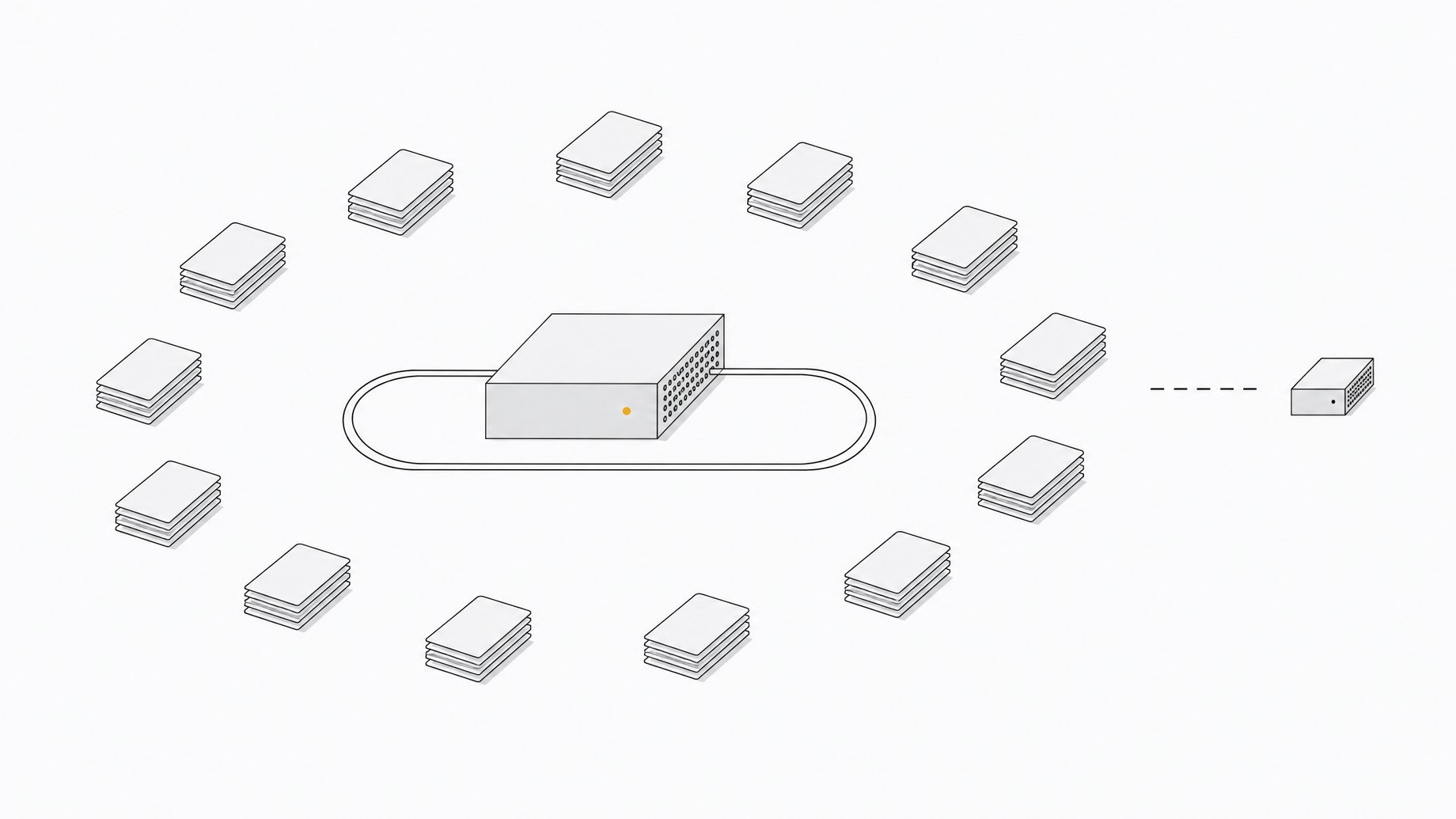
If employees want ChatGPT-level speed for summarizing a contract, searching an HR policy, or extracting terms from a vendor agreement, the fix is to give them that speed on infrastructure you control. That means a self-hosted retrieval-augmented generation (RAG) stack: documents get parsed and indexed locally, a local model answers questions against that index, and nothing crosses the network boundary to a third-party API.
This is also a question of who owns the retrieval layer that sits between your employees and your most sensitive files. Some teams are choosing to own that index outright rather than rent access to it through a vendor's connector, which keeps both the data and the permission logic inside the company's own infrastructure.
What are the seven pieces of a secure internal document pipeline?
A complete self-hosted RAG stack has seven components, and skipping any one of them creates a gap employees will eventually find and route around.
- Ingestion and connectors. Pull documents from SharePoint, Google Drive, shared drives, and ticketing systems into the pipeline automatically.
- Document parsing. Convert PDFs, scans, DOCX, PPTX, and XLSX files into structured, machine-readable text.
- Embedding model. Turn parsed text into vectors that capture meaning, not just keywords.
- Vector index. Store those vectors for fast similarity search across the document set.
- Retrieval and reranking. Pull the most relevant chunks for a given query and rank them before they reach the model.
- Local LLM inference. Run the actual language model that generates answers, entirely on your own hardware.
- Permission-aware chat UI. The interface employees actually use, filtered by what each person is allowed to see.
This is the same category of problem you'd face wiring any AI agent into a sensitive data source: the model is rarely the risk. The access path around it is.
Step 1: choose your document parsing layer
This is the step that actually replaces what employees are doing by hand in ChatGPT. Two open-source options dominate here. IBM's MIT-licensed Docling and Unstructured.io both convert PDFs, scanned documents, Office files, and images into structured text locally and offline, with no file ever sent to a third-party API. Docling leans toward advanced PDF layout understanding; Unstructured covers a broader range of input formats out of the box. For most internal document scanners, either is a reasonable default. The deciding factor is usually which one handles your messiest legacy file formats better in a quick pilot run.
Step 2: pick a local inference engine and model
Ollama and vLLM are the two most common choices for running an open-weight model on your own hardware. Hardware needs scale with headcount: a single workstation GPU can serve 5 to 20 users, while 200+ users or air-gapped regulated environments need multi-GPU clusters.
Step 3: add retrieval, permissions, and a chat interface
This is where most DIY builds quietly fail. The correct pattern is early binding: sync access control lists from your source systems (SharePoint permissions, Drive sharing settings, HR system roles) into the vector and keyword index, and filter by those permissions before retrieval happens, not after. Late binding (retrieving first, then filtering afterward) risks pulling confidential content into the model's context window before any permission check runs. Pair the retrieval pipeline with hybrid search (keyword plus vector) and a reranking step so answers stay accurate as the document set grows.
Step 4: deploy, test, and roll out to your team
For a small team, Docker Compose is enough to stand up the full stack on a single machine. For regulated environments or larger headcounts, move to Kubernetes or a fully air-gapped deployment. Either way, run an evaluation pass against a representative set of real documents and real employee questions before go-live, and don't skip it just because the demo looked clean.
What does this cost compared to ChatGPT Enterprise?
Self-hosted deployments are dominated by GPU amortization, and that cost typically breaks even against ongoing API or seat costs within 6 to 12 months for a moderately active team. ChatGPT Enterprise and Business tiers come with real privacy guarantees out of the box: no training on your data by default, configurable retention, zero-data-retention for qualifying accounts, and no infrastructure to maintain. But those guarantees only apply if every employee is actually using the paid, properly configured account, and the Cyberhaven data suggests most aren't.
A sysadmin at a 300-person law firm laid out the real tradeoff in a public forum thread: a self-hosted, in-house LLM is clearly more appealing than letting staff put client PII into consumer ChatGPT, but GPU scaling, user management, and the IT staffing bandwidth to run it all pushed the firm toward a cloud-hosted private deployment instead of a fully DIY on-prem build. That's the honest build-versus-buy calculus: the self-hosted stack wins on data control, but it has to be weighed against whether your team has the staffing to run it.
| Data Control | Data Leaves Your Network | Setup Time | IT Staffing Burden | Cost Structure | |
|---|---|---|---|---|---|
| ChatGPT Enterprise/Businessteams needing zero infrastructure overhead and fast rollout | Medium | Yes | Days | Low | Per-seat subscription |
| RecommendedSelf-hosted DIY RAG stackorganizations with strict data-control requirements and in-house IT capacity | High | No | Weeks to months | High | GPU amortization plus build time |
| Cloud-hosted private deploymentteams wanting data control without running their own GPU infrastructure | High | Yes | Weeks | Medium | Managed hosting fees |
Why does the policy layer still matter?
Infrastructure fixes the data-leaving-the-building problem. It doesn't substitute for a written policy. The American Bar Association's Formal Opinion 512, issued in July 2024, is the first national ethics framework addressing generative AI, and it reaffirms that existing confidentiality duties under Model Rule 1.6 apply fully to AI tools. Regulated professions in particular need both: a technical control that enforces permissions automatically, and a written policy that tells employees what they're allowed to do when the technical control isn't the final word. This is the same pairing we've argued for when employees' saved ChatGPT prompts and memories quietly become unowned internal software: the fix is never policy alone or tooling alone.
Checklist: is your internal document scanner secure?
- Permission inheritance. ACLs from source systems are synced into the index and enforced before retrieval, not after.
- Audit logs. Every query and every document retrieved is logged and attributable to a user.
- Retention controls. You know exactly how long parsed documents and chat history are stored, and why.
- Model choice. You're running an open-weight model on infrastructure you control, not routing through a third-party API by default.
- Written policy. Employees have a clear, current document telling them what's approved and what isn't, independent of the technical controls.
Get those five right and you've closed the gap that sent Samsung's engineers, and thousands of other employees, into a free chatbot with their most sensitive files.
Frequently Asked Questions
Is it safe to use ChatGPT for internal company documents?
Only on paid tiers with the right settings. ChatGPT Business, Enterprise, Edu, and Healthcare, plus API usage after March 1, 2023, are not used to train models by default and offer configurable retention. The consumer Free and Plus tiers have different defaults, and most workplace ChatGPT use happens through those unmonitored personal accounts.
Why do companies ban ChatGPT instead of just training employees?
Bans are faster to implement than infrastructure or training, but data shows they don't stop the underlying behavior. Nearly half of organizations in one major study admitted employees had entered non-public company data into GenAI tools even where usage was restricted, pushing the activity onto personal devices IT can't see.
What is a self-hosted RAG stack and why would a company build one?
A self-hosted retrieval-augmented generation stack parses, indexes, and retrieves company documents on infrastructure the company controls, then uses a locally run language model to answer questions against that index. It gives employees ChatGPT-like speed for summarizing and searching documents without any file leaving the network.
What's the most common mistake companies make building an internal document AI tool?
Skipping permission enforcement before retrieval. If a system retrieves document chunks first and checks user permissions afterward, confidential content can already be sitting in the model's context window by the time the permission check runs. Access control lists need to be synced into the index and enforced before retrieval, not after.
How much does it cost to self-host an internal document AI tool compared to ChatGPT Enterprise?
Self-hosted stacks are mostly a GPU cost, and that cost typically breaks even against ongoing API or per-seat costs within 6 to 12 months for a moderately active team. The tradeoff is staffing: running the infrastructure takes IT bandwidth that a managed enterprise contract doesn't require.
How we source, write, and correct our articles. Editorial standards