Best Tools for Running AI Locally: Ollama vs LM Studio vs vLLM
Compare Ollama, LM Studio, llama.cpp, Open WebUI, AnythingLLM, and vLLM across runtime, interface, and server layers, plus VRAM needs and cost.

What are the best tools for running AI locally?
The best tools for running AI locally split into three separate jobs that most people treat as one. You need a runtime that loads model weights onto your hardware (Ollama, LM Studio, or llama.cpp directly), an interface that turns that runtime into something you use every day (Open WebUI or AnythingLLM), and, once usage grows past one person, a production server (vLLM). Pick one tool per layer, match it to your hardware, and you've swapped a monthly subscription for something you own outright.
TL;DR
- Local AI breaks into three layers, a runtime, an interface, and a production server, and you pick one tool for each.
- 77% of employees paste data into GenAI tools, and 82% of that activity runs through unmanaged personal accounts, which is the privacy case for running models yourself.
- Ollama, LM Studio, and llamafile all run on llama.cpp's GGUF core, so raw speed is nearly identical once hardware and settings are held constant.
- Apple Silicon's MLX framework can process prompts about 10% faster than the standard GGUF path in Ollama and LM Studio.
- Quantizing a 70-billion-parameter model to 4-bit precision shrinks its VRAM footprint from 140GB to 35GB.
- Running local AI costs more than cloud APIs at light usage, but at a high-volume tier of 50 million tokens a day over 36 months it reaches about $7.15 per million tokens, within the $6.90 to $9.86 API range.
Why Are Developers Cutting the API Cord?
This isn't a hobbyist trend. It's a response to how much sensitive company data is already leaking into consumer AI tools through accounts nobody manages.
- 57% of enterprise employees at large companies have entered confidential information into tools like ChatGPT, Gemini, or Copilot, and 68% did it through personal accounts rather than anything IT approved.
- 77% of employees paste data into GenAI tools according to enterprise browser telemetry, and 82% of that activity runs through unmanaged personal accounts, making GenAI the single largest vector for data leaving the company's control.
- 39.7% of all AI interactions involve sensitive data, with employees feeding something sensitive into an AI tool roughly once every three days, often through personal rather than corporate logins.
Three independent datasets, three measurement methods, one consistent story: the data is leaving and nobody is tracking where. That's the governance problem a lot of IT teams are already learning to live with instead of banning outright. Running the model yourself doesn't fix bad habits, but it takes the third-party server out of the equation entirely.
Why Does llama.cpp Run Almost Everything in the Engine Room?
Before ranking tools, it helps to know they're not as different as they look. Ollama, LM Studio, and llamafile all execute models through the same inference core: llama.cpp's GGUF format. Independent benchmarking found that once weights, build flags, and hardware are held constant, all four servers land within a few percent of each other on raw prompt processing speed. The deciding factor isn't which tool you pick. It's compiler flags, shader toolchain, and how the GPU is being used underneath.
The one real platform exception is Apple Silicon. Both Ollama and LM Studio can serve models through Apple's MLX framework instead of GGUF, which runs roughly 9 to 11% faster on prompt processing than the shared GGUF path. llama.cpp and llamafile don't have an MLX option, so on a Mac that's a genuine point in Ollama's or LM Studio's favor. This engine room, and the broader open-source infrastructure it sits inside, started as a reaction to licensing fights and hyperscaler pricing. It's production-grade now.
Is Ollama the One-Command Default?
Ollama is the tool most developers reach for first, and the numbers back that up. It's MIT-licensed, reports 52 million monthly downloads and more than 162,000 GitHub stars, and ships a library of over 4,500 downloadable models including Llama 3.x, Qwen3, DeepSeek-R1, and Gemma 3.
- Setup is one command.
ollama run llama3.3pulls, quantizes, and serves a model with no config file. - Modelfiles make configurations reproducible, so a teammate can run your exact setup instead of guessing at flags.
- The ecosystem is wide. Open WebUI, Continue.dev, and Raycast all treat Ollama as a default backend, which is why it's usually the first runtime people install.
Is LM Studio the Best GUI for Model Discovery and Apple Silicon Speed?
LM Studio trades the terminal for a point-and-click interface built around browsing Hugging Face's model catalog directly. It's free to use but closed source, which is the real trade-off against Ollama.
- A visual model browser lets you search, filter, and download GGUF models without memorizing names or flags.
- A per-layer GPU offload slider gives you a direct way to balance speed against VRAM instead of editing a config file.
- The MLX engine advantage applies here too. On Apple Silicon, LM Studio can serve through MLX for that same roughly 10% prompt-processing bump over the shared GGUF path.
When Should You Use llama.cpp for Zero Abstraction and Maximum Control?
Some developers skip the wrappers entirely and run llama.cpp directly, usually because their hardware doesn't fit the assumptions baked into Ollama or LM Studio. One developer running an AMD GPU on Windows put it plainly: "The majority of AI stacks assume NVIDIA + CUDA... Like Ollama, I can use a feature-rich CLI, plus Vulkan support in llama.cpp and it takes a lot less disk space, too."
- Native Vulkan support means it runs on AMD GPUs and other non-CUDA hardware where higher-level tools often stumble.
- A CPU-only fallback path keeps it usable on genuinely old machines, including a decade-old Intel Mac.
- Smaller footprint, fewer dependencies, which matters if you're deploying to something resource-constrained.
| Setup Simplicity | Apple Silicon MLX Speed Boost | Non-NVIDIA / CPU Hardware Support | Open Source | Visual Interface | |
|---|---|---|---|---|---|
| RecommendedOllamasolo prototyping and the widest tool ecosystem | High | Yes | Medium | Yes | No |
| LM StudioMac users who want a model browser and MLX speed | High | Yes | Low | No | Yes |
| llama.cppAMD GPUs, old hardware, or maximum control | Low | No | High | Yes | No |
Which Interface and RAG Layer Should You Use: Open WebUI or AnythingLLM?
A runtime by itself is a terminal. For daily use, most people put a chat interface on top of it, and the two self-hosted leaders are Open WebUI and AnythingLLM. Both connect to Ollama or any OpenAI-compatible local endpoint and give you a ChatGPT-style window where uploaded documents and chat history never leave the device.
- Open WebUI is positioned by enterprise IT consultancies as the direct, GDPR-friendly swap for ChatGPT Enterprise, with document-grounded RAG built in.
- AnythingLLM bundles RAG and lightweight agent workflows into one self-hosted workspace, and its own usage figures are the clearest proof that local substitution is happening at scale: over 77 million desktop downloads, more than 233 billion tokens processed locally, and over $8.7 million reported saved versus cloud API costs.
- Both are free and self-hostable, which means the "subscription" you're replacing disappears the day you install either one.
When Does a Laptop Become a Team's Production Server with vLLM?
Ollama is built for one person on one machine. The moment a team wants to hit the same model from multiple users or applications at once, the tool most people graduate to is vLLM, originally built at UC Berkeley's Sky Computing Lab and now maintained by a community of more than 2,000 contributors.
- PagedAttention and continuous batching let it serve many concurrent requests off one GPU far more efficiently than a naive serving loop.
- An OpenAI-compatible API means code written against GPT-4 or GPT-5 endpoints often works against vLLM with a URL swap.
- The throughput gain is real: community benchmarks cited by SitePoint put vLLM 20 to 40% ahead of unoptimized serving stacks on identical hardware.
How Much VRAM Do You Actually Need to Run AI Locally?
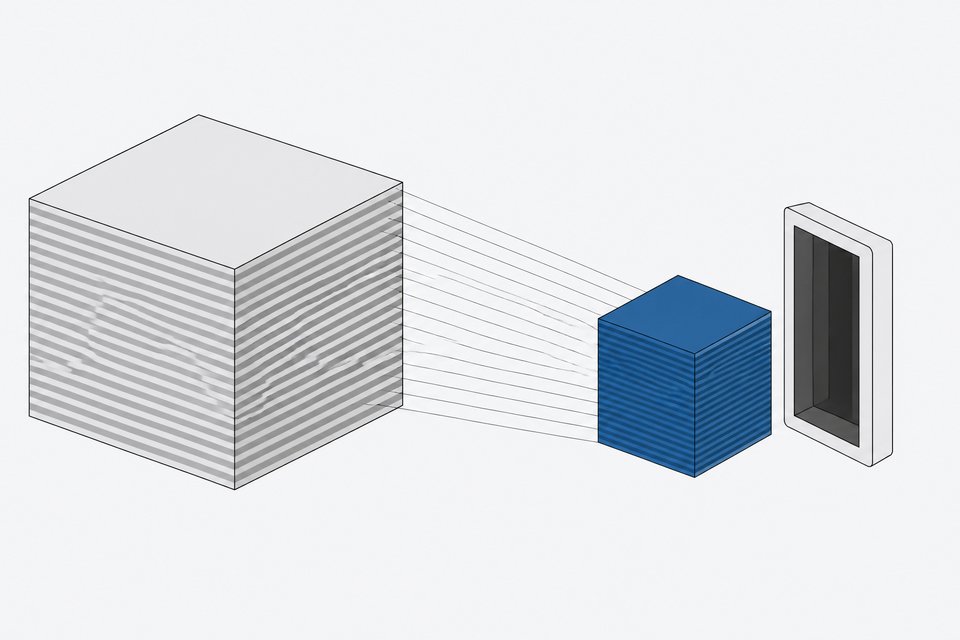
None of this works unless the model fits in memory, and that's where quantization does the actual work. A 70-billion-parameter model at full 16-bit precision needs roughly 140GB of VRAM. Quantized to 4-bit, that drops to around 35GB, small enough for a single consumer GPU, while 4-bit quantization still preserves over 99% of the model's original performance on most tasks. That's the mechanism, not a rough estimate, behind every GGUF file these tools download by default. If you're sizing a machine before buying anything, it's worth working through what hardware a given model class actually needs before committing to a GPU.
Is Local AI Actually Cheaper Than the API?
Not automatically, no. At light usage, around 500,000 tokens a day, local hardware costs roughly five times more per million tokens than OpenAI's API, because you're paying for idle capacity. The math flips at volume. At a heavy-usage tier of 50 million tokens a day over a 36-month horizon, enterprise local hardware reaches an effective $7.15 per million tokens, against $6.90 to $9.86 per million tokens for OpenAI and Anthropic's APIs, and local deployment also removes vendor lock-in entirely. The full code-privacy and cost comparison against the latest frontier API pricing makes the same point from the other direction: the break-even point is a volume question, not a philosophy question.
Is an Open-Weight Model the Same as Open Source?
No, and the difference matters once you're building on top of one. Open-weight models like Llama, DeepSeek, Qwen, and GLM ship downloadable weights but not training data or training code, and their licenses vary meaningfully. Qwen3 and Mistral ship under permissive Apache 2.0, while Meta's Llama community license caps commercial use at 700 million monthly active users and requires attribution. That cap won't touch most teams, but the attribution and field-of-use terms are worth reading before you build a product on top of any local model.
How Do You Assemble Your Own Stack?
There's no single right answer, only a right answer for your situation.
- Solo prototyping or a personal assistant: Ollama plus Open WebUI, running on whatever GPU you already own.
- Fast model experimentation on a Mac: LM Studio, for the model browser and the MLX speed bump.
- Odd or constrained hardware, AMD GPUs, old machines: llama.cpp directly, for the Vulkan and CPU fallback paths.
- A team that wants to chat with its own documents without a cloud bill: AnythingLLM or Open WebUI layered on top of Ollama.
- Production traffic across multiple users or apps: vLLM, once a single machine stops being enough.
The tools in this stack aren't a novelty. They're infrastructure, and infrastructure is something you're supposed to keep.
Frequently Asked Questions
What is the easiest tool for running AI locally for the first time?
Ollama. It installs in one command, has an enormous model library (4,500+ models), and most other tools in the ecosystem, including Open WebUI, are built to connect to it by default.
Do I need a GPU to run a local LLM?
Not necessarily. llama.cpp has a CPU-only execution path that works on older hardware, though it's slower than GPU inference. For anything above small models, a GPU with enough VRAM for the quantized model size makes a real difference.
Is running AI locally actually cheaper than paying for ChatGPT or an API?
It depends on volume. At light usage, local hardware costs roughly five times more per million tokens than an API because you're paying for idle capacity. At sustained heavy usage, around 50 million tokens a day over three years, local hardware's effective cost per million tokens comes in below OpenAI's and Anthropic's API pricing.
What's the difference between Ollama and vLLM?
Ollama is built for one person on one machine, with a simple CLI and broad model support. vLLM is a production-grade serving engine built for multiple concurrent users, using PagedAttention and continuous batching to get far more throughput per GPU. Teams usually start on Ollama and move to vLLM once usage outgrows a single machine.
Does an open-weight model mean I can use it for anything?
No. Open-weight models like Llama ship downloadable weights but come with license restrictions, such as Meta's community license capping commercial use at 700 million monthly active users and requiring attribution. Models like Qwen3 and Mistral ship under the more permissive Apache 2.0 license. Check the license before building a product on top of any model.
How we source, write, and correct our articles. Editorial standards