How Much Does Qwen Audio Agent Cost With Claude Code?
Qwen Audio Agent is open source, but the DashScope voice front end and Claude Code back end bill separately. Here is where usage comes from.

How much does it cost to run Qwen Audio Agent with Claude Code?
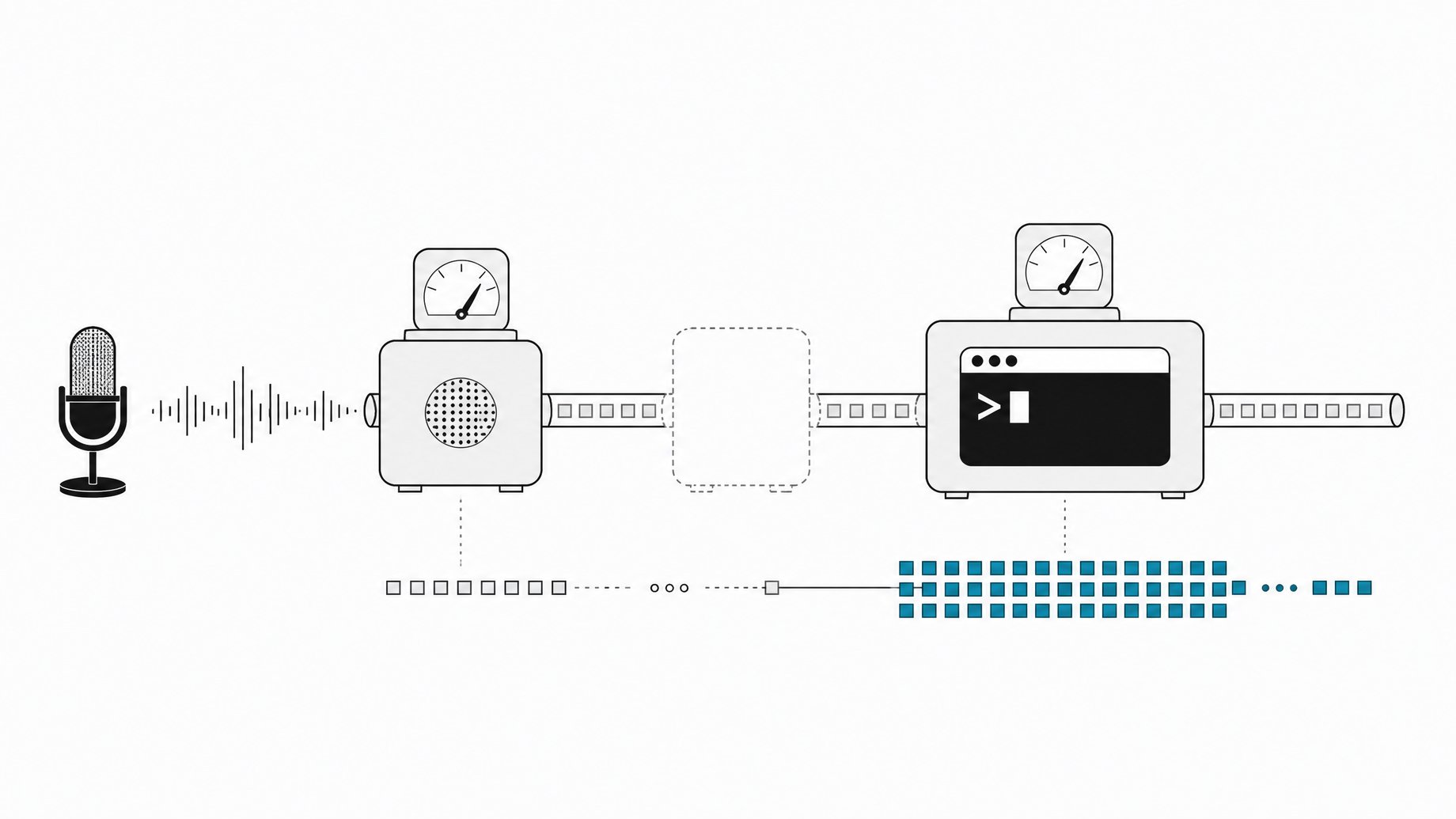
The software costs nothing to install, but running it is not free. Qwen Audio Agent is open source, yet it relies on two hosted services that bill separately: a DashScope API account for the realtime voice model, and your Claude Code account or API access for the coding work. No single price covers both. Check the voice provider's current price for your model and region, then check your Claude plan or API rates. For a look at how another voice API structures its charges, see Fish Audio Drama 3 pricing.
TL;DR
- The app is free, the models are not. Qwen Audio Agent is open source, but the cloud voice connection needs a DashScope API key and the coding back end uses your Claude account.
- You get two separate usage streams, one from the voice front end and one from Claude Code, and each shows up in a different dashboard.
- Follow-up tasks add back-end usage. Every extra request you hand to Claude Code is more work on the Claude side.
- Short spoken replies keep voice usage down. Ask for detailed results as text and have the assistant speak only a summary.
- To compare costs honestly, record both sides of the same session. One bill alone tells you half the story.
- Going local on the voice side does not make Claude local. A local voice front end has its own model and hardware demands, and a cloud Claude back end still bills you.
What is Qwen Audio Agent and how is it set up?
Qwen Audio Agent is an open source application that connects a voice conversation to agents that do work on your computer. It ships with a browser interface, a terminal interface, and a desktop app with a floating voice orb. A local gateway ties the pieces together and brings task results back into the conversation.
The setup has two model connections:
- A voice front end that handles the spoken conversation. In the walkthrough this is configured through a DashScope API key, with the realtime provider set to DashScope and a Qwen 3.0 realtime plus model selected.
- Claude Code as the coding back end, reached through an adapter for the Agent Client Protocol (ACP). The project includes an install command for that adapter.
Short general questions can be answered by the voice model. Anything that needs to change files in your project goes to Claude Code, while the front end keeps talking.
Where does the usage come from?
Two places, and they do not share a meter.
| Source | What it does | Where you pay |
|---|---|---|
| DashScope voice front end | Processes the spoken conversation, including answers and transcription of what you say | Your DashScope API account |
| Claude Code back end | Does the actual coding tasks in your workspace | Your Claude Code account or the API access you configured |
The setup in the source uses an API key from the voice provider's console for the first line. For the second, you sign in to Claude or configure API access as you normally would for Claude Code. If you already use Claude Code, the installer can reuse that installation, which also means the usage lands on the account you already have.
This is why the "open source" label misleads on cost. The license covers the glue code. The hosted model calls on both ends are metered.
Why does talking cost more than the code alone?
You pay for the voice layer in addition to the coding work, not instead of it. Even a conversation that never triggers a coding task still runs through the voice model. And a coding task that would have cost the same in a plain terminal now has a voice session wrapped around it.
The voice session also tends to run longer than a typed one. The point of this tool is that you can keep chatting while Claude builds: asking what local storage does, changing a requirement mid-build, reporting a bug as you see it. That is useful, but each of those exchanges is voice usage on top of the back-end work.
How do follow-up tasks add usage?
Each follow-up that reaches Claude Code is more back-end work. In the demo, the creator asked for a small issue tracker, then changed the theme and a button label while the build was running, then asked for a validation check with a regression test, then started a separate read-only accessibility review. Every one of those is a request Claude handles.
Two details matter for cost:
- A follow-up may not change the current turn. The front end can accept a correction while a task runs, but it may become subsequent work for Claude rather than an instant edit. Two passes can cost more than one.
- Interrupting the voice does not cancel the task. Cutting off a spoken answer stops the audio, not work the back end already accepted. Muting the microphone or closing the conversation does not stop background work either. If you want the work to stop, use the task cancellation control.
Cancellation has its own caveat. A request to cancel and a finished cancellation are separate events, and canceling does not undo edits already made. A task you thought you stopped may have already consumed back-end usage.
How can you keep voice and Claude usage down?
None of these tricks come with exact savings figures, since the sources give no prices. They are habits that reduce what you send through each meter.
- Keep spoken answers short. If you do not need a long explanation, say so. Ask for a one-sentence answer, as the demo does when it interrupts a long explanation.
- Put detail in text. Ask the assistant to write detailed results to the screen and speak only the useful summary. This also helps accuracy, since exact file paths, code, and error messages are easier to paste or read than to hear.
- Make requests specific. The debugging example gives Claude an observable condition (a spaces-only title must be rejected) instead of asking it to rewrite the form. Narrow requests avoid wandering edits and rework.
- Test Claude alone first. Run a small request in Claude directly before debugging through the voice layer. Setup checks confirm components are installed, but they do not prove your account has quota.
- Check the configured workspace. Opening a terminal in a folder does not make it the agent's workspace. A wrong path can send work to the wrong place and force a redo.
- Use headphones for early tests. Otherwise the microphone can pick up the assistant's own voice, which muddies the transcript and can trigger confused requests.
How do you compare the real cost of a session?
Record both sides of the same session. Note the DashScope usage for the time window, then note the Claude usage for the same window. Repeat with a different style, such as shorter replies or fewer follow-ups, and compare.
You need both numbers because they move independently. A chatty session with a small build inflates voice usage. A quiet session with many follow-up tasks inflates Claude usage. Looking at only one dashboard will mislead you about which habit is expensive.
Does a local voice model make it free?
No. Local voice front ends exist, but they come with their own model and hardware setup, so the cost shifts from API fees to your machine. Choosing a local voice front end also does not make a cloud Claude back end run locally. Claude Code still uses its configured account or API, and that usage stays billable.
Is it worth the extra spend?
It depends on how you work. The strongest use case in the demo is keeping a short conversation open while an agent handles a longer task: explaining a requirement aloud, asking why a design choice matters, or describing a visible bug while looking at it. Voice does not make Claude write code faster. It lets you use the waiting time.
You still need text for exact paths, code, and errors, and you still need to open the app and read the diff. If most of your sessions are one-shot typed prompts, the voice layer adds cost without much benefit. If you often think out loud while a build runs, the second meter may be easier to justify.
Frequently Asked Questions
Is Qwen Audio Agent free to use?
The application is open source, so the software itself is free. The hosted models are not. The voice connection uses a DashScope API account, and Claude Code uses your own Claude account or API access. Both are billed separately.
What are the two billing sources?
One is the DashScope voice front end, which processes the spoken conversation. The other is Claude Code, which does the coding work through its configured account or API. Each appears in a different place, so check both.
Do I know the exact price per minute or per task?
Not from the sources here, and any figure would be a guess. Check the voice provider's current price for your model and region, and check your Claude plan or API pricing. Prices and quotas change.
Does interrupting the assistant stop the Claude task?
No. Interrupting a spoken reply stops the audio, not a task the back end has already accepted. Muting the mic or closing the conversation also leaves background work running. Use the task cancellation control, and remember that canceling does not undo edits already made.
Can I reduce spend by switching to a local voice model?
You can cut DashScope usage, but you take on your own model and hardware setup. The Claude back end still runs in the cloud and still bills you. Compare both sides of a session before deciding.
How we source, write, and correct our articles. Editorial standards