Panda Code vs T3 Code: How Do Startup Time and Memory Compare?
A creator's tests put Panda Code at about 0.3 seconds to open and 130 to 160MB idle, versus about 3 seconds and 700MB for T3 Code. Here's why.

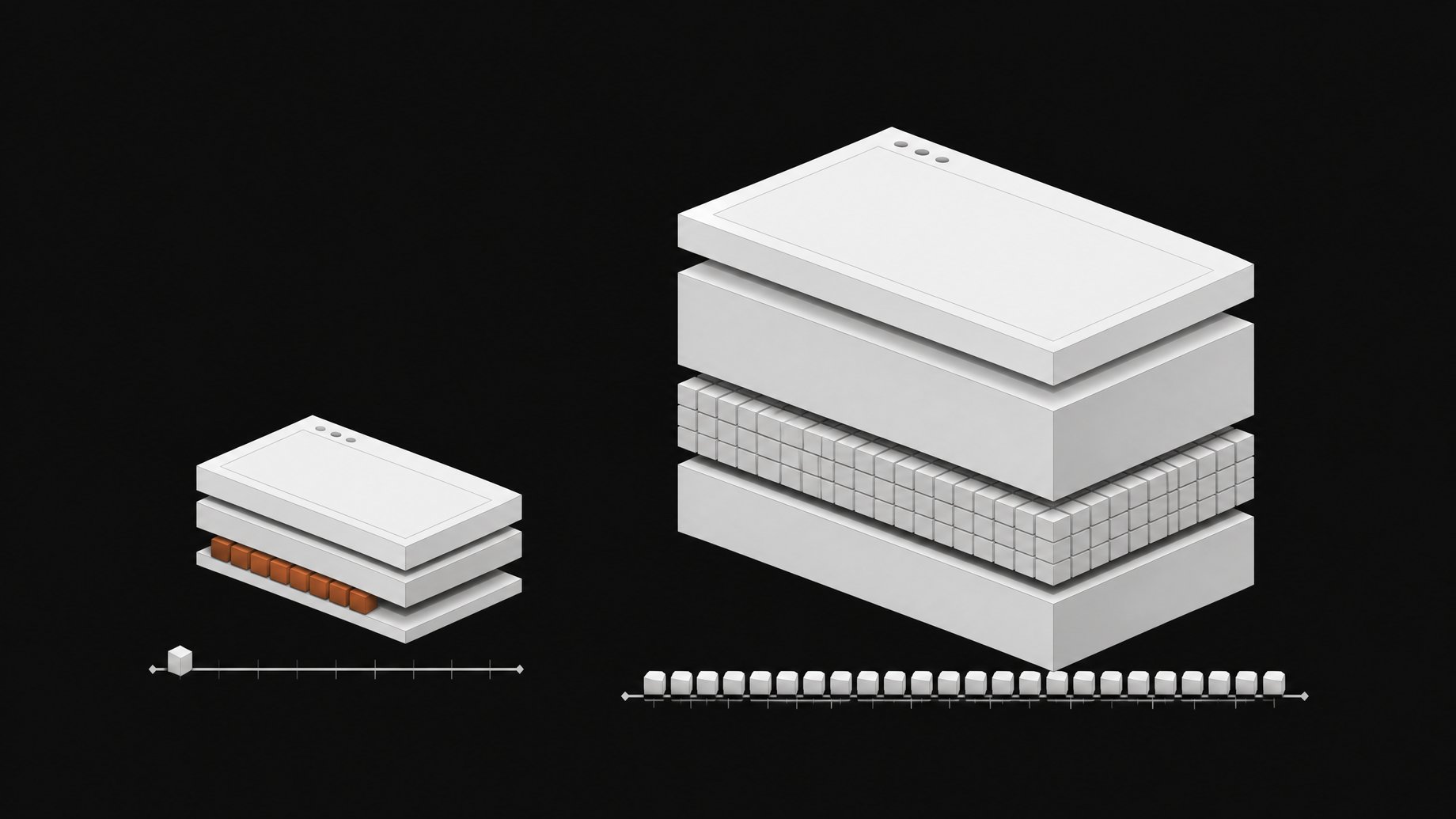
How does Panda Code compare with T3 Code on speed and resource use?
In the creator's own tests, Panda Code's window opened in about a third of a second and used roughly 130 to 160MB of memory while idle. T3 Code took about 3 seconds to open and used about 700MB. That is roughly a 4 to 5x gap on idle memory. These are single-creator measurements, not a controlled benchmark, so treat them as directional.
TL;DR
- Panda Code opened in about 0.3 seconds in the creator's tests, against about 3 seconds for T3 Code.
- Idle memory was 130 to 160MB for Panda Code and about 700MB for T3 Code.
- The likely reason is architecture: Panda Code uses the web view already on your computer and runs no background Node server.
- Panda Code is free and open source, needs no account, and reuses the coding tools and logins you already have.
- Builds are not signed yet, so expect an OS warning on first launch on macOS and Windows.
- The numbers come from one creator's machine, so verify on your own hardware before deciding.
What is Panda Code?
Panda Code is a desktop app that puts several coding agents in one window. The creator built it because running Claude Code, Codex, Kimi Code, Open Code, GLM, Mimo, Grok Build and Antigravity each in its own terminal meant constant lost approvals and unclear file changes.
It does not sell a model or a plan. It drives the agents you have installed, using your existing logins. For GLM and Mimo you paste an API key in settings, and the app runs Claude Code with that key. Keys are stored in the system keychain and sent only to their own provider.
Around the chat it bundles projects, Git, a terminal, a built-in browser, a task board, agent teams, and chat bots. It is free, open source, collects no data, and needs no account or license key.
What do the speed and memory numbers actually show?
| Metric | Panda Code | T3 Code |
|---|---|---|
| Time to open window | About 0.3 seconds | About 3 seconds |
| Idle memory | About 130 to 160MB | About 700MB |
The creator ran both apps and reported these figures. No hardware specs, operating system, or repeat-run methodology were given, and no first-party benchmark exists in the material. Memory readings also vary by how an OS reports shared web view processes. Run your own check with Activity Monitor, Task Manager, or htop before drawing conclusions.
Why is Panda Code lighter? Web view vs bundled runtime
The difference comes down to what each app ships and runs.
Panda Code uses the web view your operating system already provides. It does not carry its own copy of Chrome. It also does not start a Node server in the background. That removes two common sources of weight in desktop apps built on web technology: a bundled browser engine and a separate runtime process.
The creator's title cites a 12MB size for the app, which fits that approach, since there is no browser engine to package. The sources do not detail T3 Code's internals, so this article does not claim how it is built. The creator only reported that it was slower and heavier in his tests.
The tradeoff with a system web view is that rendering depends on the web view version on your machine. Apps that bundle their engine control exactly what runs. Apps that rely on the system trade that control for size and memory savings.
Is Panda Code safe to install given the unsigned builds?
The builds are not signed yet. That is a real caveat. Your OS will warn you the first time, and you should only install from the project's official GitHub releases page. Because the project is open source, you can inspect the code or build it yourself if you want more assurance.
Releases ship in three forms:
- macOS (Apple silicon): a DMG. Open System Settings, go to Privacy and Security, and click Open Anyway.
- Windows: an installer. If SmartScreen shows a blue box, click More info, then Run anyway.
- Linux: an AppImage. Run
chmod +xon it, then launch it.
chmod +x ./PandaCode.AppImage
./PandaCode.AppImage
The filename above is a placeholder. Use the actual name from the release.
You also need Git, plus at least one coding agent installed and logged in, such as Claude Code.
What else does Panda Code do besides run agents?
Lightness only matters if the app does enough to replace your terminal pile. The creator demonstrated a broad feature set:
- Permission modes: Standard, Accept edits, Plan, and Full access, using each agent's own built-in modes.
- Queue and steer: Enter queues a message for when the agent finishes. Command Enter steers a running agent, which the creator said works with Claude Code and Codex. Other agents fall back to the queue.
- Per-turn diffs: each turn's file changes are saved, so you can see what that turn changed rather than the whole branch.
- Worktrees: move a task into its own branch copy and merge into main in a couple of clicks. The merge stops if you have uncommitted changes or a conflict.
- Agent teams: an architect plus up to three workers, which can mix agents such as Claude Opus, Codex, Kimi, or GLM.
- Task board: pending, in progress, review, and completed columns across projects.
- Bots: connect an agent to Telegram, Slack, Discord, WhatsApp, or a local web chat.
- Usage tracking: limits for installed agents, plus an estimate of what usage would cost at API prices.
- Self-updating: it checks in the background and installs only when no agent is working.
Is Panda Code worth trying over T3 Code?
It depends on what you value. If you run several agents at once, keep many windows open, or work on a laptop where memory matters, a lighter app has a tangible benefit. A 500MB or larger difference in idle memory adds up when you also run editors, browsers, and dev servers.
Reasons to hold off: the builds are unsigned, the project is new, and the performance figures are from one person's testing. I could not confirm T3 Code's features, update cadence, or platform support from the sources, so a fair comparison on those points needs your own look at both projects.
A sensible approach is to install both, open the same project, and watch memory after a few minutes of idle and under load. Idle numbers are the easy win for a web view app. Long sessions with many threads are the harder test.
Frequently Asked Questions
Is Panda Code free?
Yes. The creator describes it as free and open source, with no account or license key and no data collection. You still pay for whichever agent plans you already use, such as Claude, ChatGPT, Kimi, or a GLM coding plan.
Does Panda Code include its own AI model?
No. It uses the coding tools you have installed and logged into. It does not sell a model or subscription of its own.
Why does Panda Code show a security warning on first launch?
The apps are not signed yet, so macOS and Windows flag them. On macOS use Open Anyway in Privacy and Security. On Windows use More info, then Run anyway. Download only from the official releases page.
Are the 0.3 second and 150MB figures reliable?
They are one creator's measurements, with no published methodology or hardware details. They point to a real architectural difference, but your results will vary by machine and workload. Measure both apps yourself.
Which platforms does Panda Code support?
Releases are offered for macOS on Apple chips (DMG), Windows (installer), and Linux (AppImage).
How we source, write, and correct our articles. Editorial standards


