How to Use CLI-Anything and CLI-Hub With Claude Code and Codex
Install CLI-Hub, add the meta skill, and run /cli-anything to generate a tested CLI for Blender, LibreOffice or your own app in Claude Code or Codex.

How do I install CLI-Anything and use it with Claude Code or Codex?
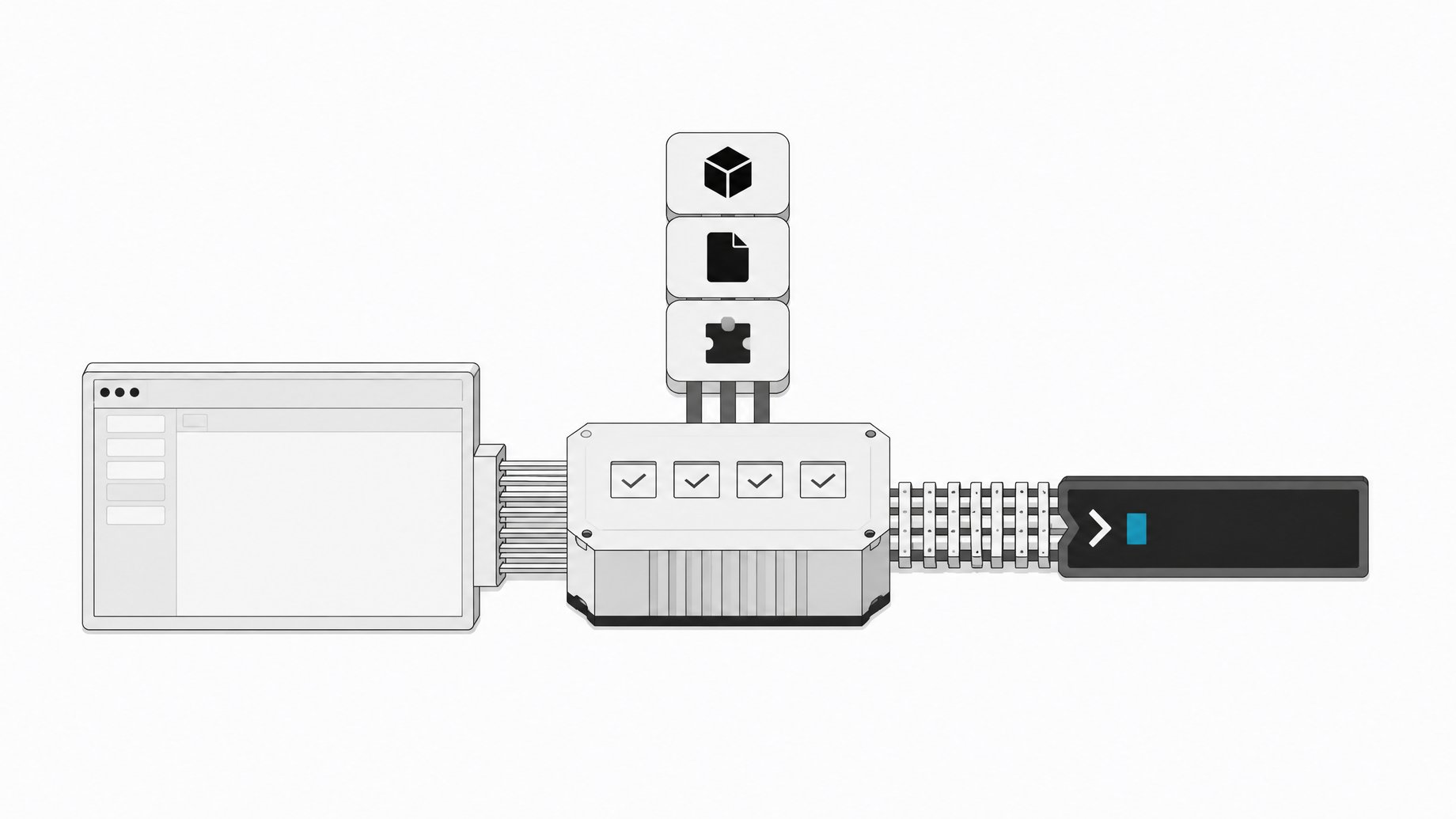
CLI-Anything is an open-source project from HKUDS (the data intelligence lab at the University of Hong Kong) that gives desktop software a command line interface an agent can drive. You can use it two ways. Install ready-made CLIs from CLI-Hub with pip install cli-anything-hub and the hkuds/cli-anything meta skill. Or add the Claude Code plugin and run /cli-anything <path or GitHub URL> to generate a new CLI from an app's source code.
TL;DR
- CLI-Anything wraps real software in a text-based CLI, so agents call the actual app (real Blender renders, real LibreOffice PDFs) instead of clicking through screenshots.
- CLI-Hub is the fast path: a package manager for CLIs people already generated, installed with
pip install cli-anything-hubon Python 3.10 or newer. - The hub meta skill lets Claude Code, Codex and other skill-aware agents search the hub, install a CLI and use it without you naming the tool.
- The generator plugin runs a seven-phase pipeline (analyze, design, implement, plan tests, write tests, document, publish) and ends with an installable CLI plus a
SKILL.md. - Expect to run
refineseveral times, and expect to need a frontier-class model and ideally the app's source code. - Review the generated tests and commands before the CLI touches important files. It is still agent-written code.
Why give an agent a CLI instead of a GUI?
There are three usual ways to let an agent operate a desktop app, and each has a weakness.
| Approach | Problem |
|---|---|
| GUI automation (screenshots and clicks) | Slow, and breaks when the UI changes |
| Official API | Many apps have none, or one that covers a small slice of features |
| Rewrite in Python | The copy misses most of the original's features |
A CLI avoids these. Agents already know the terminal. Output is text, every command has a help page for discovery, and every generated command accepts a --json flag so the agent gets clean JSON instead of text it has to parse by guessing.
The project also does not replace the software. The LibreOffice CLI produces a PDF through LibreOffice in headless mode. The Blender CLI renders with Blender. The project calls this authentic software integration. You get the full app, not a toy version.
How do I install CLI-Hub?
CLI-Hub is a package manager for pre-built CLI-Anything CLIs. You need Python 3.10 or newer.
pip install cli-anything-hub
cli-hub list
The list covers a wide range of software, including Blender, Inkscape, Audacity, OBS Studio, LibreOffice, Kdenlive, Shotcut, draw.io, Zoom, Ollama, ComfyUI, FreeCAD, QGIS, Obsidian and Zotero. The subcommands, as demonstrated, are:
cli-hub search image     # filter the registry by keyword
cli-hub install gimp     # install a CLI
cli-hub info gimp        # see details
cli-hub launch gimp      # start it
If a subcommand doesn't match on your version, run cli-hub --help to confirm the exact syntax.
One catch: the CLI calls the real application. If you install the GIMP CLI, you also need GIMP itself on your machine. Blender, LibreOffice and the rest must also be present on your machine.
How do I add the CLI-Hub meta skill to my agent?
A meta skill teaches an agent how to find and install other tools. Add it with the skills installer:
npx skills add hkuds/cli-anything --skill cli-hub-meta-skill -g -y
The -g flag installs it globally. The -y flag skips the prompts. It works with Claude Code, Codex, OpenClaw, Nanobot, Antigravity and other agents that support skills.
Then prompt your agent along these lines:
Find appropriate CLI software in CLI-Hub and complete the task. (followed by your task)
In the demonstration, the task was a simple architecture diagram. The agent searched the hub, found the draw.io CLI, installed it, read that CLI's skill file, added and connected shapes, and exported a PNG. Nobody told it which tool to use.
How do I generate a CLI for software that isn't in the hub?
Use the generator when the hub lacks your app or when you have an internal tool. The walkthrough used Claude Code. The project also supports Cursor, Codex, OpenCode, Pi, Hermes, GitHub Copilot CLI and a few others.
In Claude Code, add the marketplace and install the plugin:
/plugin marketplace add HKUDS/CLI-Anything
/plugin install cli-anything
On Windows you need Git for Windows or WSL, because Claude Code runs shell commands through Bash and the plugin depends on it.
Then point the command at a local path or a GitHub URL:
/cli-anything ./
/cli-anything <GitHub repo URL>
What are the seven phases the generator runs?
- Analyze. The agent reads the source, finds what the GUI does and maps each action to the code behind it.
- Design. It plans command groups, the state model and output formats.
- Implement. It writes the CLI in Python with the Click library. Each CLI gets a REPL mode, JSON output, and undo and redo.
- Plan tests. It writes
TEST.mdwith a plan for unit and end-to-end tests. - Write tests. It writes the tests from that plan.
- Document. It runs the tests, writes results back into
TEST.mdand produces aSKILL.mdso other agents can discover the CLI. - Publish. It creates a
setup.pyand installs the CLI on your path.
Generation takes a while. When it finishes, go to the agent harness folder it created and install the result:
pip install -e .
Every generated CLI follows the same naming pattern: cli-anything-<software>. Run it with --help to see the command groups.
What does using a generated CLI look like?
Two examples from the project's demonstrations:
- Image project: create a project with a width of 1920 and a height of 108 and an output file named
poster.json, then add a layer with--jsonto get machine-readable output. - LibreOffice: create a Writer document, add a heading ("Q1 report"), add a table with four rows and three columns, then run the export render command. The result is a real PDF made by LibreOffice headless.
Run a CLI with no subcommand and you get the REPL. In the Blender demo, the prompt took scene new (named "product shot"), added a cube mesh, and ran render execute with the Cycles engine. The prompt shows the scene name and a star when there are unsaved changes, which gives the agent a visible record of current state.
How do refine, test and validate work?
The first pass rarely covers the whole app. Run refine with a path:
/cli-anything:refine ./
The agent compares what the software can do against what the CLI can do, then adds commands, tests and docs for the gaps. You can add a focus, such as more commands for batch processing and filters. Each run adds to the CLI without deleting earlier work, so repeat it as needed.
Two more commands round out the loop. Test runs the suite and updates TEST.md. Validate checks the CLI against the rules in HARNESS.md, the playbook the agent follows in every phase. These likely follow the same /cli-anything: namespace as refine, but check the plugin's command list in your agent.
HARNESS.md pushes a few strict rules. The CLI must use the real software and not a substitute library. An exit code of zero does not prove an export worked, so tests inspect real output: magic bytes, file structure, pixels, audio levels and duration. If the real software is missing, tests fail rather than skip, which prevents a skipped test from hiding a broken CLI. The README reports more than 2,400 passing tests across about 30 harnesses.
What are the limitations?
- Model strength. The README calls for a frontier-class model for reliable results and lists Claude Opus, Sonnet and GPT-5.4. Small local models can produce CLIs that are incomplete or wrong.
- Token cost. Generating against a large codebase can use a lot of tokens.
- Source access. Quality and coverage drop sharply if you only have a compiled binary.
- Iteration. Plan on multiple refine runs before the CLI is ready for real work.
- Trust. Read the tests and check the commands before granting access to files you care about.
Is it worth trying?
The hub side costs nothing beyond a pip install and one skill install, and it gives an agent a large set of tools. Start there. Try the generator only for apps the hub doesn't cover, and budget for tokens and a few refine passes. The project is Apache 2.0 licensed and had more than 54,000 GitHub stars at the time of the walkthrough.
Frequently Asked Questions
Do I need CLI-Anything's generator to use CLI-Hub?
No. CLI-Hub works on its own. You install it with pip, search the registry and install CLIs for apps like GIMP or draw.io. The generator is a separate Claude Code plugin for software the hub doesn't have.
Does the generated CLI replace the original app?
No. The CLI calls the real software. You still need the app installed, whether that is GIMP, Blender or LibreOffice, because the CLI hands the work to it.
Which agents work with the hub meta skill?
The meta skill works with agents that support skills, including Claude Code, Codex, OpenClaw, Nanobot and Antigravity. The generator plugin was shown in Claude Code and also supports Cursor, Codex, OpenCode, Pi, Hermes and GitHub Copilot CLI, among others.
Why did my generated CLI miss features?
A single run often doesn't cover the whole app. Run the refine command, optionally with a focus area, to add commands, tests and docs for the gaps. Weak models and compiled-only software without source code also reduce coverage.
How we source, write, and correct our articles. Editorial standards