How to Run a Local AI Coding Agent on a Mac Mini (M4)
Build a local AI coding agent on an M4 Mac Mini with Ollama's MLX backend, Qwen3-Coder-Next, Serena MCP tools, and a Panel chat UI. No token billing.

How do you run a local AI coding agent on a Mac Mini (M4)?
Running a local AI coding agent on a Mac means combining three pieces you control end to end: an M4 Mac Mini running Apple's native MLX inference stack, an open-weight coding model served through Ollama, and Serena's semantic MCP tools wired into a browser-based Panel workspace. No subscription, no token meter, no code leaving the building.
TL;DR
- GitHub Copilot moved to usage-based billing on June 1, 2026, which pushes teams to look at hardware they own.
- An M4 Pro Mac Mini running coding models pulls 30 to 40 watts, versus 350 to 450 watts for an RTX 4090 rig.
- Ollama's native MLX backend lifts prefill to roughly 1,810 tokens per second on Apple Silicon.
- Asahi Linux has no M4 GPU support, so native macOS is the practical path for this hardware.
- Serena adds IDE-grade semantic tools to your agent through the MCP standard.
- A documented local stack is more auditable than the shadow AI usage already happening at more than 90% of companies.
Why are developers ditching Copilot for a local stack?
GitHub Copilot used to be a flat-rate tool. As of June 1, 2026, it isn't. All Copilot plans moved to usage-based billing, replacing the old premium request system with "GitHub AI Credits" metered by token consumption, including cached tokens. The sticker prices didn't change, Pro is still $10 a month, Pro+ is $39, Business is $19 per seat, Enterprise is $39, but what a dollar buys you now floats with model pricing and how chatty your agent gets.
That's a reasonable business move for GitHub. It's a bad deal for anyone trying to budget engineering tools a year out. A subscription that quietly reprices itself based on token usage isn't really a subscription anymore, it's a metered utility with a monthly minimum. If you've read our take on the self-hosted agent factory, you already know where this is heading: teams are looking at what it costs to own the stack instead of rent it, and for coding agents specifically, Apple Silicon just became a serious option.
What hardware do you need to run a local AI coding agent on Mac?
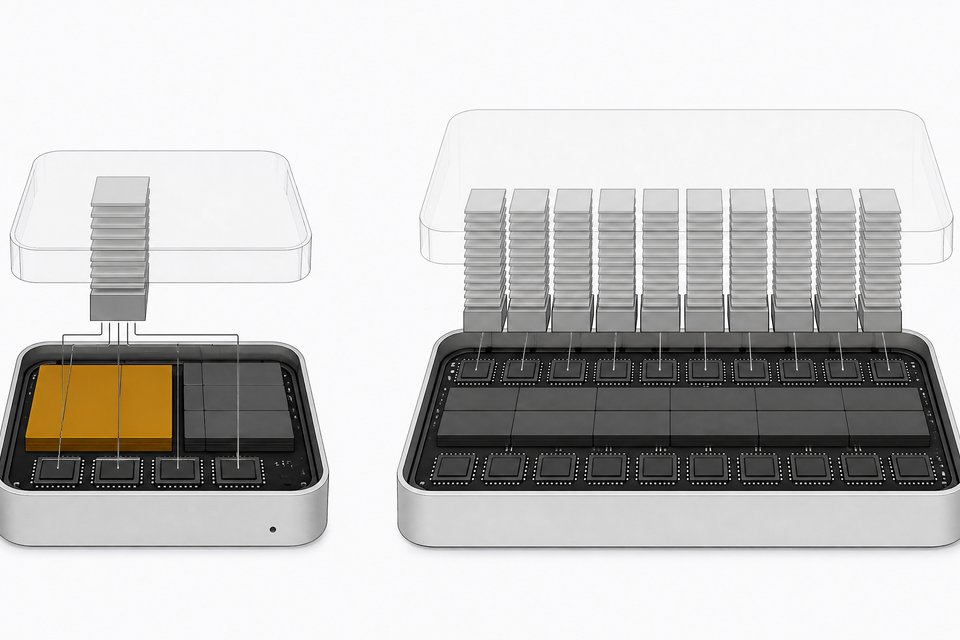
The base Mac Mini M4 starts at $599 for 16GB of unified memory and a 256GB drive, with a 10-core CPU, a 10-core GPU, and 120GB/s of memory bandwidth. Step up to the M4 Pro configuration and you're at $1,399 for 24GB of unified memory and 273GB/s of bandwidth.
The number that matters here isn't the price, it's the architecture. Apple's unified memory means the CPU, GPU, and Neural Engine all share the same pool of RAM. There's no PCIe hop to move model weights from system memory to a discrete GPU's VRAM, which is exactly the bottleneck that makes GPU rigs expensive and power-hungry in the first place. For a deeper walkthrough of what memory bandwidth and unified architecture actually buy you across different hardware tiers, see our hardware requirements guide for local LLM inference.
On power draw alone, the case is lopsided. An M4 Pro Mac Mini running 8B to 22B parameter coding models through Ollama pulls 30 to 40 watts under full load and produces 20 to 30 tokens per second. An RTX 4090 rig running the same class of model draws 350 to 450 watts and is roughly 2 to 3 times faster per token. You're trading raw speed for a machine that's silent, cheap to run, and doesn't need its own circuit.
Can you run Linux on an M4 Mac for local AI?
If you've priced out a "sovereign AI" Mac setup before, you've probably seen the pitch: buy Apple hardware, wipe it, run Linux via Asahi, get full control with none of Apple's software baggage. That pitch works on M1 and M2 Macs. It doesn't work on M4 hardware.
Asahi Linux has no GPU driver, no installer, and no ETA for the M4 generation as of 2026. The project's own documentation lists GPU support for the M4 series as "TBA," meaning active work isn't even underway. Only M1 and M2 are considered stable enough to daily-drive; M3 is still work in progress.
The reason isn't neglect, it's architecture. Apple introduced a Secure Page Table Monitor (SPTM) running at a privilege level that blocks the hypervisor tricks Asahi used to reverse-engineer XNU on earlier chips. Asahi contributor Sven Peter put it plainly: M4 support is "going to be rather painful" because the new security layer "neither works for Linux nor for running XNU under our hypervisor to reverse engineer the new hardware."
So if you buy a new M4 Mac Mini expecting to dual-boot into a Linux-based sovereign setup with GPU acceleration, you'll be stuck on CPU-only inference or waiting indefinitely. The actual sovereign path on this hardware is native macOS, using Apple's Metal and MLX frameworks directly. That's not a compromise, it's the fastest, best-supported way to run local inference on Apple Silicon today.
Which local coding model should you run on Mac?
Once you accept native macOS as the platform, the model layer gets easy. Ollama's 0.19 release added a native MLX backend for Apple Silicon, and the speedup isn't subtle: prefill performance jumped to roughly 1,810 tokens per second versus 1,154 on the previous llama.cpp-based build, with decode nearly doubling too. Ollama built this explicitly with coding agents in mind, calling out Claude Code, OpenCode, and Codex as the workloads it's targeting on Macs with 32GB or more of unified memory.
For the model itself, Qwen3-Coder-Next is a strong default. It's an 80B-parameter mixture-of-experts model with only 3B active parameters per token, giving you large-model reasoning without the full memory tax, and a 256K native context window big enough to hold repository-scale context. It works out of the box with Claude Code, OpenCode, and Cline. For a broader comparison of what's available at this weight class, our guide to the best local open-source LLMs for coding walks through the alternatives.
How do you install Serena for IDE-grade semantic tools?
A raw local model with shell access can already write and edit code, but it navigates a codebase the way a human would with only grep and a text editor. That's actually the default behavior of most coding agents even when better tools exist, as we've written about in why grep beats LSP in practice. Serena changes that by giving your agent IDE-grade semantic tools over MCP.
Serena is a free, MIT-licensed MCP toolkit that adds symbol-level code retrieval, editing, refactoring, and debugging, the kind of capability an IDE gives you but a plain LLM tool call doesn't. Getting it running looks like this:
- Install Serena from its open-source repository and run it as an MCP server, either standalone or via
uvx. - Point a local MCP client at it. Serena connects to terminal-based agents like Claude Code, Codex, and OpenCode, to IDEs like VSCode, JetBrains, and Cursor, and to desktop or web clients, all through the same MCP interface.
- Index your project so Serena can build the symbol graph it needs for cross-file operations.
- Verify the semantic tools are active by asking your agent to rename a symbol or trace references across files, the exact operations Serena is built for.
The payoff shows up in exactly that kind of task. In Serena's own agent evaluations, models running inside Claude Code reported that operations like cross-file renames and reference lookups, normally 8 to 12 careful manual steps, collapsed into a single atomic tool call. That's the difference between an agent that edits code and one that understands it.
How do you build a chat UI for your local coding agent?
With a model served locally and Serena wired in over MCP, you still need a front end. This is where HoloViz Panel comes in. Panel is an open-source Python framework, and since version 1.3 it ships a ChatInterface widget built for exactly this use case: a full local chat UI with streaming responses, no separate JavaScript frontend required.
A basic build looks like this:
- Define your chat callback in Python, routing user messages to your local model endpoint (Ollama's local API) and, where relevant, to Serena's MCP tool calls.
- Instantiate
pn.chat.ChatInterfacewith that callback as its handler. - Add streaming support so token-by-token output from your local model renders live in the browser, the same UX you'd expect from a hosted chat product.
- Serve the app with
panel serve app.py, which spins up a local web server you can open in any browser on your machine or LAN.
Panel's chat components are also multimodal and already have community examples wiring in LangChain, OpenAI-compatible APIs, and local models like Llama, so you're not building the plumbing from scratch.
How does MCP wire the whole stack together?
What makes this stack coherent instead of three disconnected tools is the Model Context Protocol. Anthropic open-sourced MCP in November 2024 as a universal standard for connecting AI systems to the tools and data sources they need, replacing one-off integration code with a shared protocol. In December 2025, Anthropic donated MCP to the Linux Foundation's new Agentic AI Foundation, co-founded with Block and OpenAI, cementing it as vendor-neutral infrastructure rather than a single company's product. There are now more than 10,000 active public MCP servers, and the protocol has been adopted by ChatGPT, Cursor, Gemini, Microsoft Copilot, and VS Code, among others.
That's why this build holds together without vendor lock-in. Serena speaks MCP. Your Panel UI can call MCP tools directly. Your local model, through an MCP-aware client, talks to both. Swap out Serena for a different MCP tool later, or swap Qwen3-Coder-Next for a different model, and the wiring doesn't break, because none of it depends on a proprietary API contract.
What do you gain, and what do you give up, versus Copilot?
Know these tradeoffs before you sink a weekend into this.
What you gain:
- Cost predictability. No token meter running against you mid-sprint, no usage-based billing surprises like the one that just hit every Copilot tier.
- Data control. Your code never leaves your machine, which matters if you work under NDAs, in regulated industries, or just don't want your repo training someone else's model.
- Hardware efficiency. 30 to 40 watts versus 350 to 450 watts for comparable throughput is a real operating cost difference, not a rounding error, especially at fleet scale.
What you give up:
- Raw speed. A dedicated GPU still beats unified memory 2 to 3x on tokens per second for the same model class.
- Zero-setup convenience. Copilot works the moment you install an extension. This stack takes an afternoon of installation and configuration.
- Frontier model access. Open-weight models are closing the gap fast, but the absolute top of the leaderboard is still cloud-hosted proprietary models, at least for now.
| Monthly cost | Data control | Setup effort | Raw inference speed | Frontier model access | |
|---|---|---|---|---|---|
| Local Mac Stackteams that want cost predictability and data control | $0 recurring ($599-$1,399 one-time hardware) | High | High | Medium | No |
| GitHub Copilotteams that want zero-setup convenience and top-tier models | $10-$39/seat + usage | Low | Low | High | Yes |
For a lot of teams, that trade is worth making, especially once you factor in that the setup cost is one-time and the savings compound every month afterward.
Why do shadow AI and governance matter for this setup?
Here's the part that should worry engineering leaders more than the Copilot bill. MIT's Project NANDA found that only 40% of companies have an official, sanctioned LLM subscription, yet employees at more than 90% of companies are already using personal AI chatbot accounts for work, frequently without IT's knowledge. That gap is the real risk: not that people are using AI, but that nobody can see how.
A documented local stack like the one above doesn't eliminate that shadow AI usage, but it gives it a shape. You know exactly what model is running, what data it touches, and what tools it can call, because you built each layer yourself. That's a fundamentally more auditable position than a developer pasting proprietary code into a browser tab nobody on the security team knows exists.
The Mac Mini on your desk was never going to out-benchmark a rack of H100s. It doesn't need to. It needs to be yours, fully accounted for, and cheap enough to run that the decision to own it instead of rent it stops being a debate.
Frequently Asked Questions
Can I run a local AI coding agent entirely on a Mac Mini without any cloud calls?
Yes. Once Ollama is serving a model like Qwen3-Coder-Next locally and Serena's MCP tools are connected, every part of the loop, inference, code retrieval, and editing, runs on the machine itself. No network call is required unless you choose to add one.
Do I need an M4 Pro, or does the base M4 Mac Mini work for local coding agents?
The base M4 with 16GB of unified memory can run smaller coding models, but 8B to 22B parameter models, the range benchmarked at 20-30 tokens per second, really want the M4 Pro's 24GB and 273GB/s of memory bandwidth for comfortable headroom.
Should I install Linux on my M4 Mac Mini to run AI models?
No, not yet. Asahi Linux has no GPU driver and no installer for M4 hardware, and Apple's new Secure Page Table Monitor has made reverse-engineering GPU support significantly harder than it was for M1 and M2. Native macOS with Apple's MLX stack is currently the faster, better-supported path.
What does Serena actually add that a local model with terminal access doesn't already have?
Serena gives the agent symbol-level semantic tools, similar to what an IDE provides, instead of forcing it to rely on raw text search. Cross-file renames and reference lookups that would take 8 to 12 manual steps collapse into a single tool call.
How does this local setup compare in cost to a GitHub Copilot subscription over a year?
Copilot's usage-based billing as of June 2026 means monthly cost now scales with token usage rather than staying fixed. A Mac Mini M4 Pro is a one-time $1,399 hardware cost, drawing about 30-40W under load, roughly $14 a year in electricity versus $160-210 for a comparable GPU rig, with no further billing after purchase.
How we source, write, and correct our articles. Editorial standards