What Tools Do You Need for an AI Second Brain? A Simple Stack
A simple AI second brain stack: Claude Code, an Obsidian markdown vault, Excalidraw, Open Router, Slack, a $20/month VPS and Arcade tool recommendation.

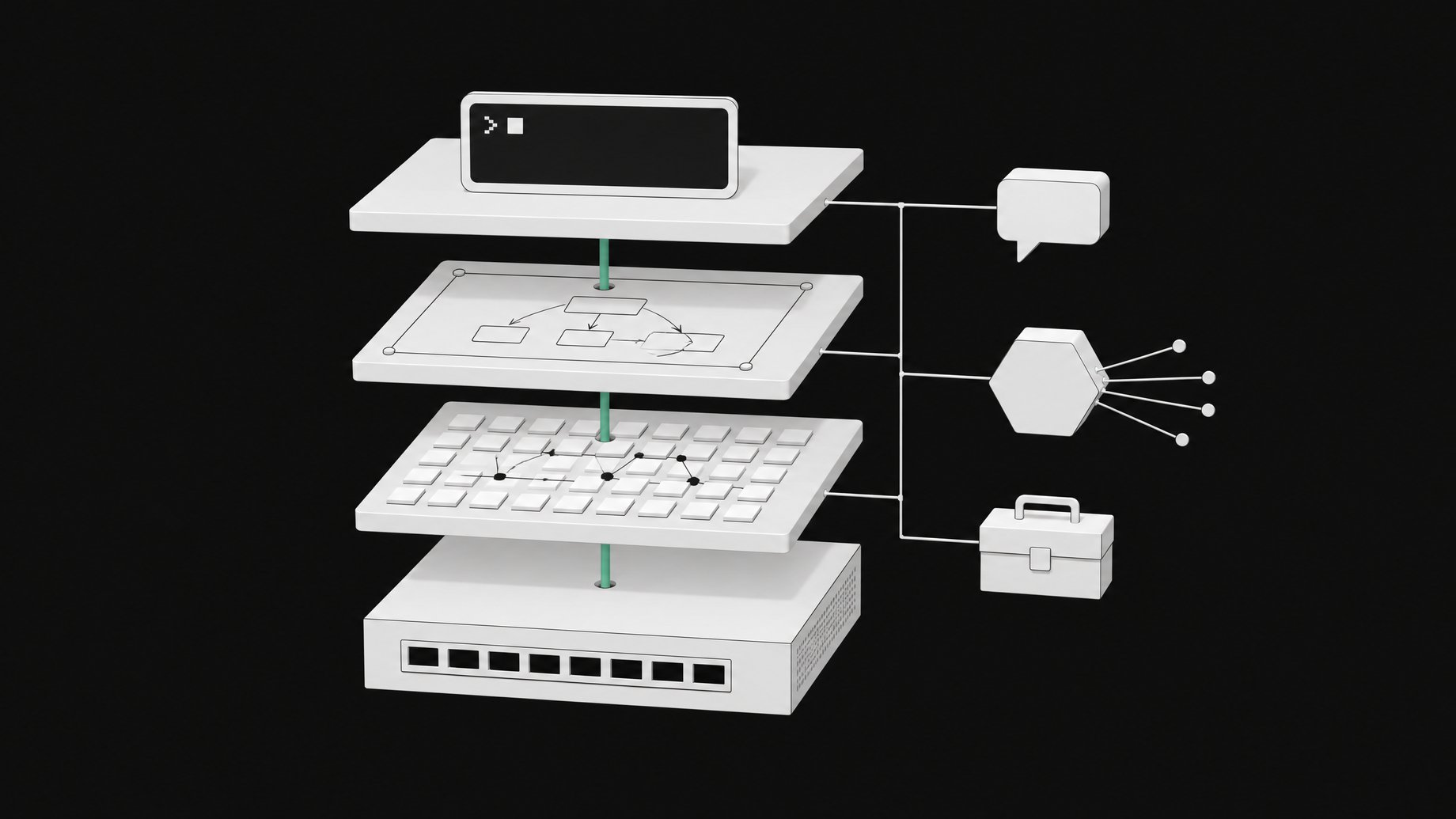
What tools do you need to build an AI second brain?
You need a coding agent harness (Claude Code), a folder of markdown files as memory (Obsidian is a good viewer), and connections to the apps where you already work. Optional extras are Excalidraw for diagrams, Open Router for image and alternative models, and a cheap cloud VPS (about $20 a month) so you can reach the agent from your phone when your computer is off. That is the whole stack. It fits on one slide.
TL;DR
- The core is Claude Code plus a folder of markdown files. A capable coding agent can run commands on your machine, so you skip paid services for diagrams, slides or video editing.
- Obsidian works as the memory layer because your knowledge base stays plain markdown that you sync between devices. Notion is a workable alternative.
- Open Router handles images and other models, which is handy for benchmarking models and generating thumbnails.
- A VPS at roughly $20 a month keeps the system running when your laptop is off, so you can talk to it through Slack on your phone. DigitalOcean and Hostinger both work.
- Tool recommendation, as Arcade offers it, loads only the tools a task needs. Arcade says loading its 8,000+ tools up front would cost about 1.75 million tokens.
- Context matters more than the model. The creator ran the same system on Haiku, Sonnet, Opus, Codex and a Kimi model and says it kept working.
What does each piece of the stack do?
The stack comes from a creator who says he runs his whole business through his second brain and credits it with saving 25 to 30 hours a week. That figure is his own estimate, not an independent measurement. The pieces are modest.
| Layer | Tool | Job |
|---|---|---|
| Agent harness | Claude Code | Runs the second brain, executes commands locally |
| Memory | Obsidian vault | Markdown knowledge base synced across devices |
| Diagrams | Excalidraw plugin in Obsidian | Visuals stored as markdown documents |
| Images and other models | Open Router | One API for image generation and model benchmarking |
| Work connections | Calendar, Gmail, Asana, GitHub, Google Drive, Slack | Lets the agent act where you work |
| Hosting | Cloud VPS (~$20/month) | Keeps the agent reachable from your phone |
Swapping the harness is possible. The creator used Codex for a stretch and says switching harnesses and models is easy, though you should not do it often.
Why use Obsidian as the memory vault?
Because the memory is just files. An Obsidian vault is a folder of markdown documents, so any agent can read and search it, and you can sync it between your devices like any other folder. The creator organizes his as a Karpathy-style LLM wiki, a knowledge base the agent can search efficiently for core memories and past conversations.
His context system has two layers:
- Always-loaded files. A hook in Claude Code loads these at the start of every session, alongside the global CLAUDE.md rules. They are soul.md (how the agent should behave), user.md (who you are and what your business does) and memory.md (the most important memories pulled up from the larger knowledge base).
- The wiki underneath. Every conversation produces a summary that goes into daily logs. Entity documents cover each video, company and teammate, and they are maintained over time.
The test he suggests is simple. Open a fresh session and ask what your business does and who works there. A good second brain answers like a teammate, without digging through memory. If it fails, tell the agent so and work out a fix together.
How do Excalidraw and Open Router fit in?
Excalidraw runs as a plugin inside Obsidian. The benefit is that diagrams are also markdown documents, so they live in the same vault and the agent can create and edit them with everything else.
Open Router covers the models and media you do not get from your main harness. The creator uses it to benchmark different models and to generate images such as thumbnails. It is a convenience layer, not a requirement. If you never generate images, you can skip it.
How should you connect it to your apps?
Connect it to wherever you actually work. The creator's list includes Google Calendar, Gmail, Asana for tasks, GitHub repositories, Google Drive and Slack. Usually a simple API or MCP server does the job. When a platform has no easy MCP server, he builds a small CLI tool instead.
The audit for connections is a Monday morning catch-up. Ask for your priorities, the messages you need to reply to and the people who need your attention. If the agent cannot gather that quickly, you are missing connections.
One design choice is worth copying for email. In the creator's setup the agent helps draft replies. A sensible way to keep that safe is to wrap the email integration so it can create drafts but has no send action at all. Then a human always makes the final click, and a bad prompt cannot send a message in your name. That wrapping is a precaution you build, not a setting you get for free.
What does Arcade's tool recommendation do?
Connecting many apps creates a tool-loading problem. Arcade, an MCP runtime that sponsored the source video, says it offers over 8,000 tools. Loading all of them into an agent up front would cost about 1.75 million tokens before the agent reads a single message, by Arcade's figure.
Tool recommendation is its answer. The agent connects to Arcade through an MCP server, describes the task, and gets back only the tools relevant to that task. It then calls those tools. Arcade also positions itself as the permissions layer. Each person signs in with their own account, so the agent acts as that person and stays within its scope. Credentials never reach the model, and policies are enforced outside the model where a prompt cannot undo them. Arcade says it is free to get started with no credit card.
You do not need this on day one. It becomes useful once your tool list grows past what you can sensibly preload.
Do you really need a VPS?
No. When you start, run everything locally. A VPS only matters if you want to message the agent from your phone while your computer is off.
The creator pays roughly $20 a month for a cloud server that runs the whole system, with the vault synced to his local devices. He uses DigitalOcean and names Hostinger as a cheap alternative. His advice is to keep it simple, since the provider does not matter much. He talks to the agent in Slack from his phone.
Does the model you pick matter?
Less than you would expect. The creator's claim is that if the four fundamentals are in place, the underlying model matters little. Those are capabilities, connection, cadence and context, a framework he credits to Nate Herk. He says he has run the system on Haiku, Sonnet and Opus through Claude Code, on Codex, and on a Kimi model for testing, and it worked each time. His explanation is that context, not the model, determines how well the agent knows your business.
Frequently Asked Questions
Can I build an AI second brain without a server?
Yes. A local setup with Claude Code and an Obsidian vault is enough to start. A VPS only adds the ability to reach the agent from your phone when your computer is off.
Do I have to use Obsidian?
No. Notion is a possible alternative. Obsidian appeals because the whole knowledge base is plain markdown files on your own machine, which makes syncing and agent search straightforward.
Can an agent send email on my behalf safely?
It can draft replies, which is the pattern described here. To be safe, wrap the integration so it exposes only a draft action and no send action. You review and send each message yourself.
Do I need Arcade or tool recommendation to start?
Not at the start. It helps once you connect many platforms and want the agent to receive only the tools a task needs. Until then, a few direct MCP servers, APIs or small CLI tools cover most needs.
Which model should run it?
The source suggests it matters less than your context files and connections. The creator reports good results across several Claude models, Codex and a Kimi model. Pick one and improve the context before switching.
How we source, write, and correct our articles. Editorial standards