How to Run a Local LLM on Old Hardware: The 2026 Playbook
Quantized small models, native 1-bit BitNet weights, and peer-to-peer clusters turn a Raspberry Pi or a five-year-old laptop into a genuinely useful AI box. Here's the actual path, and the honest limits.

- 01Consumer-grade local AI setups break even against cloud APIs at roughly 2 to 3 million tokens per day.
- 02Sub-2B models like SmolLM2 can now outscore larger competitors on reasoning tasks while using less RAM.
- 03Native 1-bit models like BitNet b1.58 achieve up to 4x better energy efficiency than standard equivalents.
- 04Inference is memory-bound, so sharding across multiple cheap devices often outperforms one expensive CPU.
You can run a real, useful large language model on a Raspberry Pi, an old laptop, or a decade-old desktop today, using free tools like llama.cpp and quantized model weights, without buying a GPU. The catch isn't whether it works. It's picking the right model size for the hardware you have and knowing where the ceiling is.
This wasn't true three years ago. Small models were toys. Now they're small enough to fit in the RAM and memory bandwidth of hardware you already own, and good enough to do real work. Here's how the pieces fit together, and how to decide if it's worth your weekend.
Why "run it yourself" suddenly works
Two things changed. First, quantization tooling matured. llama.cpp and the GGUF file format let you compress a model's weights from 16-bit floats down to 4-bit integers with a manageable quality hit, shrinking both the file size and the RAM required to run it. Second, and more interesting, Microsoft trained a model natively in 1-bit weights instead of shrinking one after the fact. BitNet b1.58 2B4T is the first open-source, native 1-bit LLM at the 2-billion-parameter scale, trained on 4 trillion tokens of data, and it matches or beats full-precision models of similar size on average benchmark score.12
On top of that, the models themselves got better per parameter. SmolLM2's 1.7B version, trained on 11 trillion tokens, outscores Llama 3.2 1B and Qwen2.5 1.5B on common reasoning benchmarks despite being smaller or comparably sized.34 Small no longer means dumb. It means efficient.
How much does it actually cost versus a cloud API?
This is the part most guides skip, and it decides whether this is a hobby project or a real infrastructure move.
A 2026 total-cost-of-ownership analysis found that a consumer-grade local setup breaks even against OpenAI's GPT-4.1 API at roughly 2 to 3 million tokens per day within 12 months.5 That's not a hobbyist's usage pattern, but it's well within reach for a small team running agents, internal tools, or a chatbot with real traffic. At heavy sustained usage over 36 months, self-hosted infrastructure settles around $7.15 per million tokens, close to OpenAI's $6.90 and cheaper than Anthropic's $9.86.5 The gap isn't in hardware cost. It's in usage volume. Light, occasional use rarely justifies the setup time. Sustained, high-volume use is where owning the box wins, and it's the same math this publication has run on bigger hardware in the 2026 cost case for local AI. If you're already tracking where your SaaS dollars go with something like Remy, this is the kind of line item worth scrutinizing before you renew it.
Now the actual sequence for getting a model running on hardware you already own.
1. Quantize and run with llama.cpp + GGUF, the baseline move
This is where almost everyone should start. llama.cpp compiles a lightweight C++ inference engine that runs on plain CPUs, no GPU required. GGUF is the file format that packages a quantized model for it. The move that matters most is picking a Q4_K_M quantization: 4-bit weights with a mixed precision scheme that keeps most of the quality of the original model while cutting the memory footprint dramatically. A quantized TinyLlama 1.1B model in this format comes in at just 637MB.6 That's small enough to load on machines that would choke on the full-precision version.
2. Pick a model that actually fits: sub-1B and 1B-3B options
Model choice is the decision that determines whether this project is useful or frustrating. A rough guide:
- TinyLlama 1.1B. The default starting point, runs at 12 to 18 tokens per second on a Raspberry Pi 5 with 8GB of RAM.7
- SmolLM2 (135M / 360M / 1.7B). Purpose-built for edge deployment; the 1.7B version beats larger competitors like Llama-1B on HellaSwag and ARC benchmarks.34
- Qwen2.5 0.5B. A good fit for the smallest devices, where every hundred megabytes of RAM counts.
- Llama 3.2 1B. Solid general-purpose performance, widely supported across quantization tools.
- Phi-3 Mini 3.8B. Noticeably more capable, but slower on weak hardware: it drops to 4 to 7 tokens per second on a Pi 5.7
The pattern holds across the board: 7B-class models technically fit in RAM on something like a Pi 5, but they crawl below 2 tokens per second, which is too slow for interactive use.7 Stay in the sub-2B range unless you're willing to wait.
3. Go native 1-bit with BitNet b1.58 for the best efficiency per watt
If you want the frontier of efficiency rather than the safe default, BitNet b1.58 2B4T is the model to try. Because it was trained natively at 1.58-bit precision rather than quantized after training, it beats post-training INT4-quantized models like Qwen2.5-1.5B on benchmark average while using far less memory.2 The numbers are stark: 0.4GB of non-embedding memory, 29ms CPU decoding latency per token, and an estimated 0.028 joules per token, roughly 1.5 to 4x better than comparably sized full-precision open models.2 Real-world benchmarking on a Ryzen 9 7845HX shows the 0.7B BitNet variant hitting nearly 90 tokens per second on CPU alone, with the 2.4B version running at about 37 tokens per second.8 Run it through Microsoft's bitnet.cpp, the purpose-built inference engine for these native 1-bit weights, rather than trying to force it through standard llama.cpp quantization paths.
4. Turn a pile of old machines into a cluster
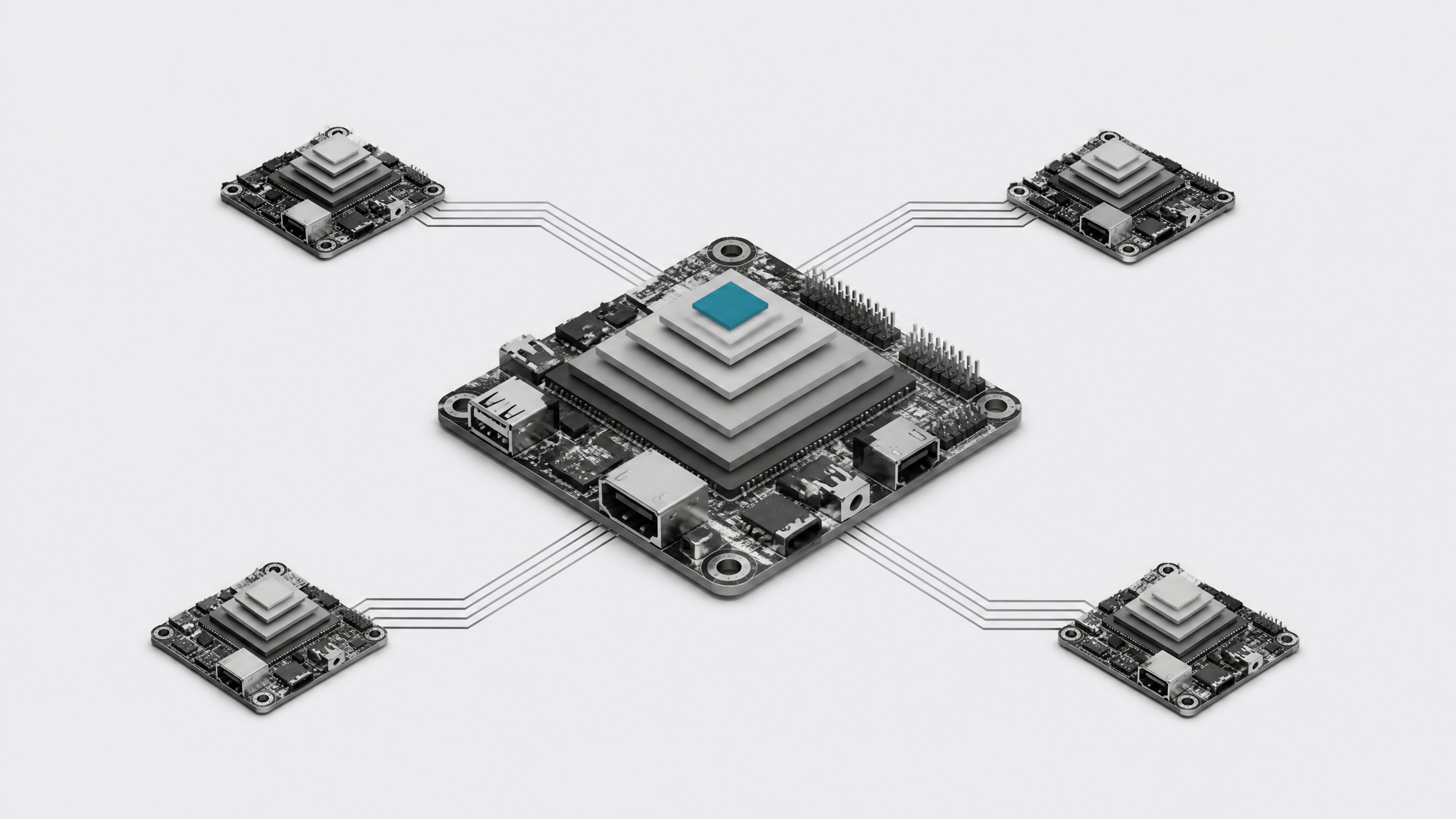
One old laptop can only run so much model. Several, pooled together, can run more. Tools like exo, Petals, and distributed-llama let multiple ordinary devices pool memory and compute over a network to run models too large for any single machine. exo reports up to 1.8x speedup sharding across two devices and 3.2x across four.9 Petals goes further, running Llama 2 70B across a volunteer, BitTorrent-style network at up to 6 tokens per second, and Falcon 180B at up to 4.9
This is also where a counterintuitive finding from community CPU benchmarking matters: because 1-bit and quantized model inference is bound by memory bandwidth rather than raw compute, adding more cores to one machine plateaus fast, and running three concurrent inference streams on a single CPU only adds about 11% total throughput instead of tripling it.8 That means several cheap, separate machines each running their own request at full memory bandwidth often beats one expensive workstation trying to serve multiple users at once. It's the same lesson covered in running local AI on old hardware with no GPU: horizontal beats vertical here.
What can't these setups do yet?
Before you build a homelab around this, know the real limits:
- Small models still hallucinate. A quantized TinyLlama running on a 2018 Raspberry Pi 3B+ with 1GB of RAM technically produced output at 2.9 tokens per second, but it also confidently claimed the word "strawberry" has only two letters.6 Sub-2B models are useful for narrow, well-scoped tasks, not general-purpose reasoning.
- More cores don't scale performance linearly. Inference on these models is memory-bandwidth bound, and throughput plateaus around 8 threads regardless of how many cores a CPU has.8 Buying a bigger chip helps less than you'd expect.
- Old, weak hardware needs real tuning to be usable. Active cooling, swap configuration, and NVMe storage are effectively required on a Raspberry Pi, not optional extras.7
- Bigger models don't just work because they technically fit. A 7B model fitting in RAM doesn't mean it's usable; sub-2-tokens-per-second output breaks the interactive feel that makes local AI worth using in the first place.7
Should you actually do this?
Here's the honest framework, tied back to a simple ownership question: are you renting convenience, or renting because you have to?
| Speed on Pi 5 | Memory Footprint | Benchmark Capability | Usable Interactively | |
|---|---|---|---|---|
| TinyLlama 1.1BFastest general-purpose baseline | High | Low | Low | Yes |
| RecommendedSmolLM2 1.7BBest benchmark scores per parameter | High | Low | Medium | Yes |
| Phi-3 Mini 3.8BMore capable, slower to respond | Medium | Medium | High | Yes |
| 7B-class modelOnly if latency truly doesn't matter | Low | High | High | No |
- Light, occasional use (personal projects, testing, low-stakes experimentation). Local hardware is a fun, essentially free option. The setup time is the real cost, not the electricity.
- Moderate, growing use (a small team's internal tools, an agent running a few times a day). This is the gray zone. Start local on hardware you already own before committing to either a bigger API bill or a bigger box.
- Heavy, sustained use (production traffic, agents running constantly, millions of tokens a day). This is where the TCO math clearly favors ownership, breaking even against a frontier API within about a year.5 At that volume, treat the hardware as infrastructure, not a hobby, the same way you'd treat any other piece of owned software rather than a subscription you can't fully control. The parallel is direct to the case for owning your dev stack: the cheapest AI is the one that doesn't go down when someone else's outage does, and doesn't bill you per token while it's idle.
The honest takeaway: this isn't about replacing every cloud API call. It's about recognizing that a meaningful chunk of AI workloads, the repetitive, well-scoped, high-volume ones, don't need a frontier model or a metered bill. They need a small model, a quantized file, and hardware you were probably about to throw out anyway.
A Raspberry Pi 5 with 8GB of RAM runs TinyLlama 1.1B at roughly 12 to 18 tokens per second and Phi-3 Mini 3.8B at 4 to 7 tokens per second, but 7B-class models drop below 2 tokens per second even though they technically fit in RAM.7
It depends on volume. A consumer local setup breaks even against OpenAI's GPT-4.1 API at around 2 to 3 million tokens a day within 12 months. At heavy, sustained usage, local self-hosting reaches roughly $7.15 per million tokens, close to or below API pricing.5
Yes. Tools like exo and Petals let several ordinary machines pool memory and compute over a network. Petals has run Llama 2 70B across volunteer hardware at up to 6 tokens per second, and exo reports up to 3.2x speedup sharding a model across four devices.9
- 1BitNet b1.58 2B4T Technical ReportarXiv (Microsoft Research)
- 2microsoft/bitnet-b1.58-2B-4THugging Face / Microsoft
- 3SmolLM2: Open Source Compact LLM by Hugging Face Outscoring Llama-1B and Qwen2.5-1.5BNeurohive
- 4Hugging Face Releases SmolLM2: A Small Language Model Challenging Industry GiantsAIbase
- 5Local LLMs vs Cloud APIs: 2026 Total Cost of Ownership AnalysisSitePoint
- 6I tried running a local LLM on a Raspberry Pi, and the results were hilariousHow-To Geek
- 7Running LLMs on Raspberry Pi and Edge Devices: A Practical GuideSitePoint
- 8I benchmarked 1 bit models on CPU and the results surprised meReddit r/LocalLLaMA
- 9exo-explore/exo: Run frontier AI locallyGitHub (exo-explore)