How to Emulate Cloud Services Locally (Without an AWS, Azure, or GCP Account)
You don't need a live AWS, Azure, or GCP account to build and test internal software. LocalStack, Azurite, MinIO, and Testcontainers let you own your dev stack instead of renting it.

- 01Local emulation removes the need for live cloud accounts during testing, preventing production outages from halting CI.
- 02Major cloud providers all have local alternatives: LocalStack for AWS, Azurite for Azure, and MinIO for S3.
- 03Testcontainers can orchestrate real dependencies in throwaway Docker containers to make environments reproducible.
- 04Wasted cloud spend and shadow IT consume up to 40% of IT budgets, a cost local emulators help reduce.
- 05While local default is safer and cheaper, final integration and load testing still require a real cloud environment.
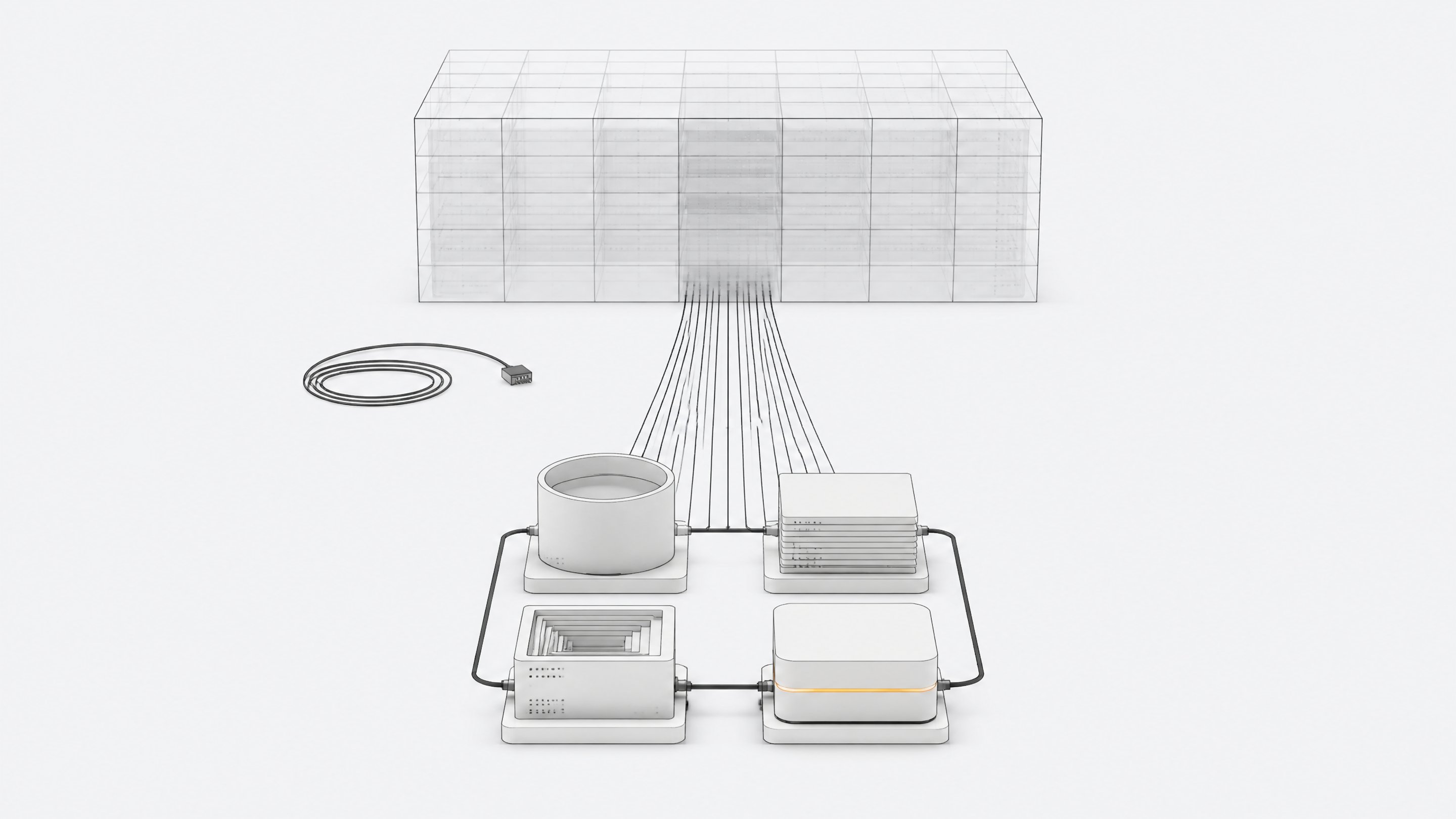
You emulate cloud services locally by running open-source, API-compatible stand-ins for AWS, Azure, and GCP on your own machine, then pointing your existing code at them instead of the real cloud. LocalStack recreates AWS. Azurite recreates Azure Storage. MinIO recreates S3. None of them require a cloud account, a credit card, or an internet connection to work.
That's the mechanics. The reason to bother is bigger than convenience.
Why local emulation is really about ownership
Most teams treat cloud dependency as a production problem. Dev and test environments quietly inherit the same risk. If every engineer needs a live AWS account to run integration tests, your ability to build software is gated by a vendor's uptime, IAM permissions, and pricing page, even when nothing you're building has shipped yet.
The October 20, 2025 AWS outage made that risk concrete. A DNS race condition in DynamoDB's internal endpoint management in us-east-1 cascaded into a roughly 15-hour disruption that took down EC2, Lambda, SQS, and more than a dozen other services, generating over 6.5 million Downdetector reports across more than 1,000 affected services.12 Teams that had never touched production that day still couldn't run their CI pipelines, because their test suites depended on a live account in the wrong region.
That's the same lock-in logic covered in the ownership renaissance happening across tech stacks: if you can't run your own software without someone else's servers being up, you don't fully own it. Emulating cloud services locally is the dev/test version of that same argument.
What does "emulating cloud services locally" actually mean?
The term covers three distinct approaches, and mixing them up leads to wasted setup time.
- API emulators. Tools like LocalStack and the Firebase Local Emulator Suite reimplement a provider's actual service APIs, so unmodified SDK and CLI calls work against a local endpoint instead of the real cloud.
- Drop-in compatible services. MinIO doesn't emulate S3, it implements the S3 API directly as its own object storage server, so existing S3 clients work against it without modification.3
- Real dependencies in disposable containers. Testcontainers spins up actual services, including LocalStack, in throwaway Docker containers for a test run or dev session, then tears them down.45
All three get you to the same place: infrastructure your code talks to without a vendor account in the loop.
Step 1: Pick the right emulation strategy for your stack
Match the tool to the provider you actually use in production, rather than reaching for whatever's popular.
- AWS-heavy stacks. Use LocalStack, which emulates more than 90 AWS services and works with unmodified AWS CLI, SDK, and infrastructure-as-code tooling.6
- Azure Storage workloads. Use Azurite, Microsoft's official open-source emulator for Blob, Queue, and Table storage, which has replaced the deprecated Azure Storage Emulator.7
- Firebase or GCP-adjacent projects. Use the Firebase Local Emulator Suite, which bundles emulators for Auth, Firestore, and Storage, built to mirror live Firebase behavior.
- Any stack using object storage, regardless of provider. Use MinIO as a permanent S3-compatible backend rather than a temporary stand-in, since it runs the same way in dev, CI, and self-hosted production.3
- Mixed or polyglot stacks. Use Testcontainers as the orchestration layer, since it can wrap LocalStack, MinIO, and other services under one consistent lifecycle across languages.4
Step 2: Stand up an AWS-equivalent stack with LocalStack
LocalStack runs as a single Docker container and exposes a local endpoint, typically localhost:4566, that emulates the AWS APIs your code already calls.68 The setup follows a consistent pattern:
- Start the container. Pull the LocalStack image and run it with Docker, mapping the emulator's port to your host.
- Point your tools at it. Configure an AWS CLI profile with dummy credentials and an endpoint override, or use the
awslocalandcdklocalwrapper commands, thin shims over the standard AWS CLI and CDK that redirect calls automatically. - Deploy as usual. Run your existing CloudFormation, Terraform, or CDK project against the local endpoint. AWS's own guidance notes this cuts deploy times for cloud and serverless applications from minutes to seconds, since nothing is provisioning real infrastructure.6
- Exercise a real flow. Create an S3 bucket, drop an object in it, trigger a Lambda function on that event, and write the result to a local DynamoDB table, all without leaving your laptop.
- Onboard new engineers without new IAM grants. Since the sandbox needs no cloud account access, new hires can experiment with real AWS scenarios immediately, which lowers onboarding friction and the risk of handing broad permissions to every new engineer on day one.6
This is the same pattern behind running your dev stack independent of any single vendor's outage window: the code doesn't know or care that the infrastructure underneath it isn't the real thing.
Step 3: Emulate Azure and GCP services
The AWS pattern generalizes, which matters if your organization is multi-cloud or migrating.
For Azure Storage, Azurite runs on Node.js, works cross-platform, and supports Blob, Queue, and Table storage without any Azure subscription.7 Start it as a local process or container, swap in local connection strings for Azure endpoints, and your existing Azure SDK calls work unchanged.
For Firebase and GCP-adjacent projects, the Local Emulator Suite runs the same core services side by side and is built to mirror live behavior rather than approximate it. The workflow is nearly identical to LocalStack's: start the emulators, redirect your app's configuration to local ports, and run your normal test suite against them.
The practical lesson: "emulate cloud services locally" isn't an AWS-specific trick. Every major provider has a credible local counterpart, and setup effort per provider runs about a day, not a quarter.
Step 4: Wire emulators into Testcontainers for repeatable environments
Running an emulator by hand on your machine is a dev convenience. Wiring it into Testcontainers turns it into something you can version-control and reproduce identically in CI, which is the actual mechanism that makes this an ownership strategy rather than a local hack.
Testcontainers provides libraries across major languages that programmatically start and stop real services, including LocalStack, inside Docker containers scoped to a test run.45 A typical setup:
- Declare the container in code, specifying LocalStack (or MinIO, or Azurite) and the services you need, instead of documenting setup steps in a README that goes stale.
- Let the test suite start and stop it automatically, so every CI run gets a clean environment with no leftover state from the last run.
- Add Testcontainers Desktop for local development, which layers on reusable containers and fixed ports so you're not waiting on a fresh container spin-up every time you save a file.9
Once this is in place, the emulator setup lives in your repository, not in a wiki page or a senior engineer's head. Anyone who clones the repo gets the same infrastructure instantly, with no cloud credentials required.
What should stay local, and what still needs the real cloud
Local emulation isn't a full substitute for the real thing. Be upfront with your team about the gaps:
- IAM fidelity. Emulators approximate permission models but don't replicate the full nuance of AWS IAM, Azure RBAC, or GCP IAM at scale, so security testing still needs a real environment before launch.
- Managed-service internals. Features tied to a provider's actual infrastructure, like DynamoDB's real scaling behavior or Azure's actual network topology, can't be fully reproduced locally.
- Load and scale testing. A laptop or CI runner can't stand in for real production load, so performance validation still belongs in a staging environment on the real cloud.
- Final integration checks. Before a release, run the same test suite once against the real provider to catch drift between the emulator's behavior and the live API.
| Provider Coverage | Setup Effort | Usable in Production | Unmodified SDK/CLI Calls | |
|---|---|---|---|---|
| LocalStackAWS-heavy stacks | 90+ AWS services | Medium | No | Yes |
| AzuriteAzure Storage workloads | Blob, Queue, Table storage | Low | No | Yes |
| RecommendedMinIOObject storage across any provider | S3 API (any stack) | Low | Yes | Yes |
| Firebase Local Emulator SuiteFirebase or GCP-adjacent projects | Auth, Firestore, Storage | Medium | No | Yes |
The right split is local by default, real cloud for the last mile. That's not a compromise, it's how most teams already run local-first tools alongside a thinner cloud footprint.
How much does cloud dependency really cost you?
The numbers back this up.
Flexera's 2026 State of the Cloud Report found estimated wasted IaaS/PaaS spend rose to 29%, reversing five years of decline, largely driven by AI workload growth.10 Gartner estimates shadow IT and unsanctioned cloud spend account for 30% to 40% of total IT spending in large enterprises.11 Every dev account left running, every test environment provisioned against real infrastructure instead of an emulator, adds to that waste.
Downtime costs sharpen the case further. The 2026 Splunk and Cisco "Hidden Costs of Downtime" report puts average downtime at $15,000 per minute, with Global 2000 companies losing a combined $600 billion annually to unplanned outages.12 ITIC's 2024-2025 survey found 93% of organizations report over $300,000 per hour of downtime cost.12 None of that is specific to AWS, Azure, or GCP. It's the price of dependency itself, and it applies just as much to a blocked CI pipeline as a production incident.
Teams building internal tools, whether that's a scheduling system, an internal dashboard, or an agent-driven workflow through something like Remy, get a real return from decoupling development from live cloud accounts: faster onboarding, faster CI, and no exposure to a vendor's bad day. The emulator setup takes a few hours. The insurance it buys is measured in the outages you never notice.
For most development and integration testing, yes. LocalStack emulates over 90 AWS services and works with unmodified AWS CLI, SDK, CDK, and Terraform code. It doesn't replicate real-scale load testing or the full nuance of IAM at scale, so final validation before a launch should still run against real AWS.
Not quite. MinIO doesn't emulate the S3 API, it implements it directly as its own open-source object storage server. That makes it a genuine drop-in replacement rather than a simulation, and it can run permanently in production, not just in dev.
For LocalStack and MinIO, yes, both distribute as Docker containers, which is the standard way to run them. Azurite is an exception since it runs directly on Node.js without requiring a container, though it can also run in Docker if you prefer that workflow.
Testcontainers wraps LocalStack (and other emulators) so your test suite or dev environment starts and stops them automatically as disposable Docker containers. That turns a manually-run local emulator into something version-controlled and reproducible identically in CI.
It protects your development and testing workflow, not your production traffic. The October 2025 AWS us-east-1 outage lasted about 15 hours and disrupted services well beyond AWS's own customers. Teams with local emulation could keep building and testing during that window even though their production systems were still exposed.
- 1AWS US-EAST-1 Outage Oct 2025: Root Cause + TimelinetechUpkeep
- 2AWS Outage October 2025: Cause, Impact, and PreventionDeployflow
- 3MinIO is a high-performance, S3 compatible object store, open sourcedGitHub (MinIO)
- 4Testcontainers — GitHub organization overviewGitHub (Testcontainers)
- 5Testing AWS service integrations using LocalStackTestcontainers
- 6Accelerating software delivery using LocalStack Cloud Emulator from AWS MarketplaceAWS (Amazon Web Services)
- 7Use the Azurite emulator for local Azure Storage developmentMicrosoft Learn
- 8Test AWS infrastructure by using LocalStack and TerraformAWS Prescriptive Guidance
- 9Simple local development with Testcontainers DesktopTestcontainers
- 102026 State of the Cloud ReportFlexera
- 1145+ Shadow IT Statistics for 2024Quandary Consulting Group
- 12Cost of downtime in 2026: $15,000 per minute (+ calculator)Gatling