How to Quantize Your Own Model to NVFP4 With Model Optimizer
Prune, distill and quantize a fine-tuned model to NVFP4 with Nvidia Model Optimizer, using your own calibration data, then serve it with vLLM on Blackwell.

For Engineering and IT
How do you quantize your own fine-tuned model to NVFP4?
You take your finished model (usually in BF16), run it through Nvidia Model Optimizer with a set of calibration examples taken from your own data, and let the tool compress the weights into 4-bit floating point (NVFP4). Then you serve the result, for example with vLLM, on Blackwell hardware, which supports NVFP4 natively. Pruning and distillation are optional steps before quantization that make the model smaller still. The reason to do it yourself is accuracy on your data, not convenience.
TL;DR
- Quantizing yourself beats downloading a prebuilt NVFP4 when you care about accuracy on your own tasks, because the compression is tuned against the calibration data you pick.
- Nvidia's prebuilt versions are calibrated on well-chosen general data sets, which is a sensible default but not your support tickets, contracts or agent traces.
- The pipeline has three optional-to-required stages: prune (cut the least useful parts), distill (teach the smaller model to imitate the big one), and quantize (store weights in 4 bits).
- Pruning on its own can cost quality, so treat it as something you test, not something you always do.
- Your calibration set can be a slice of the data you already trained on, such as support tickets and successful agent traces.
- NVFP4 needs Blackwell-class hardware to run fast, so check your serving target before you invest the time.
- Always compare the compressed model to the original on your own evaluation set before you replace anything.
What is NVFP4, and why would you want it?
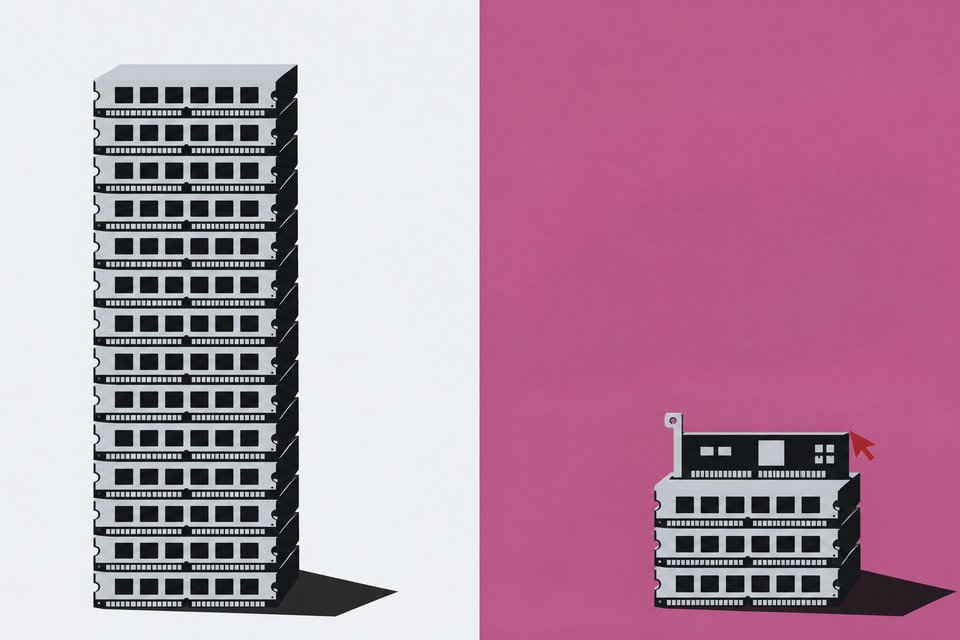
NVFP4 is a 4-bit floating-point format from Nvidia. In the demonstration, the full BF16 model was about 54 GB, and BF16 uses 16 bits per number. Dropping to 4 bits means the weights take far less memory, around 14 to 15 GB in the demonstrated case. That matters for two reasons: the model fits on smaller or cheaper hardware, and you can serve more of them (or longer conversations) from the same memory.
The hardware matters too. Blackwell GPUs have built-in support for NVFP4, which is a large part of why 4-bit models run quickly on them. On hardware without that support, you lose much of the benefit.
A concrete size comparison from a recent hands-on demonstration: a 27B-parameter model in BF16 takes about 54 GB. The same model quantized to 4-bit for QLoRA training lands around 14 to 15 GB. That is the kind of saving you are after, though QLoRA's 4-bit format is a different thing from NVFP4 deployment, so treat it as a rough scale rather than an exact NVFP4 figure.
Why quantize with your own calibration data instead of using Nvidia's prebuilt NVFP4?
Quantization is lossy. Squeezing 16-bit numbers into 4 bits means rounding, and the tool has to decide how to round so the model's outputs change as little as possible. To decide, it runs example inputs through the model and measures what matters. Those examples are the calibration data.
So every quantized model is quantized against something. Nvidia picks good, general-purpose data sets for its published NVFP4 versions, and they work well for general use. But if your model is a customer-support specialist, your priority is accuracy on support conversations, your tool calls and your policy language. A generic calibration set does not know any of that.
Doing it yourself lets you calibrate on the material your model will actually see. The creator of the demonstration used a sample of the data he had trained on: support tickets and agent traces. The expected result is a smaller accuracy loss on that kind of work. Whether it is measurably better than the prebuilt version is something you should confirm with your own evaluation, not assume.
There is a second reason: a prebuilt NVFP4 only exists for models Nvidia chose to publish. If you fine-tuned your own model, there is no prebuilt version of it.
What does the full compress-for-deployment pipeline look like?
Model Optimizer supports several techniques. You can use one, two or all three, in this order.
| Stage | What it does | Main risk | Required? |
|---|---|---|---|
| Pruning | Removes parts of the network that contribute least to predictions, giving a smaller model | Can cost quality on its own | No |
| Distillation | A larger "teacher" model trains the pruned "student" to match its behavior | Needs memory for both models | No |
| Quantization | Compresses weights to NVFP4 using your calibration data | Small accuracy loss if calibration data is a poor match | Yes, for this goal |
How does pruning work, and what is Minitron?
Pruning finds chunks of the network that matter least and cuts them out. Nvidia publishes a recipe for this called Minitron. The result is a model with fewer parameters, so it is smaller and faster before you even quantize it.
The catch is plain: pruning by itself can reduce quality. The model lost parts of what it learned. That is why it is an optional step and not a default one. If your 4-bit model already fits your hardware and meets your accuracy bar, skip pruning.
How does distillation fix what pruning breaks?
Distillation uses your original fine-tuned model (the BF16 version) as a teacher. The pruned model is the student, and it trains to match the teacher's outputs. This recovers much of the quality lost to pruning, because the student learns from a strong reference rather than from scratch.
One practical point from the demonstration: both the teacher and the student fit in memory on the same machine at the same time, so no separate teacher server was needed. If you plan to distill, do the memory math first. You need room for both models plus working memory. If they will not fit together, you will need to split the work across machines.
How does the quantization step work?
You give Model Optimizer your model and your calibration examples. It runs them through, works out how to represent the weights in 4-bit floating point, and writes out the compressed model. In the demonstration, the calibration set was simply a mix of the support tickets and agent traces already used for training.
How do you choose good calibration data?
Calibration data is the lever you control, so treat it like a small data project.
- Match production. Sample from the same kinds of inputs the model will receive. If the model handles tickets and tool calls, include both.
- Include the hard cases. Refund edge cases, long threads and unusual tool arguments are where errors show up.
- Keep it clean. Strip personal details if the data will be shared across teams, and use only examples you are allowed to use.
- Keep it separate from your test set. Do not calibrate on the examples you will use to judge the result.
- Check API terms. If your traces came from a commercial model API, check its terms on training on outputs before using them.
A starting checklist you can copy:
Calibration set plan
1. Source: [support tickets / agent traces / policy Q&A]
2. Size: a few hundred varied examples to start, then compare
3. Mix: [x]% routine, [y]% edge cases, [z]% long conversations
4. Cleaned of: names, emails, order numbers (if needed)
5. Held-out eval set (never used for calibration): [location]
6. Pass bar: within [N] points of the BF16 model on eval
The sizes and the pass bar are yours to set. The sources do not specify a recommended count, so test a couple of sizes and see whether the results change.
How do you serve the quantized model?
The demonstrated setup served the NVFP4 model with vLLM on Blackwell hardware. vLLM can also serve multiple LoRA adapters on top of one base model, batching requests for different adapters together. If you built several adapters (one per department, say), that is worth knowing. In the same demonstration, one 54 GB base plus five adapters took barely more space than the base alone, versus about 270 GB for five separate full models.
If you quantize, check how your adapters interact with the compressed base. A common approach is to merge an adapter into the base before quantizing, but that gives you one model per adapter. Whether adapters can sit on top of an NVFP4 base in your serving setup depends on your versions of the tools, so test that combination before planning around it.
Is it worth doing this yourself?
It depends on three things.
Do you have a specific task? If your model does one job (support replies, SQL for your schema, document classification), custom calibration pays off. If it is a general assistant, Nvidia's prebuilt version is probably fine.
Do you have Blackwell hardware to serve it? NVFP4's speed depends on it. Without it, the format is far less attractive.
Can you measure the difference? Without your own eval set, you cannot tell whether your quantization beat the prebuilt one, or whether pruning cost you quality. Build the eval first.
The other argument for doing it locally is data handling. When training and compression happen on one machine, there are no checkpoints copied between a training cluster and an inference server, and your data stays where it is. That mattered to the demonstration's example (a support model trained on private tickets), and it applies to any team with contracts or customer records.
What does this mean for you?
If you manage a team that wants a private, task-specific model: ask your technical people whether the model will be compressed, and against what data. "We used the prebuilt version" is a fine answer for general work. For a specialist model, ask for a before-and-after comparison on your own examples.
If you are an analyst or engineer: start with the evaluation set, not the tools. Write down 100 or so real examples with correct answers, run the BF16 model, then compare each compressed version. Add pruning only if memory or speed forces it.
If you are budgeting hardware: do the memory math before buying or renting. A full fine-tune in mixed precision needs roughly 16 bytes per parameter (about 430 GB for a 27B model), while LoRA and a 4-bit deployment need far less. Know which stage drives your requirement.
Can you build tools to track this work with Remy?
Compression projects generate a lot of small records: which calibration set went into which model version, evaluation scores for the BF16, pruned and NVFP4 versions, and which tickets got flagged as good training examples. Teams often scatter this across spreadsheets. With Remy, you can describe an internal model-comparison tracker in plain English (a table of versions, calibration sources, eval scores and sign-off status, plus a review form for tagging good support traces) and get a deployed full-stack app with a database and sign-in that your team owns. Remy does not quantize models. It builds the surrounding tracker or dashboard.
Frequently Asked Questions
Do I have to prune and distill before quantizing to NVFP4?
No. Pruning and distillation are optional steps that make the model smaller. Quantization alone is often enough if the 4-bit model already fits your hardware. Pruning can cost quality, so add it only when you need the extra size reduction.
Will my own NVFP4 model be more accurate than Nvidia's prebuilt one?
Not guaranteed. Calibrating on your own data aims to keep accuracy high on your tasks, and Nvidia's prebuilt versions are calibrated on general data sets. The only way to know is to run both on your own held-out evaluation examples and compare.
Do I need Blackwell hardware for NVFP4?
To get the speed benefit, yes. Blackwell has hardware support for NVFP4, which is a large part of why it runs fast there. Check your serving hardware before committing to the format.
What should I use as calibration data?
Use examples that look like what the model will see in production, such as real support tickets and successful agent traces. Include hard cases, remove sensitive details where needed, and keep your evaluation examples separate from your calibration examples.
Can LoRA adapters be served on a quantized base?
vLLM supports serving several LoRA adapters on one base model, and that was demonstrated with a BF16 base. Whether that works the same way on an NVFP4 base depends on your tool versions, so test it before building a plan around it.
Useful for
How we source, write, and correct our articles. Editorial standards