How Much Memory Do You Need to Fine-Tune a 27B Model Locally?
Full fine-tuning a 27B model needs about 430 GB. LoRA in BF16 fits in 54 GB. Here is the memory math, plus what data to train on and what to avoid.

For Engineering and IT
How much memory do you need to fine-tune a 27B or 120B model?
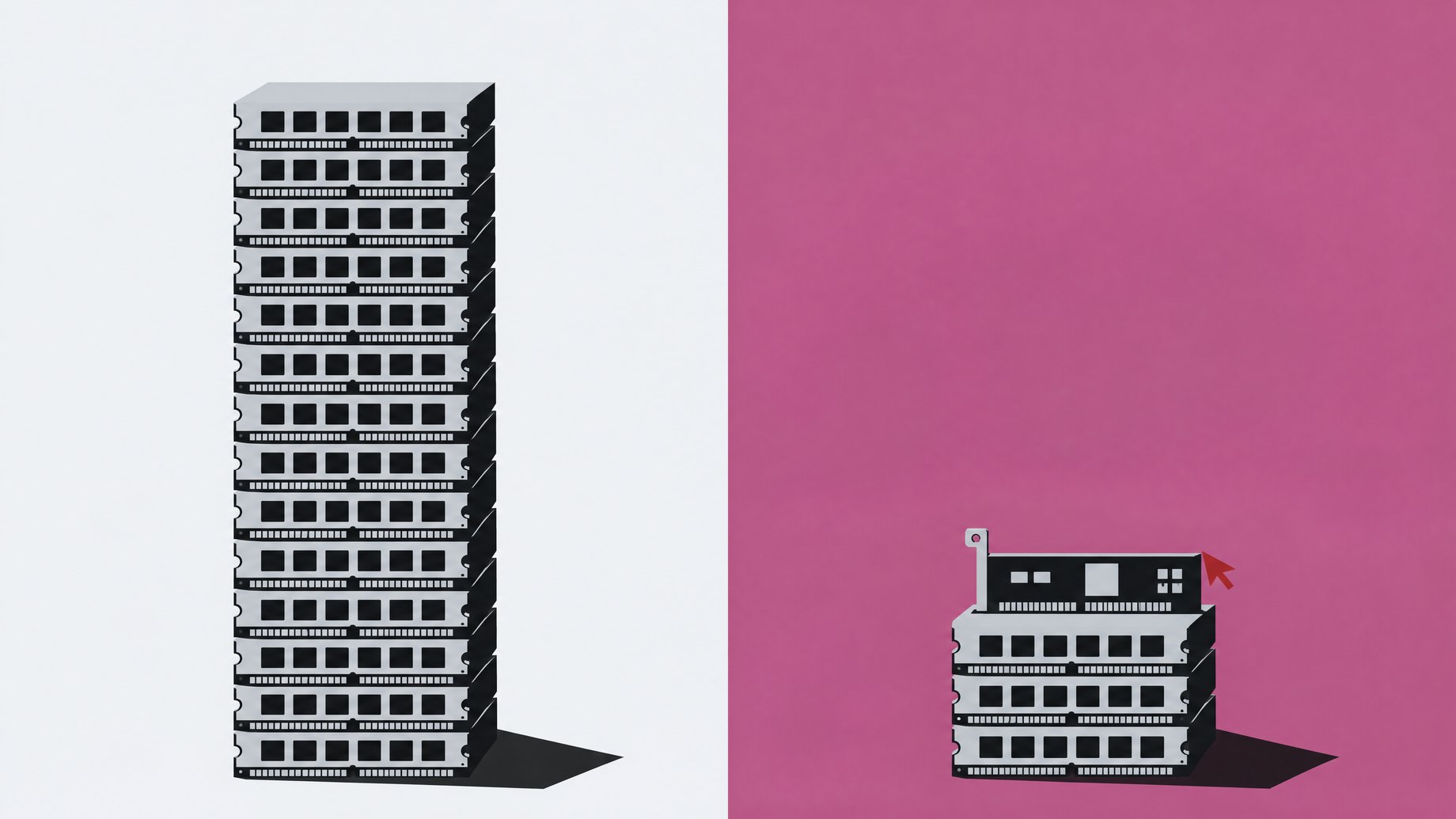
A full fine-tune of a 27B model needs roughly 430 GB of memory, because training costs about 16 bytes per parameter. LoRA cuts that sharply. It freezes the base model and trains small add-on matrices, so memory is mostly just the model itself: about 54 GB for a 27B model in BF16. A 120B model fits on one machine with QLoRA, which shrinks the base to 4-bit, roughly 60 to 70 GB.
These numbers come from a hands-on demonstration on an HP ZGX Fury, a single workstation with an Nvidia GB300 inside. The arithmetic applies to any hardware, which makes it worth doing before you rent or buy anything.
TL;DR
- A full fine-tune with the Adam optimizer in mixed precision costs about 16 bytes per parameter, which is roughly 430 GB for a 27B model before activations.
- LoRA freezes the base model and trains adapters that are usually under 1% of its size, so you mostly pay for the frozen weights: about 54 GB for a 27B model in BF16.
- QLoRA quantizes the base to 4-bit, which is what makes a 120B model (roughly 60 to 70 GB in 4-bit) trainable on a single box.
- The most useful training data for business is agent traces (successful runs from your existing agents) and internal documents turned into instruction and response pairs.
- LoRA teaches behavior, not facts. Use it for tone, format and tool use, and use retrieval (RAG) for prices, policies and product details that change.
- One base model can serve many small adapters at once, so each team can own its own fine-tune without a separate copy of the model.
Why does training use so much more memory than running a model?
Running a model (inference) only needs the weights. Training needs the weights plus everything required to update them. For a full fine-tune with the Adam optimizer in mixed precision, that adds up to roughly 16 bytes per parameter:
- The weights themselves
- The gradients (how much each weight should change)
- A full-precision copy of the weights
- Two optimizer states
Multiply 16 bytes by 27 billion parameters and you get about 430 GB. That is before activations, the intermediate values the model holds while processing your training examples. Longer sequences and bigger batches push the total higher.
Apply the same rule to a 120B model and you land near 1.9 TB, which is cluster territory. That is the reason fine-tuning has traditionally meant renting a cloud GPU cluster.
| Approach | 27B model | 120B model |
|---|---|---|
| Full fine-tune (about 16 bytes per parameter) | about 430 GB | about 1.9 TB (the same rule applied) |
| LoRA, BF16 base | about 54 GB | not the route shown |
| QLoRA, 4-bit base | about 14 to 15 GB | about 60 to 70 GB |
All figures exclude activations, so leave headroom.
How does LoRA bring the memory down?
LoRA (low-rank adaptation) takes a different approach. You freeze the base model, so its weights never change, and you train two small matrices on top of the layers you care about. The trainable part is usually less than 1% of the model.
That shrinks the gradients and optimizer states to almost nothing. Your memory bill is basically the frozen model. For a 27B model in BF16 (a 16-bit number format, two bytes per parameter), that is about 54 GB.
The second benefit is easy to miss. On a smaller machine you would usually drop to QLoRA, quantizing the base model to 4-bit (around 14 to 15 GB for a 27B model) to make it fit. That works, but it has costs: the training loop has to dequantize the weights on every step, and you are learning on top of quantization error. If you have enough memory to hold the full BF16 model, plain LoRA trains faster and avoids both problems.
In the demonstration, the 27B Qwen model was trained with plain LoRA in BF16 using the open-source tools Unsloth and TRL, and memory stayed well inside the machine's high-bandwidth memory for the whole run.
Can you fine-tune a 120B model on one machine?
Yes, with QLoRA. The demonstration used Nvidia's Nemotron Super, a 120B model. In 4-bit, the base is roughly 60 to 70 GB, so it fits on a single box with room left for training. A job that used to require a multi-machine cluster now fits on one workstation-class system with enough fast memory.
The practical rule: work out the base model's size at the precision you plan to use, add room for activations, and check it against your memory before you commit. If the 16-bit version fits, use LoRA. If only the 4-bit version fits, use QLoRA.
What data should you fine-tune on?
Hardware is the easy part. Data decides whether the result is useful. Two sources work especially well for business tasks.
Agent traces. Many companies already run agents on frontier model APIs. Every time one does a job well (looks up an order, checks a refund policy, calls the right tool, writes a good reply), that run is a trace. Collect the successful ones, filter out personal details such as email addresses, and fine-tune a local model on them. It learns your tools, your data formats and your workflows, and you can stop paying a per-token bill for that work.
One caution from the demonstration: if your traces come from a commercial API, check its terms about training on its outputs. The traces in the demo were generated by open models running locally.
Internal documents. Help center articles, past tickets, policy documents and guides can be converted into instruction and response pairs. Normally you choose between private and customized: cloud fine-tuning means uploading your data, while staying private usually means a generic model. Training locally gives you both, because the data goes into the weights on hardware you control.
Should you teach the model facts with LoRA?
No. LoRA is good at teaching behavior: tone, formatting, which tool to call, how your company writes a refund email. It is a poor way to cram in a whole product catalog, and a bad way to keep prices current.
Use two layers instead:
- A LoRA adapter that knows how to behave.
- RAG (retrieval-augmented generation), which looks up current documents and feeds them to the model at answer time.
In the side-by-side example, the same customer question went to three versions. The base model gave a polite, generic answer that knew nothing about the store's policies. The fine-tuned model sounded like the store's support team and called the right tool. The fine-tuned model with RAG also pulled the current return policy and cited where it came from.
How can one base model serve several fine-tunes?
Adapters are small. A rank 16 adapter on a 27B model is in the low hundreds of megabytes. So instead of training five separate full models (about 270 GB at 54 GB each), you keep one 54 GB base loaded and add an adapter per job. The serving software vLLM can run many adapters at once off a single copy of the base, batching requests for different adapters together.
The demonstration imagined adapters for support replies, answering only from retrieved help-center docs, turning notes into slides, writing SQL for a company schema, and reviewing contracts.
This also helps with data governance. Each team owns its adapter and its data, so legal's documents only go into the legal adapter. If support wants to retrain overnight, it can do so without touching anyone else's data.
A small router model can decide which adapter handles each request. The demo used a 270M-parameter Gemma model fine-tuned for one job: read an incoming ticket and label it billing, technical, refund or escalate to a human. A model that small trains quickly, so you can try several datasets and settings and compare them with your own evaluation set.
What changes if you want to shrink the model afterward?
After fine-tuning, you can compress the model for deployment. The demonstration used Nvidia's Model Optimizer to convert the model to NVFP4, a 4-bit floating-point format that Blackwell hardware supports natively. The reason to do it yourself rather than use a pre-made version is calibration. A quantization is tuned to preserve accuracy on a particular dataset. If you calibrate on your own tickets and traces, accuracy is preserved where it matters to you.
The same toolkit can also prune (cut out parts of the network that contribute least) and distill (train a smaller student model to match the fine-tuned teacher). Pruning alone can cost quality, so it is not something to do by default.
What does this mean for you?
If you work in a team with sensitive data (support, legal, HR, finance), the main change is that a custom model no longer requires sending records to a cloud service. Start by listing the repeatable tasks where your staff already follow a house style, then ask whether you have 500 or more good examples of each. If you do, you have the raw material.
If you are a manager or analyst sizing a project, do the memory math first. Multiply parameters by 16 for full fine-tuning, by 2 for a BF16 base under LoRA, and by roughly 0.5 for a 4-bit base under QLoRA. That tells you what to ask IT or a vendor for.
If you run agents on paid APIs today, start saving successful traces now, with sensitive details removed. They are the best training data you will have, and they cost nothing extra to keep.
Keep expectations realistic. Fine-tuning changes how a model behaves. It does not keep facts current, so plan for retrieval alongside it.
How could you build the tools around a local fine-tune?
Fine-tuning produces a model, but the work around it is mostly internal software: a place where support staff approve or reject agent traces before they enter a training set, a tracker comparing evaluation scores across adapter versions, or a request form for teams that want their own adapter. These are small apps with logins, roles and a database, and they often end up in a spreadsheet. Remy builds this kind of tool from a plain-English description and deploys it as a full-stack app, with built-in sign-in and role-based access, so a reviewer sees only what they should. You describe the workflow, and you own the resulting code.
Frequently Asked Questions
How much memory does LoRA fine-tuning of a 27B model need?
About 54 GB for the BF16 base model, plus room for activations, longer sequences and bigger batches. The adapter itself is a small fraction of that, usually under 1% of the model's parameters.
What is the difference between LoRA and QLoRA?
Both train small adapters on a frozen base model. QLoRA also quantizes the base to 4-bit to save memory, which brings a 27B model to roughly 14 to 15 GB. The trade-off is that training must dequantize weights each step and learns on top of quantization error, so LoRA in BF16 is preferable when memory allows.
Can I teach a model my product catalog with fine-tuning?
Not reliably. LoRA works well for behavior such as tone, formatting and tool choice, but it is a poor way to store facts or keep prices current. Pair it with RAG so the model retrieves up-to-date information when it answers.
Why fine-tune locally instead of in the cloud?
The demonstration gave three reasons: privacy (your data ends up in the weights, so contracts or customer records stay on your hardware), cost (a small model trained on your task can often match a larger general model on that task, with no per-token bill), and control (your model does not change when a provider updates or retires theirs).
Do I need this specific hardware?
No. The memory math applies to any hardware. The Fury's advantage is a large pool of fast memory, which lets a 27B model train in full BF16 and a 120B model train with QLoRA on one machine.
Useful for
How we source, write, and correct our articles. Editorial standards