Write a GitHub Actions CI Pipeline with AI (Step by Step)
Build a GitHub Actions CI pipeline step by step, with a copy-ready workflow file, the exact AI prompt to draft it, and a checklist for what to verify.

For Engineering
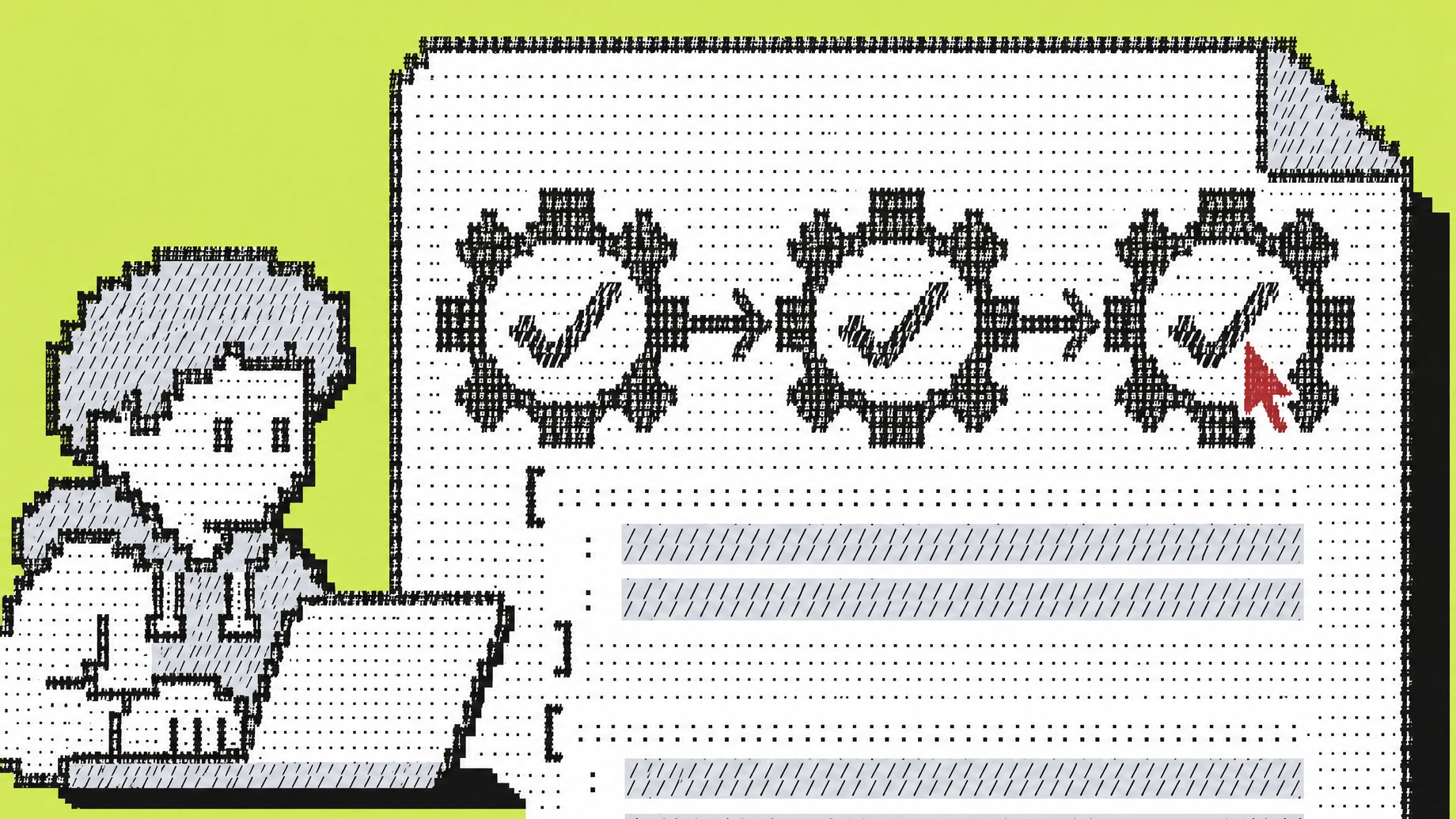
What is a GitHub Actions CI pipeline?
A GitHub Actions CI pipeline is a YAML file in your repository, stored in .github/workflows/, that tells GitHub to run checks automatically whenever someone pushes code or opens a pull request. Typical checks are installing dependencies, linting, running tests and building the project. If any step fails, the pull request shows a red mark and the change can be blocked from merging. You can write the file by hand or have an AI assistant draft it, as long as you verify the result.
TL;DR
- A working CI pipeline is one YAML file with a trigger, one or more jobs, and a list of steps. You can have a first version running in under an hour.
- AI is good at drafting the file and explaining errors. It is bad at knowing your repo's real commands, so give it your actual build and test commands in the prompt.
- Verify every
uses:line. AI sometimes invents action names, versions or inputs that do not exist. - Set least-privilege permissions, timeouts and concurrency in every workflow. AI drafts often leave them out.
- Start with CI (lint, test, build) on pull requests. Add deployment later, once the checks are trusted.
- When a run fails, paste the failing log section (not the whole log) into the AI and ask for the cause before asking for a fix.
What do you need before you start?
You need four things:
- A GitHub repository you can push to, with permission to add files.
- The exact commands you run locally to install, lint, test and build. If you cannot run them from a clean checkout on your laptop, the pipeline will not run them either.
- Knowledge of your runtime version (for example, Node 20, Python 3.12, Java 21). Pipelines fail often because the runner uses a different version than your machine.
- A list of secrets the tests need, if any (API keys, database passwords). Secrets are added in the repository settings, never in the YAML file.
The commands matter most. A pipeline is automation of what you already do by hand. Write them down first.
How do you write a GitHub Actions CI pipeline step by step?
These steps use a Node.js project as the example. The structure is the same for Python, Java, Go or .NET. Only the setup action and the commands change.
- Create the file. In your repo, make
.github/workflows/ci.yml. The folder name and location are fixed. GitHub only looks there. - Name it and choose triggers. Use
on:to say when it runs. For CI, run on every pull request and on pushes tomain. - Add concurrency. This cancels an older run when a newer commit lands on the same branch, which saves time and runner minutes.
- Restrict permissions. Set
permissions: contents: readat the top. Grant more only to jobs that need it. - Define jobs. Each job runs on a fresh virtual machine (
runs-on: ubuntu-latest). Jobs run in parallel unless you chain them withneeds:. - Add steps. Check out the code, set up the language runtime with caching, install dependencies, then run your commands.
- Set timeouts. A hung test should not run for hours. Add
timeout-minutesto each job. - Commit and open a pull request. Workflows that run on
pull_requestwill run on that very PR, so you see the result immediately. - Require the checks. In repository settings, add a branch protection rule (or ruleset) for
mainthat requires the CI jobs to pass before merging.
What does a complete workflow file look like?
Copy this, then change the commands and versions to match your project.
name: CI

on:
  pull_request:
  push:
    branches: [main]

concurrency:
  group: ci-${{ github.workflow }}-${{ github.ref }}
  cancel-in-progress: true

permissions:
  contents: read

jobs:
  lint:
    runs-on: ubuntu-latest
    timeout-minutes: 10
    steps:
      - uses: actions/checkout@v4
      - uses: actions/setup-node@v4
        with:
          node-version: 20
          cache: npm
      - run: npm ci
      - run: npm run lint

  test:
    runs-on: ubuntu-latest
    timeout-minutes: 15
    strategy:
      fail-fast: false
      matrix:
        node-version: [20, 22]
    steps:
      - uses: actions/checkout@v4
      - uses: actions/setup-node@v4
        with:
          node-version: ${{ matrix.node-version }}
          cache: npm
      - run: npm ci
      - run: npm test
      - uses: actions/upload-artifact@v4
        if: failure()
        with:
          name: test-output-${{ matrix.node-version }}
          path: coverage/
          if-no-files-found: ignore

  build:
    needs: [lint, test]
    runs-on: ubuntu-latest
    timeout-minutes: 15
    steps:
      - uses: actions/checkout@v4
      - uses: actions/setup-node@v4
        with:
          node-version: 20
          cache: npm
      - run: npm ci
      - run: npm run build
Here is what each part does.
| Part | What it does | Why it matters |
|---|---|---|
on: pull_request and push to main | Triggers the run | PR checks catch problems before merge. The main run confirms the merged result still passes. |
concurrency | Cancels superseded runs on the same branch | Stops wasted runs when you push three fixes in a row. |
permissions: contents: read | Limits what the automatic token can do | If a step is compromised, the damage is smaller. |
cache: npm | Reuses downloaded dependencies | Faster runs with no extra configuration. |
matrix | Runs the same job across several versions | Catches "works on 20, breaks on 22" problems. |
if: failure() upload | Saves output only when a test fails | Gives you something to download and inspect. |
needs: [lint, test] | Build waits for both to pass | Avoids building code that already failed checks. |
Check the action versions (@v4 here) against each action's releases page when you copy this. Major versions move forward over time.
How do you use AI to write the pipeline?
Any capable chat assistant can draft this, and so can an AI coding tool built into your editor or GitHub. The quality of the draft depends almost entirely on what you tell it. Vague prompts ("write me a CI pipeline") produce generic files with guessed commands.
Paste this prompt and fill in the brackets:
Write a GitHub Actions workflow file for CI at .github/workflows/ci.yml.

Project facts:
- Language and version: [e.g. Python 3.12]
- Package manager: [e.g. pip with requirements.txt / poetry / npm / maven]
- Install command: [exact command]
- Lint command: [exact command, or "none"]
- Test command: [exact command]
- Build command: [exact command, or "none"]
- Services the tests need: [e.g. Postgres 16, Redis, or "none"]
- Secrets the tests need: [names only, never values, or "none"]
- Monorepo? [yes/no. If yes, which folder this pipeline covers]

Requirements:
- Trigger on pull_request and on push to main.
- Use concurrency to cancel in-progress runs for the same ref.
- Set top-level permissions to contents: read.
- Add timeout-minutes to every job.
- Use dependency caching through the setup action where possible.
- Run lint and test as separate parallel jobs; build runs after both pass.
- Use only official actions from the actions/ organization unless I say otherwise.
- Do not add any deployment steps.

After the YAML, list every third-party action you used, with the
version, and flag anything you are unsure exists or any input
you are unsure about.
The last instruction matters. It makes the AI list its own uncertainty, which tells you where to look first.
For a Python project with a database, you would fill in the facts like this: Python 3.12, pip install -r requirements.txt, ruff check ., pytest -q, Postgres 16 as a service, secrets "none". The AI will then add a services: block for Postgres with a health check. Read that block closely, because connection strings and ports are where drafts most often go wrong.
What should you check in the AI's answer?
Treat the output as a draft from a fast junior colleague. Go through this list before you commit.
- Every
uses:line is real. Open each action's page on GitHub. Confirm the name, the version tag and thewith:inputs. AI can produce plausible but nonexistent inputs. - Your commands, not guesses. Compare each
run:line to what you type locally. Check that the script names exist inpackage.json,Makefileor equivalent. - Triggers are safe. Be wary if the draft uses
pull_request_targetorworkflow_run. These run with more privileges and are easy to misuse with code from forks. For plain CI,pull_requestis the right trigger. - Permissions are minimal. Look for
permissions:at the top. If a job writes to the repo or opens comments, only that job should getwriteaccess. - No secrets in the file. Secrets belong in repository or organization settings and are referenced as
${{ secrets.NAME }}. Never echo a secret in arun:step. - Versions match production. If you deploy on Node 20, do not let the pipeline test only on Node 18.
- Timeouts and concurrency exist. Drafts often leave them out unless you ask.
- Third-party actions are pinned. For anything outside
actions/and other organizations you trust, consider pinning to a full commit SHA rather than a moving tag. Pair that with Dependabot version updates for GitHub Actions so pins do not go stale.
You can also run a linter for workflow files. actionlint is an open-source tool that catches syntax errors and wrong expressions before you push. Running it locally is cheaper than debugging by committing.
How do you fix a failing run with AI?
Failures are normal on the first run. The pattern that works:
- Open the failed run in the Actions tab and expand the red step.
- Copy the last 30 to 60 lines of that step's log, plus the error itself.
- Paste it with the workflow file and ask for the cause first.
This GitHub Actions job failed. Here is the workflow file and the
log from the failing step.

[workflow YAML]

[log excerpt]

First, explain in plain words what went wrong and which line of the
log shows it. Then give the smallest change that would fix it.
If the cause could be in my code or environment rather than the
workflow, say so instead of changing the workflow.
The last sentence is important. A common failure is a test that passes on your machine and fails on the runner because of a timezone, a missing environment variable or a hidden dependency on a local file. An AI asked only to "fix the pipeline" will often bend the workflow around a real bug, for example by skipping the test. Ask for diagnosis first.
Common causes, in rough order of frequency:
- Wrong runtime version or a missing system package on the runner.
- Missing environment variable or secret. Secrets are not passed to workflows triggered by pull requests from forks.
- Lockfile out of sync.
npm cifails ifpackage-lock.jsondoes not matchpackage.json. - Tests that depend on order, time or network. These are flaky by design, and the pipeline just exposes them.
- Wrong working directory in a monorepo. Use
defaults: run: working-directory:or set it per step. - YAML indentation. One misplaced space changes the meaning. A linter finds these quickly.
Where should you not trust AI with your pipeline?
Be careful in these areas:
- Anything with secrets or cloud credentials. Do not paste real keys into a chat. Use placeholder names and add the real values in GitHub settings yourself.
- Deployment and release steps. A wrong condition can deploy a branch to production. Write these deliberately and review them with a teammate.
- Security-sensitive triggers. As noted above,
pull_request_targetand untrusted input inrun:commands (for example, using a PR title directly in a shell command) can lead to script injection. AI drafts do not reliably avoid this. - Company-specific rules. Your organization may restrict which actions are allowed, require self-hosted runners or mandate scanning steps. The AI does not know this. Ask your platform or security team.
- Cost. AI will happily build a large matrix across many operating systems and versions. Each combination is a separate job that consumes runner time. Check your plan's included minutes on GitHub's pricing page, and keep matrices to what you actually support.
How do you add CD (deployment) to the pipeline?
Keep CI and CD as separate concerns even if they share a repo. Once CI is stable, add a deploy job that runs only after the checks pass and only on main:
  deploy:
    needs: [build]
    if: github.ref == 'refs/heads/main' && github.event_name == 'push'
    runs-on: ubuntu-latest
    environment: production
    permissions:
      contents: read
      id-token: write
    steps:
      - uses: actions/checkout@v4
      # your deploy steps here
Three details make this safer:
environment: productionlets you require manual approval from named reviewers and keeps deployment secrets scoped to that environment.id-token: writeis for OpenID Connect, which lets the job get short-lived credentials from major cloud providers instead of storing a long-lived key as a secret. Your cloud provider's documentation describes the trust setup.if:on branch and event prevents pull requests from triggering a deployment.
The deploy steps themselves depend on your target (container registry, cloud service, static host). Give the AI your target and ask it to write only the deploy job, then review that job line by line.
How do you make the pipeline faster and more reliable over time?
Once it runs, tune it:
- Cache dependencies through the setup action's
cache:option, as in the example. - Split slow tests into parallel jobs or shards if the suite takes more than ten minutes.
- Fail fast on cheap checks. Lint finishes in seconds. Put it first or make slower jobs depend on it if you want to save minutes.
- Use path filters (
paths:underon:) in monorepos so a docs change does not run the whole backend suite. Be careful: if a required check is skipped by a path filter, it can block merges, so test your branch protection setup. - Reuse logic. When several repos need the same steps, move them into a reusable workflow (
workflow_call) or a composite action rather than copying YAML around. - Track flaky tests. If a test fails and passes on rerun, someone needs to own fixing it. Reruns hide the problem.
AI is useful for each of these. Paste the workflow and the slowest job's timing and ask where the time goes. Treat the suggestions as hypotheses, and measure the next run to confirm.
Can you track your pipeline's health without another SaaS subscription?
If your team wants a simple view of failed runs, slowest jobs or flaky tests across repos, that is a small internal tool, not a product you necessarily need to buy. With Remy, you can describe that tool in plain English: a dashboard that receives GitHub webhooks when runs finish, stores the results in its own database, and shows failure rates by repo and by week, with sign-in for your team. Remy builds the full-stack app from a written spec and deploys it, and you own the code. It does not replace GitHub Actions. It gives you a place to put the data your pipelines produce. Check the pricing page for plan details first.
Frequently Asked Questions
Is GitHub Actions free for CI?
GitHub offers included minutes for private repositories that vary by plan, and public repositories can use standard runners at no charge. Limits and rates change, so check GitHub's pricing and billing documentation for your plan. Large organizations often manage this through an enterprise agreement or self-hosted runners.
What is the difference between CI and CD in GitHub Actions?
CI (continuous integration) checks every change automatically: install, lint, test, build. CD (continuous delivery or deployment) takes a passing build and releases it to an environment. In GitHub Actions both are workflows, often in the same file or in separate files. Start with CI and add CD once you trust the checks.
Can AI write the whole pipeline for me?
It can write a good first draft in seconds if you provide your real commands and constraints. You still need to verify the actions it references, the permissions and triggers, and anything touching secrets or deployment. Plan on reviewing the file the way you would review a colleague's pull request.
How do I test a workflow without pushing commit after commit?
Run actionlint locally to catch syntax and expression mistakes. The open-source tool act can run some workflows locally in containers, though it does not match GitHub's runners exactly. For the rest, use a draft pull request on a branch and add workflow_dispatch: to the triggers so you can start a run manually from the Actions tab.
Should one workflow file or several be used?
Start with one ci.yml. Split when files get long or when concerns differ, for example CI on pull requests, a release workflow on tags, and a scheduled workflow for dependency checks. Reusable workflows help when several repositories share the same steps.
Useful for
How we source, write, and correct our articles. Editorial standards
Related articles

How to Run Apex-35B Locally: Hardware, Setup and Results

How to Run RAON-1 Mini and Nano Locally: Hardware and Setup

Should You Rewrite Your Codebase With AI? Octar's Lessons