What Is CLI-Anything? How AI Agents Use Desktop Apps
CLI-Anything is an open-source framework that turns GUI apps into command-line tools AI agents can run. How it works, how to try it, and its limits.

For Engineering, IT and Security

What is CLI-Anything?
CLI-Anything (often searched as "clianything") is an open-source project from the HKUDS organization on GitHub. It generates a command-line interface, or CLI, for software that normally runs through buttons and menus. An AI agent can't reliably click through a graphical app, but it can type commands. CLI-Anything analyzes an application's code and builds a set of commands that call the real software behind the scenes, so an agent like Claude Code or Codex can operate it.
TL;DR
- CLI-Anything is a generator, not an app. You point it at a codebase (for example
/cli-anything ./gimp) and it produces a command-line tool for that software. - The goal is to replace fragile screen automation. The project says agents otherwise rely on UI automation or limited APIs, and its generated CLIs call the real software backend directly.
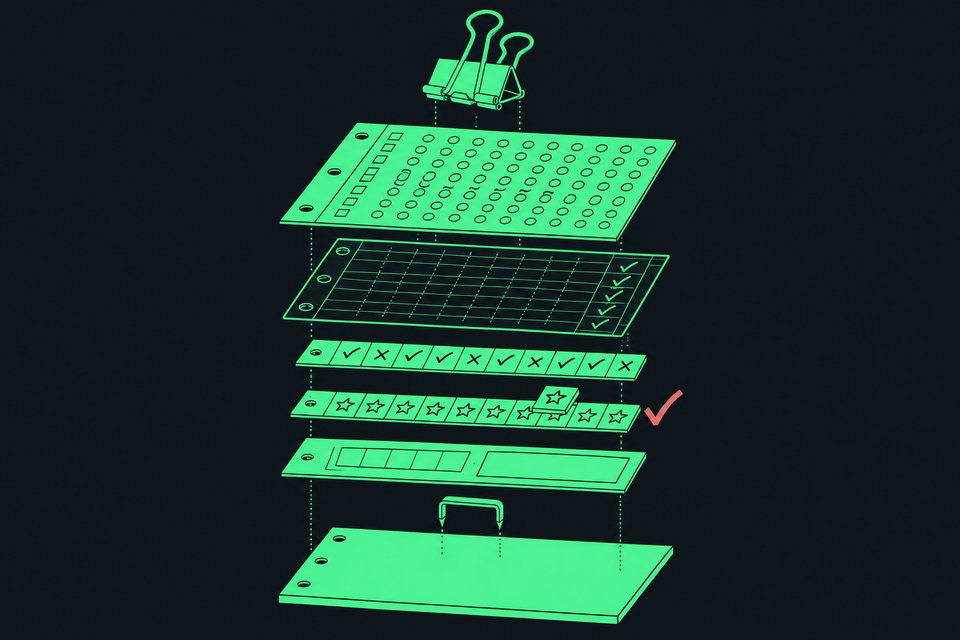
- The project says it uses a three-stage pipeline. The stages run from analyzing the code to designing and building commands, then writing tests and documentation, and publishing.
- It has been validated on 11 apps, according to the project site, including GIMP, Blender, Inkscape, Audacity, LibreOffice, OBS, Kdenlive, Shotcut, Zoom, Draw.io and AnyGen.
- There is also a registry, CLI-Hub, where you can browse and install CLIs other people have already generated, instead of generating your own.
- It is a developer tool. You need a terminal and an agent that can run commands, and you should treat generated tools like any third-party code.
Why is it spelled CLI-Anything and not "clianything"?
The project name is hyphenated: CLI-Anything. "CLI" stands for command-line interface, and "Anything" is the pitch. People search for it as one word ("clianything") or two ("cli anything"), and all of those point to the same project. The code lives at github.com/HKUDS/CLI-Anything. You will also see two websites carrying the name, a hub (clianything.cc) and a marketing page (clianything.net). Treat the GitHub repository as the reference point, and check it before installing anything from elsewhere.
What problem does CLI-Anything solve?
Most professional software was built for humans. You open Blender, click a menu, drag a slider. An AI agent has no hands. Today an agent has roughly two ways in:
- UI automation. The agent looks at screenshots and moves a virtual mouse. This works sometimes and breaks when a window moves or a dialog appears.
- An API. The software exposes a clean programmatic interface. Many desktop apps don't, or expose only a small slice of what they can do.
A CLI is a third path. It is a text interface: you type tool do-something --option value and get text back. Agents are good at this because it is how they already work with developer tools. The catch is that most creative and office software has no such interface. CLI-Anything's pitch is to build one automatically, so the agent gets the app's full capabilities without clicking anything.
How does CLI-Anything work?
According to the project's own description, you run one command inside a supported AI coding agent, and a pipeline does the rest. The site summarizes it in three groups of steps:
| Stage | What happens |
|---|---|
| Analyze | Scan the source code, map GUI actions to the underlying APIs, and understand how the software is built. |
| Design and implement | Plan groups of commands, then build a CLI (using the Python library Click) with an interactive mode, JSON output and undo/redo support. |
| Test and publish | Write a test suite and documentation, then install the tool on your PATH. The project also mentions publishing to PyPI, the Python package index. |
Several details matter for how it behaves in practice:
- It calls the real software. The project stresses that these are not toy reimplementations. Its examples: LibreOffice generates actual PDFs, and Blender renders actual 3D scenes through the CLI.
- Two output modes. A
--jsonflag gives structured output an agent can parse. Without it you get human-readable tables, which helps when you are debugging. - An interactive mode (a REPL). It keeps project state, command history and undo/redo between commands.
- A refine step. After the first build, a
/refinecommand runs a gap analysis, finds capabilities the CLI is missing, and adds commands without, as the project puts it, breaking existing ones. - Discovery by normal means. Once installed, an agent finds the tool the way it finds any command, with standard lookups and
--help.
The project reports 1,508+ tests with a 100% pass rate, covering unit tests with synthetic data, end-to-end tests with real software, and checks that run the CLI as a subprocess. Those are the project's own numbers, and a passing test suite shows the commands behave as written, not that they cover every feature of a large application.
What does it look like in action?
The hub's demo gallery shows agents driving generated CLIs to produce finished files. The examples include:
- FreeCAD: an agent assembles a rover model while saving preview images and a replayable record of its steps.
- Blender: an agent builds a hard-surface drone in stages, with a render at each stage.
- Draw.io: an HTTPS handshake diagram built from scratch entirely through commands, contributed by a community member.
The pattern is the same in each. The agent issues commands, checks the result, and keeps going until the file is done. No one watches a window.
How do you install and try CLI-Anything?
There are two routes. Which one fits depends on whether you want to generate a CLI or just use one that exists.
Route 1: use CLIs that already exist (CLI-Hub)
The hub is a registry. It listed 79 CLIs generated by the CLI-Anything project and 24 public CLIs at the time of the source page, grouped into categories and into five "matrices" (bundles of related capabilities). Install the hub's command-line manager with pip:
pip install cli-anything-hub
Then use these commands:
| Command | What it does |
|---|---|
cli-hub list | Browse the registry |
cli-hub search | Search by keyword |
cli-hub install | Install a CLI |
cli-hub info | Inspect one CLI before installing |
cli-hub update | Update an install |
cli-hub uninstall | Remove an install |
To let an agent do the browsing itself, the hub offers a skill. Install it with:
npx skills add HKUDS/CLI-Anything --skill cli-hub-meta-skill -g -y
The hub says it works with OpenClaw, Nanobot, Claude Code, Codex, Antigravity and other agents that support the SKILL format. Then you prompt the agent in plain language:
Find appropriate CLI software in CLI-Hub and complete the task: <your task>
Route 2: generate a CLI for your own software
Inside a supported agent (the project names Claude Code, OpenCode and Codex), you run the generator against a codebase, as in /cli-anything ./gimp. The generated project installs with pip install -e ., which puts the command on your PATH. Setup of the generator itself differs by agent, so follow the README in the GitHub repository for your agent rather than copying a command from a blog post.
What are the limits and risks?
The project's pages are promotional, so here are the tradeoffs to weigh.
- "Any software" is a goal, not a guarantee. The validated list is 11 apps. The generator works by analyzing a codebase, which suggests it fits best where you can access the source. Software you only have as a closed installer is a harder case, and the sources don't say how well it works.
- You still need the actual app. The CLI calls the real application's backend. It doesn't replace installing Blender or LibreOffice on the machine where the agent runs.
- Generated code is still code. An AI wrote it. Tests help, but you should read what a CLI does before you let an agent run it on files that matter.
- Third-party CLIs deserve normal caution. Use
cli-hub infoto inspect a tool before installing, the same way you would check any package. - Agents can make mistakes at speed. A command that deletes or overwrites a file does so instantly. Work on copies, and prefer tools with undo.
- It is not point-and-click. You need a terminal, Python, and an agent that can run commands.
What does this mean for you?
If you are a developer or technical analyst, this is worth an afternoon. Pick one app you already script by hand, such as converting documents with LibreOffice or batch-editing images, check whether a CLI exists on the hub, and ask your agent to do a task with it. Start with a throwaway folder.
If you work in a non-technical role, the practical takeaway is about direction, not installation. Agents are getting ways to operate the same software you use, which makes repetitive work like reformatting decks, exporting diagrams or processing audio files candidates for delegation. Ask your IT or engineering team whether anyone is evaluating tools like this, and what the approval process is for installing them.
If you manage a team, the security question comes first. An agent with command-line access to your software is powerful, so decide which machines, folders and accounts it may touch before anyone experiments.
Can you build agent-friendly tools without a terminal?
CLI-Anything makes existing desktop apps usable by agents. A different problem is the small internal tool your team keeps running on spreadsheets, like a request tracker or an approvals log. Remy builds a full-stack business app from a plain-English description, and each app can expose an MCP server, a standard way for outside AI tools such as Claude or Cursor to use it. That means a tracker you describe to Remy can be read and updated by an agent, with sign-in and role-based access built in, and no CLI to generate or maintain.
Frequently Asked Questions
Is CLI-Anything free?
The project is open source and published on GitHub, so you can use it without paying for the tool itself. The AI agent you run it in, such as Claude Code or Codex, has its own pricing, and the sources don't cover that.
Who makes CLI-Anything?
The repository is under the HKUDS organization on GitHub (HKUDS/CLI-Anything). The hub also links to a technical report on arXiv and a contributing guide, and it invites outside contributions for desktop apps, developer tools, cloud services and SaaS APIs.
Does CLI-Anything work with ChatGPT or Claude directly?
The sources name Claude Code, OpenCode and Codex as the agents it integrates with, and the hub lists OpenClaw, Nanobot and Antigravity as compatible too. These are agents that can run commands on your computer. A plain chat window that can't run commands won't be able to use the generated tools.
Is CLI-Anything the same as a computer-use agent?
No. A computer-use agent looks at the screen and moves the mouse. CLI-Anything skips the screen and generates text commands that call the software's own functions. The tradeoff is that someone, or something, has to generate and maintain the CLI first.
Can I use it on any program I have installed?
Not necessarily. The project says it can work on any software with a codebase, but it has validated 11 applications, and the hub's registry listed 79 project-generated CLIs and 24 public ones. Check the hub first to see whether your app is covered, and test on sample files before relying on it.
How we source, write, and correct our articles. Editorial standards
Related articles

CLI-Anything: What It Is and How to Use It With AI Agents

How to Run Private Offline RAG and Coding Agents Locally

What Is an AI Harness? Parts and Why It Matters