Contract Renewal Tracker: Build One So Nothing Auto-Renews
Build a contract renewal tracker with the exact fields, notice-date formulas, reminder schedule and an AI prompt that pulls terms from contracts for you.

For Procurement and Managers
What is a contract renewal tracker?
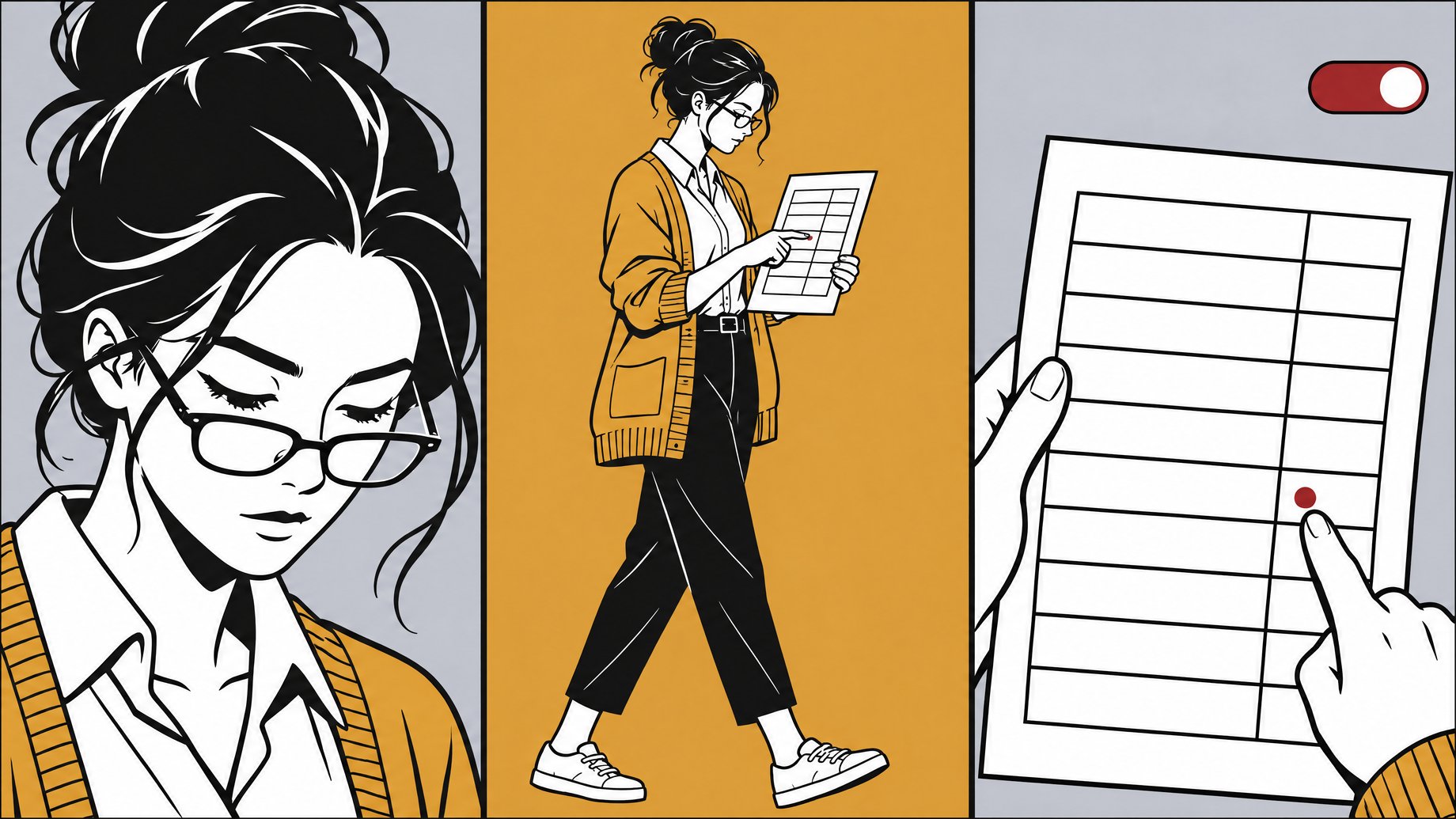
A contract renewal tracker is a single list of every vendor contract you hold, with the dates that matter: when each one ends, whether it renews on its own, and the last day you can cancel or renegotiate. The most important column is not the end date. It is the notice deadline, because that is the day your bargaining power disappears. A good tracker warns the right person 90, 60 and 30 days before that deadline, so nothing renews by default.
You do not need contract management software to do this. You need about a dozen fields, one formula, a reminder routine, and someone who owns it. This post gives you all four, plus a prompt that gets AI to pull the terms out of your contracts so you are not retyping them by hand.
TL;DR
- The notice deadline (renewal date minus the notice period) is the date to track, not the contract end date. Missing it is how contracts auto-renew.
- A tracker needs about twelve fields, and most of them come straight from the contract's term, renewal and termination clauses.
- Set reminders at 120, 90, 60 and 30 days before the notice deadline, sent to a named owner and a backup, not to a shared inbox nobody reads.
- AI can extract dates, notice periods and renewal clauses from contract text quickly, but a person must check every extracted date against the actual clause before it goes in the tracker.
- Start with a spreadsheet. Move to a small internal app when you need automatic reminders, role-based access, or more than one person editing.
- Contracts are confidential. Use only AI tools your company has approved for this kind of document.
What fields should a contract renewal tracker include?
Keep it short enough that people actually fill it in. Every field below earns its place.
| Field | What goes in it | Why it matters |
|---|---|---|
| Vendor | Legal name of the company | Matches the contract and the invoice |
| Product or service | What you buy | Lets a manager see what the spend is for |
| Contract owner | One named person | Someone has to act on the reminder |
| Backup owner | A second person | Covers vacations and job changes |
| Start date | Effective date | Anchors the term |
| End date | End of current term | The renewal happens here |
| Renewal type | Auto-renews, manual renewal, evergreen, fixed (no renewal) | Tells you whether silence costs you |
| Renewal term | Length of each new term (1 year, 3 years, month to month) | Auto-renewals are often longer than people assume |
| Notice period | Days of written notice required to cancel | Drives the deadline |
| Notice deadline | End date minus notice period (formula) | The date that actually matters |
| Annual value | What you pay per year | Prioritizes your attention |
| Price increase clause | Cap or uplift on renewal, if any | Surprises show up here |
| Notice method | How notice must be sent (email, letter, portal, named address) | A valid cancellation must follow the clause |
| Status | Active, in review, renegotiating, cancelled, renewed | Shows what is being worked on |
| Contract location | Link to the signed PDF | Saves a hunt at the worst moment |
| Notes | Anything unusual | Minimum commitments, termination fees, SLAs |
If you want a minimal version, cut it to: vendor, owner, end date, renewal type, notice period, notice deadline, annual value, contract link. You can add the rest later.
How do you calculate the notice deadline?
The formula is simple. The judgment is in reading the clause correctly.
Notice deadline = end date minus notice period.
In Google Sheets or Excel, if the end date is in column F and the notice period in days is in column H:
=F2-H2
Then add a days-remaining column:
=I2-TODAY()
(where column I holds the notice deadline), and a status flag:
=IF(J2<0,"PASSED",IF(J2<=30,"ACT NOW",IF(J2<=60,"Review",IF(J2<=90,"Prepare","OK"))))
Before you trust any date, check these in the contract:
- Calendar days or business days. "Sixty days" and "sixty business days" are very different deadlines.
- Received by or sent by. Some clauses require notice to be received by the deadline, not merely sent.
- Notice method. A clause may require written notice to a specific address, or by registered mail. An email to your account rep may not count.
- Renewal term length. A one-year contract can renew for a one-year term, or for another multi-year term. Read the renewal clause, not just the initial term.
- Month-to-month conversion. Some contracts roll to month-to-month after the initial term, usually at a higher price. That is a renewal too, so track it.
- Amendments and order forms. The master agreement may say one thing and a later order form another. Track the document that governs the actual purchase.
How do you build the tracker step by step?
- Gather your contracts. Pull from procurement files, shared drives, email attachments, and the invoices in accounts payable. Invoices are a good backstop: any vendor you pay regularly and have no contract on file for is worth a question.
- Make the sheet. Create a spreadsheet with the columns above. Freeze the header row. Add dropdowns for renewal type and status so the data stays clean.
- Fill in the biggest contracts first. Sort by annual value. Do the top twenty first, because that is where a missed renewal costs the most.
- Extract terms from each contract. Do it by hand or use the AI prompt below, then verify against the clause.
- Add the notice deadline formula and conditional formatting: red for under 30 days, orange for under 60, yellow for under 90.
- Assign two names to every row. An owner and a backup. Procurement can own the tracker as a whole, but the business manager who uses the vendor usually knows whether to keep it.
- Set the reminders (next section).
- Review monthly. Fifteen minutes, one meeting, sorted by notice deadline. Anyone with a deadline inside 90 days states the plan: renew, renegotiate or cancel.
What reminder schedule keeps contracts from auto-renewing?
Reminders should count back from the notice deadline, not the end date. A reminder that arrives on the notice deadline is already too late to negotiate.
| Days before notice deadline | Action | Who |
|---|---|---|
| 120 | Heads-up. Is this vendor still needed? Who uses it? | Owner |
| 90 | Gather usage data, costs and complaints. Decide: keep, renegotiate, replace, cancel | Owner and procurement |
| 60 | If renegotiating, open the conversation. If replacing, start the evaluation | Procurement |
| 30 | Final decision. Draft the notice if cancelling | Owner and manager |
| 7 | Send the notice, confirm receipt in writing | Owner |
For large or hard-to-replace contracts, move the first reminder out to 180 days. Replacing a core system takes longer than a month.
In a spreadsheet, reminders mean calendar events. Create them at the time you add each row, and invite both the owner and backup. It is manual, and it is the main reason spreadsheet trackers fail: someone forgets to create the event, or the owner leaves and the invites go with them.
How can AI fill in the tracker from your contracts?
Reading forty contracts to find three dates each is the dullest part of the job, and a language model is good at it. It reads a long document and returns structured fields quickly. Check the output; do not trust it blindly.
First, a confidentiality point. Contracts contain pricing and terms your vendors expect you to protect. Use only an AI tool your company has approved for confidential documents, and check with legal or IT if you are unsure. If you cannot use AI on the document, use the prompt's field list as a manual checklist.
Paste this prompt, then paste the contract text below it:
You are helping me build a vendor contract renewal tracker. Read the contract below and extract the fields listed. Rules:
- Quote the exact clause text that supports each answer, with the section number if there is one.
- If a field is not stated in the contract, write "NOT FOUND". Do not guess or infer.
- If a clause is ambiguous or conflicts with another clause, say so and quote both.
- Do not do date math for me. Give me the dates and periods exactly as written.

Fields:
1. Vendor legal name
2. Product or service
3. Effective date / start date
4. Initial term length and end date
5. Renewal type (auto-renews, manual, evergreen, none)
6. Renewal term length
7. Notice period required to cancel or not renew (and whether calendar or business days)
8. How notice must be delivered, and to whom
9. Whether notice must be received or merely sent by the deadline
10. Price increase or uplift on renewal
11. Early termination rights and fees
12. Minimum commitments or volume obligations
13. Anything else a procurement manager should know before a renewal (for example, conversion to month-to-month, or amendments referenced)

Return a table with columns: Field | Answer | Exact clause quote.

Contract text:
[paste here]
Asking for the exact clause quote is the important part. It lets you check each answer in seconds by searching the contract for that quote instead of rereading everything.
What should you check in the AI's answer?
- Every date and notice period against the quoted clause. If the quote does not say what the answer says, the answer is wrong.
- Whether the quote is real. Search the contract for the quoted text. Models occasionally paraphrase or invent text that sounds plausible.
- Anything marked "NOT FOUND." The term may sit in an order form, an amendment or a linked terms page that was not in what you pasted.
- Conflicts. Contracts with an order form on top of a master agreement often contradict themselves. The order of precedence clause tells you which wins, and that is a question for legal.
- Scanned PDFs. Text extracted from scans can contain errors, especially numbers. A "30" that was really "90" is exactly the mistake this tracker exists to prevent.
Where should you not trust AI?
Do not let it decide whether your notice is legally valid, whether you can exit early, or what a disputed clause means. Those are legal questions. Use AI to find and organize the terms. Use legal counsel for interpretation, especially on high-value contracts. And do not let it calculate the notice deadline on its own; do that with the sheet formula, where you can see the inputs.
What does a filled-in tracker look like?
Here is a worked example with fictional vendors, to show how the fields and formulas fit together.
| Vendor | Owner | End date | Renewal type | Renewal term | Notice period | Notice deadline | Annual value | Notes |
|---|---|---|---|---|---|---|---|---|
| Northwind Analytics | Dana (Marketing) | Mar 31 | Auto-renews | 12 months | 60 days | Jan 30 | $48,000 | 5% uplift on renewal |
| Brightline Staffing | Marcus (HR) | Jun 30 | Auto-renews | 12 months | 90 days | Apr 1 | $120,000 | Needs written notice by mail |
| Cedar Cloud Storage | Priya (IT) | Sep 15 | Month-to-month after term | Monthly | 30 days | Aug 16 | $18,000 | Price rises after initial term |
| Harbor Legal Research | Sam (Legal) | Dec 31 | Manual renewal | n/a | n/a | n/a | $30,000 | Needs a new order form each year |
Look at what the notice deadline column shows. Brightline ends June 30, which feels far off, but the notice deadline is April 1, and it needs a mailed letter. A tracker sorted by end date would have ranked Northwind first. Sorted by notice deadline, Northwind (Jan 30) comes first, and Brightline's mail requirement turns up in time to plan for.
When is a spreadsheet no longer enough?
A spreadsheet handles a few dozen contracts and one or two editors. It starts to strain when:
- Reminders depend on someone creating calendar events by hand.
- Several managers need to update their own contracts, but you do not want them editing each other's rows or seeing pricing they should not.
- You want a request form, so a manager who wants to buy a new tool logs it in the tracker before signing.
- You need a record of who changed what, and when.
- Contract PDFs live in six places and the links keep breaking.
Dedicated contract lifecycle software solves these, but it is usually priced and scoped for a full legal and procurement workflow, which is more than a tracker needs. The middle option is a small internal app that does only what you listed above.
Can you build this as an app instead of a spreadsheet?
Yes, and a renewal tracker is a good fit for Remy, which builds full-stack business apps from a plain-English description. You could describe the fields above, ask for a table sorted by notice deadline, owner and backup assignments, role-based sign-in so managers see only their own contracts, a scheduled job that emails reminders at 120, 90, 60 and 30 days, and an intake form for new vendor purchases. Remy deploys it to a live URL, and the code stays in a git repository you own. Check the current pricing page before you plan the cost, because AI usage is billed separately from the platform fee.
Frequently Asked Questions
What is the difference between a contract end date and a notice deadline?
The end date is when the current term finishes. The notice deadline is the last day you can tell the vendor you are not renewing, and it falls earlier by the length of the notice period. If a contract ends June 30 and requires 90 days' notice, your deadline is around April 1. Miss it and the contract usually renews for another term.
How far in advance should I start tracking a renewal?
Begin the review 120 days before the notice deadline for most contracts, and 180 days or more for large or hard-to-replace ones. That leaves time to gather usage data, compare alternatives and negotiate. Starting at 30 days leaves you only the choice of renewing or cancelling, with no room to bargain.
Can I use free tools for a contract renewal tracker?
Yes. A shared spreadsheet with the fields and formulas above works for most small portfolios. Add calendar reminders for both an owner and a backup. The risk is not the tool, it is the process: reminders that depend on memory, and rows with no named owner.
Is it safe to paste contracts into an AI tool?
Only if your company has approved the tool for confidential documents. Contracts often include pricing and confidentiality terms. Ask IT or legal which tools are allowed. If none are, use the field list as a manual checklist instead, and have a person verify every date against the contract either way.
Who should own the renewal tracker?
Procurement or finance usually owns the tracker as a whole, keeping it complete and current. Each individual contract should have a business owner, typically the manager who uses the vendor, because they know whether the service is still needed. Always name a backup so a vacation or a departure does not leave a deadline unwatched.
Useful for
How we source, write, and correct our articles. Editorial standards
Related articles

Contract Tracker Template: Build Your Own Instead of a CLM
Three-Way Match: How to Do It, Step by Step

Finance Certification Worth It? CFA, CMA, CIA, CTP, CPP, CPSM