How to Block Network Trackers With DNS
ISPs and IoT devices monetize every DNS query by default. Here's how self-hosted and protective DNS filtering block trackers network-wide.

How do you block network trackers with DNS?
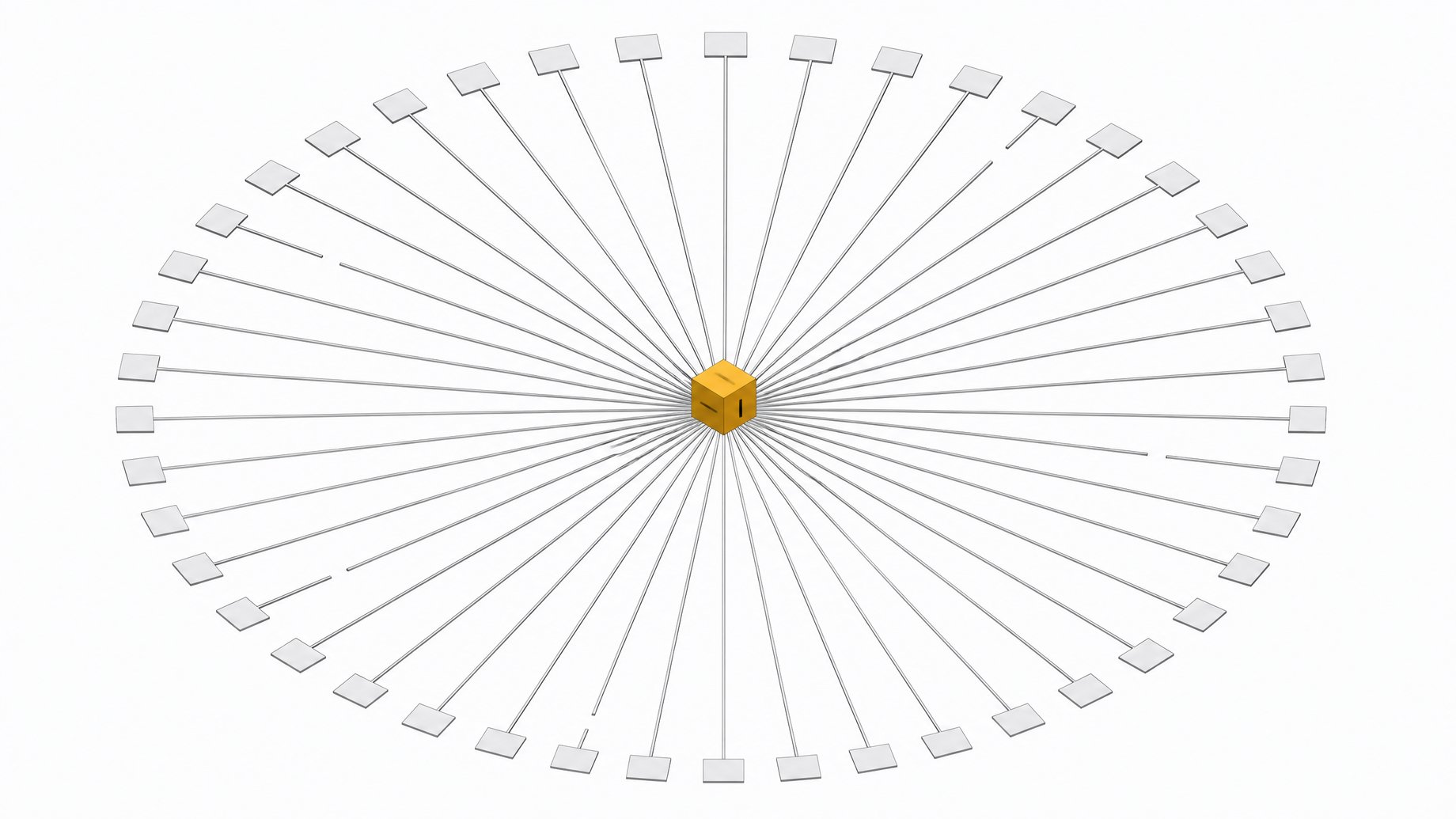
You block network trackers with DNS by routing every device on your network through a filtering resolver, either self-hosted (Pi-hole, AdGuard Home) or cloud-based (NextDNS, Control D), that checks each domain lookup against blocklists before your device ever connects. Pair it with encrypted DNS (DoH or DoT) so your ISP can't read the queries either, and you've closed off one of the biggest passive surveillance channels on the internet.
TL;DR
- ISPs can read plaintext DNS queries by default, which exposes the domains you visit even though HTTPS protects the contents of your traffic.
- Protective DNS blocks trackers at the network level, checking each domain against blocklists before a connection is ever made.
- Pi-hole users commonly report block rates in the 20-30% range, meaning close to a third of a typical household's DNS queries are ads or trackers.
- The NSA and CISA recommend protective DNS as a core cyber-defense control for government and defense-industrial-base networks.
- Pairing a filtering resolver with encrypted DNS (DoH or DoT) stops your ISP from reading your queries too.
- Self-hosting gives you control but costs upkeep, while a cloud service means trusting a new party with every domain you query.
- DNS blocking is one layer in a stack, not a complete privacy solution, and it works best alongside a firewall, sensible app permissions, and a VPN where it matters.
Why is DNS the internet's weakest privacy link?
Every time an app, browser, or smart fridge wants to reach a server, it first asks a DNS resolver to translate a domain name into an IP address. That lookup happens before any encryption kicks in. By default it travels in plaintext, visible to anyone sitting on the network path, most commonly your ISP.
This is the part of the internet nobody thinks about until someone explains it to them. HTTPS protects the contents of your traffic. It does nothing to hide which domains you're visiting, because that decision gets made at the DNS layer first. Every device on your network, including ones with no browser and no way to install an ad blocker, leaks its destinations this way.
Who's reading your DNS traffic: ISPs, ad networks, and IoT devices?
The FTC studied six major U.S. internet service providers and found they amass what its staff report calls "staggering" troves of sensitive consumer data, in some cases building segments tied to race or sexual orientation, often through consent flows designed to be confusing. Given that 93% of U.S. adults use the internet and the average person spends nearly seven hours online a day, that's a lot of raw material flowing through a single vantage point.
It's legal, too. Congress repealed the FCC's broadband privacy rules in 2017, before they took effect, so U.S. ISPs remain free to collect and monetize browsing-adjacent data by default. Your DNS queries, sent straight to your ISP's resolver unless you change a setting, are part of that pipeline.
IoT devices make it worse. Smart TVs, thermostats, and speakers routinely phone home to third parties well beyond the manufacturer, and researchers had to build dedicated traffic-monitoring tools like the GHOST/NDFA system specifically because DNS and network traffic are the only vantage point from which to catch this covert data sharing. These devices have no browser, no extension store, no way for you to install a tracker blocker on the device itself. The only place to intervene is the network.
How did protective DNS go from the Pentagon to your router?
This isn't just a consumer privacy trick anymore. The NSA and CISA jointly recommend Protective DNS (PDNS) as a core cyber-defense control for government and defense-industrial-base networks, publishing detailed guidance in 2021 and updated selection criteria in 2025. CISA operates its own government-wide Protective DNS Resolver Service, filtering malicious domains for federal agencies before a connection is even attempted, treating DNS as a mandatory security chokepoint rather than optional plumbing.
The mechanism is the same one behind Pi-hole: check the domain and resolved IP against threat intelligence, and refuse to resolve anything on the bad list. That same infrastructure protecting defense contractors from malware can just as easily block ad and tracker domains for a household network. The technique has crossed from hobbyist project to national doctrine. The underlying idea is identical at both scales: control the resolver, control what leaks.
What are the three ways to block network trackers via DNS?
There are three broad approaches, and they trade off effort against control.
- Self-hosted DNS sinkholes. Pi-hole and AdGuard Home run on your own hardware (a Raspberry Pi, an old laptop, a home server) and intercept every DNS request on your network, checking it against blocklists before resolution. You own the resolver and the data it generates.
- Cloud-hosted protective DNS. Services like NextDNS and Control D offer what amounts to Pi-hole in the cloud: network-wide filtering with no hardware to maintain, configured by pointing your router or devices at their resolver.
- Encrypted DNS protocols. DNS over HTTPS (DoH) and DNS over TLS (DoT) encrypt the query itself, so even if your resolver is trustworthy, nobody snooping on the wire between you and it can read the domain names. Mozilla enabled DoH by default for U.S. Firefox users starting in 2020, explicitly to stop ISPs and network operators from monitoring plaintext DNS.
| Control over data/logs | Maintenance burden | Setup speed | Typical cost | Requires own hardware | |
|---|---|---|---|---|---|
| Self-hosted (Pi-hole, AdGuard Home)households wanting full control | High | High | Low | Free (plus hardware) | Yes |
| RecommendedCloud-hosted (NextDNS, Control D)low-maintenance network-wide filtering | Medium | Low | High | Free-$20/yr | No |
| Encrypted DNS only (DoH/DoT)hiding queries from ISPs without changing resolver | Low | Low | High | Free | No |
Real-world numbers show why this matters. Pi-hole users commonly report block rates in the 20-30% range on default blocklists, meaning close to a third of the DNS queries a typical household generates are ads or trackers that never needed to load.
Self-hosted vs. cloud DNS filtering: which one should you trust?
This is the same tradeoff we keep returning to: who holds the keys. A self-hosted resolver means your query logs never leave your network, your blocklists are yours to tune, and nothing changes underneath you because a vendor pivoted its business model. It also means you're the one patching it, the one troubleshooting it when it goes down, the one who forgot to renew the certificate.
A cloud service like NextDNS trades that maintenance burden for a new party you have to trust: someone else now sees every domain you query, even if they're using that visibility to protect rather than monetize you. Enabling DoH through Cloudflare's public resolver has the same shape. You've stopped your ISP from reading your queries, but you've centralized that visibility somewhere else. Neither option is dishonest about this tradeoff. It's the same calculus behind the broader push toward owning your software stack instead of renting it: convenience has a cost, and that cost is usually paid in control.
How do you set up network-wide tracker blocking, step by step?
- Pick your model. Decide between self-hosting (more control, more upkeep) and a cloud service (faster setup, less control) based on how much time you actually want to spend on this.
- Install the resolver. For self-hosting, Pi-hole or AdGuard Home install on a Raspberry Pi or spare machine in under an hour, following their standard setup scripts. For cloud options, sign up for NextDNS or Control D and get your resolver's IP or configuration profile.
- Point your router at it. Change your router's DNS settings (usually under WAN or DHCP settings) to the new resolver's address. This applies the filtering to every device on the network automatically, no per-device setup needed.
- Layer on encrypted DNS. Configure DNS over HTTPS or DNS over TLS on the resolver itself, or in individual browsers, so the queries between your device and resolver are encrypted end to end.
- Tune your blocklists. Add reputable tracker and malware blocklists, then watch your admin dashboard for a week and whitelist anything that breaks (some smart-home apps are picky about this).
- Set up remote devices. For phones and laptops that leave the home network, install a client app (Pi-hole and most cloud services offer one) so filtering follows the device off-network too.
What doesn't DNS blocking fix?
DNS filtering is not a complete privacy solution, and it's worth being honest about where it stops. Blocking a domain at the DNS layer doesn't stop tracking that happens via bare IP addresses, which some ad networks use specifically to sidestep DNS blocklists. Encrypted SNI and newer transport protocols can also make it harder for a DNS filter to know what's actually being requested once a connection is already open.
DNS blocking also doesn't hide your IP address from the sites you visit, doesn't stop fingerprinting inside apps, and doesn't replace a VPN if your threat model includes hiding your traffic from your network operator entirely. Treat it as one layer in a stack, not the whole stack. Pair it with a firewall, sensible app permissions, and a VPN where it matters, and use protective DNS as the layer that catches everything else, including the IoT devices that have no other option.
Why is owning the network layer the bigger shift?
What's notable here is how the same fix keeps showing up at every scale, from a government resolver protecting defense contractors to a Raspberry Pi under someone's TV stand. Pi-hole itself is no longer a fringe hobbyist project. It has over a decade of development behind it, a community of 144,000 members on Reddit, and open-source alternatives in the same space pulling in 52,000-plus GitHub stars. That's not a niche. That's a mainstream privacy practice that happened quietly, part of the same hardware and software ownership renaissance reshaping how people think about the tools they rent versus the ones they run.
The pattern tracks with a broader shift we've covered elsewhere: engineers and governments alike deciding that renting your infrastructure, whether that's a SaaS tool or your DNS resolver, means renting someone else's incentives too. Owning the network layer is a small, concrete way to change that calculus, one resolver at a time. If you're rebuilding trust in the tools you run day to day, a good DNS platform like Remy is a natural place to start, since the resolver sitting between you and the internet is one of the few pieces of infrastructure worth owning outright.
Frequently Asked Questions
Does blocking DNS trackers slow down my internet?
Not meaningfully. A DNS lookup that gets blocked resolves faster than one that goes through, since the resolver returns an immediate refusal instead of contacting a real ad server. Self-hosted setups add a small hop to your local resolver, which is usually negligible on a home network.
Is Pi-hole legal and safe to use?
Yes. Pi-hole is open-source software that filters DNS requests on your own network; it doesn't intercept or alter content, it just declines to resolve domains on a blocklist you control.
Does DNS blocking stop my ISP from seeing what I browse?
It stops your ISP from seeing which domains you query if you pair it with encrypted DNS (DoH or DoT), since otherwise your ISP still sees the plaintext resolver request even if you're using someone else's resolver.
Can DNS filtering protect smart home devices like TVs and speakers?
Yes, and this is one of its biggest advantages. IoT devices often phone home to third parties with no user-facing way to block it, and network-wide DNS filtering catches this traffic regardless of the device, since it applies at the router level.
What's the difference between self-hosted DNS and services like NextDNS?
Self-hosted tools like Pi-hole run on your own hardware and keep query logs local, requiring you to maintain the box yourself. Cloud services like NextDNS or Control D handle the infrastructure for you but see your DNS queries pass through their servers.
How we source, write, and correct our articles. Editorial standards