GPU Passthrough on KVM: The Setup Guide for Local AI Coding Agents
Stop renting cloud GPUs for your internal coding agents. Here's the KVM/VFIO passthrough build, from IOMMU setup to model serving, that gets a VM to 98 to 100 percent of native GPU performance on hardware you own.

- 01GPU passthrough directly hands hardware to a VM, retaining 98 to 100 percent of native performance.
- 02At Q4_K_M quantization, you need roughly 1.2GB of VRAM for every billion model parameters.
- 03Owning a GPU beats cloud rental costs if your team sustains four to six hours of daily use.
- 04Unauthorized AI usage sits at 81 percent, making local infrastructure a critical security upgrade.
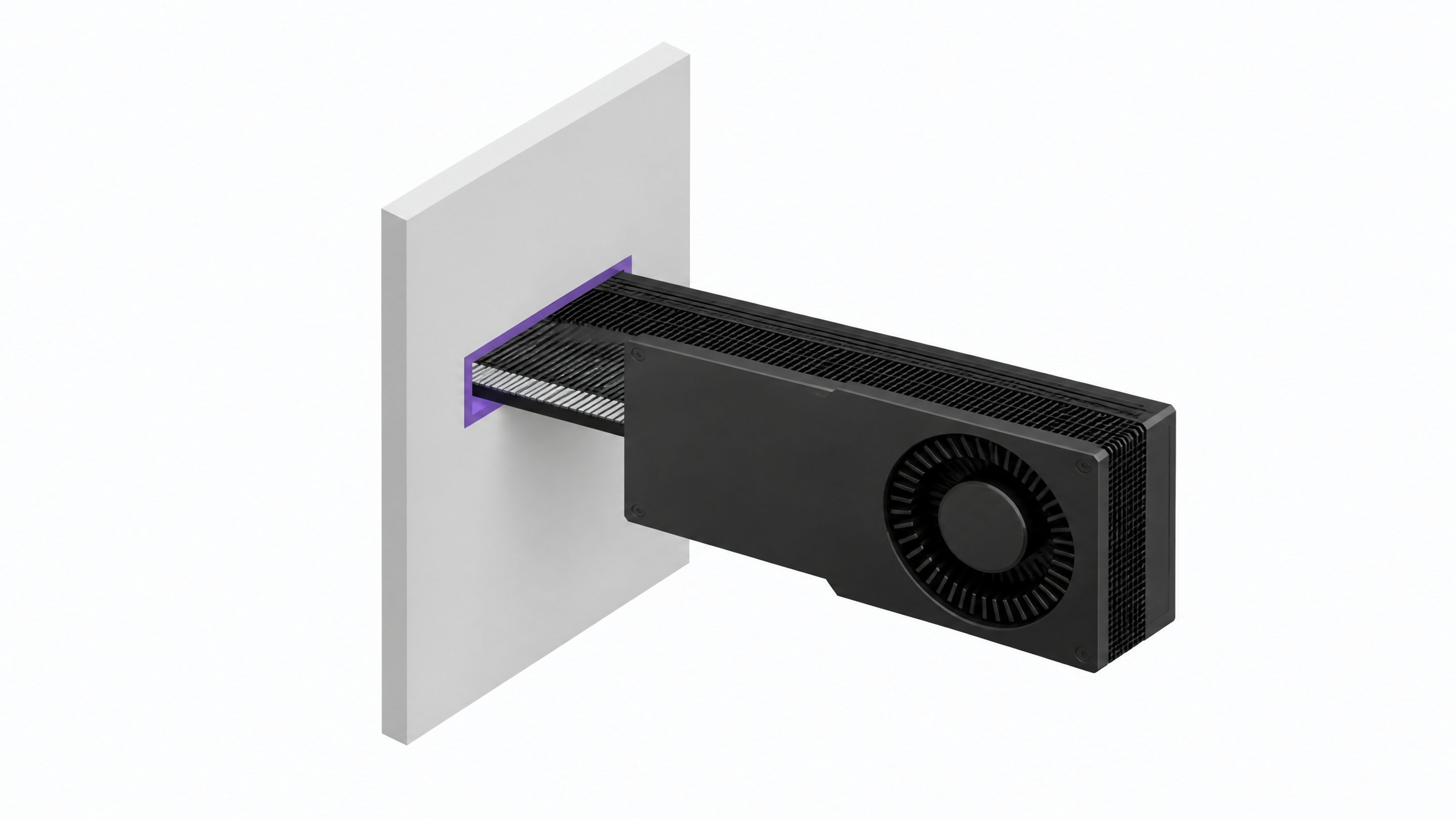
GPU passthrough on KVM hands a physical GPU directly to a virtual machine, so the VM runs at 98 to 100 percent of native GPU performance instead of eating the usual virtualization tax. That's the technical foundation for running your own coding-agent infrastructure on hardware you own, with no cloud GPU bill and no code leaving the building.
This is a build guide, not a home-lab pitch. If your team is spinning up cloud GPUs to run Ollama, vLLM, or a self-hosted Continue.dev backend for coding agents, passthrough is how you move that workload onto owned hardware without giving up the isolation a hypervisor gives you.
Why Passthrough Instead of Bare Metal or Cloud Rental
Three options exist for running a GPU-backed coding-agent stack: rent it, run it bare metal, or virtualize it with passthrough.
- Renting means recurring cost, and for many popular coding tools, your source code transiting a vendor's infrastructure by default.1
- Bare metal gives you full GPU performance but ties the whole box to one workload. Want to also run a file server or a CI runner on the same machine? Now you're negotiating for GPU time.
- Passthrough splits the difference. The hypervisor still runs other VMs and services, but the GPU VM gets near-native performance because the device is isolated at the hardware level via IOMMU, not shared through a software layer.
| Cost Profile | GPU Performance | Can Share Host With Other Workloads | Code Stays On-Network | Setup Complexity | |
|---|---|---|---|---|---|
| Cloud Rentalbursty or occasional use | Recurring hourly bill | High | Yes | No | Low |
| Bare Metalsingle dedicated GPU workload | High upfront, one workload | High | No | Yes | Low |
| RecommendedKVM Passthroughteams running agents most of the day on owned hardware | Upfront hardware, shared host | High | Yes | Yes | High |
One Proxmox forum user summed up the actual motivation after setting this up on an RTX 5090: the goal was running AI agent pet projects "and have complete privacy on LLM interactions."2 That's the whole pitch in one sentence: near-bare-metal performance, plus a hypervisor you can still use for everything else.
What You Need Before You Start
Passthrough has real prerequisites. Skip them and you'll burn an afternoon.
- IOMMU-capable CPU and motherboard. Intel VT-d or AMD-Vi, usually present on hardware from the last decade but sometimes disabled in BIOS by default.
- A GPU with an isolated IOMMU group. The GPU and its audio function need to sit in their own group, separate from your NIC or storage controller.345
- BIOS settings enabled. Above 4G Decoding and Resizable BAR, alongside IOMMU/virtualization support.
- A second display path for the host. If you're passing through your only GPU, plan for headless host management via SSH, or use an integrated GPU for the host console.
Step 1: Enable IOMMU and Check Your Groups
Add intel_iommu=on (or amd_iommu=on) and iommu=pt to your kernel boot parameters, rebuild your bootloader config, and reboot. Then check the actual grouping with find /sys/kernel/iommu_groups -type l.4
You're looking for a group that contains only the GPU and its audio device. If your GPU shares a group with unrelated devices like a network card or SATA controller, clean passthrough won't work without an ACS override, and that workaround carries its own stability tradeoffs. This is the single most common wall people hit, and it's as much a motherboard and PCIe topology issue as a software one.35
Step 2: Bind the GPU to VFIO Before Anything Else Loads
Once IOMMU is confirmed, the GPU needs to be claimed by the vfio-pci driver before the host's native GPU driver ever touches it. The reliable way to do that is via the kernel command line and initramfs, not a runtime driver swap.3
- Remove or blacklist the native driver (NVIDIA or AMDGPU) from loading at boot for that device.
- Load the VFIO modules (
vfio,vfio_iommu_type1,vfio_pci) in initramfs. - Bind the specific GPU by PCI ID using
vfio-pci.ids=on the kernel command line. - Verify with
lspci -kthat the kernel driver in use for the GPU isvfio-pci, notnvidiaoramdgpu.
Doing this early, rather than swapping drivers after boot, is what stops the intermittent failures that show up in most passthrough troubleshooting threads.3
Step 3: Build the VM (libvirt or Proxmox)
Whether you're using raw libvirt/QEMU or Proxmox's UI, the VM configuration follows the same pattern: q35 machine type, OVMF (UEFI) firmware instead of legacy BIOS, and memory ballooning turned off.4
On Proxmox specifically, add the GPU as a PCI device to the VM with all four passthrough flags enabled: all functions, ROM-bar, primary GPU, and PCIe. On high-RAM hosts running multiple VMs, allocating static huge pages ahead of time avoids startup failures that show up as the GPU silently refusing to attach.34
If you're running more than one GPU on the same host for multiple engineering teams, CPU pinning keeps each VM's vCPUs mapped to physical cores instead of floating, which matters more for consistency than raw throughput.
Step 4: Install the Guest OS and GPU Drivers
Boot the guest Linux install, then install GPU drivers exactly as you would on bare metal: NVIDIA proprietary drivers or the AMD ROCm stack, depending on your card. Run nvidia-smi or rocm-smi inside the guest. If the card shows full VRAM and correct model name, passthrough is working.
Two failure modes are worth knowing before you hit them:
- Code 43 / driver refusal, common on older consumer NVIDIA cards that used to check for virtualization and refuse to initialize. Modern cards and drivers have mostly resolved this, but it still shows up on older hardware.
- GPU reset bugs, where the card doesn't reset cleanly when a VM shuts down, forcing a host reboot to reclaim it. This is a known source of instability across hypervisors and worth testing before you put the setup in front of a team.3
Step 5: Deploy the Owned AI Coding Stack Inside the VM
With drivers confirmed, install a model server, Ollama or vLLM, inside the guest and pull a coding-focused open-weight model sized to your VRAM. Point Continue.dev, or whatever IDE integration your team uses, at the local OpenAI-compatible endpoint instead of a cloud API. For the fuller picture of building a sandboxed, multi-developer version of this, the self-hosted agent factory guide covers the agent orchestration layer on top of what you build here.
Test actual usability, not just that it runs: sustained tokens per second for chat, and latency for autocomplete. A model that technically loads but returns completions after a three-second delay won't get adopted by your team, no matter how good the GPU utilization numbers look.
How Much GPU Do You Actually Need?
VRAM requirements scale predictably with model size and quantization. At Q4_K_M quantization, plan on roughly 1.2GB of VRAM per billion parameters.6
- 7B models (~5GB VRAM): fast autocomplete, lighter reasoning, fits comfortably on a mid-range consumer card.
- 13B models (~9GB VRAM): a step up in coherence, still runs on common 16GB cards with headroom.
- 32-34B models (~20-22GB VRAM): meaningfully stronger reasoning for chat and multi-file context, needs a 24GB-class card.
- 70B models (~35-40GB VRAM): near the top of what a single consumer GPU can do, needs a 48GB+ card or the RTX PRO 6000 Blackwell's 96GB.76
For a deeper look at matching specific compact models to specific GPU budgets, the Bonsai 2 and Qwen3.8 math walks through the tradeoffs.
When Does Owning the Hardware Actually Beat Renting?
Buying a GPU only pays off past a certain usage threshold. Most cost analyses put the crossover point around 4 to 6 hours of daily sustained use over an 18 to 24 month horizon, once you factor in electricity and depreciation.8
Below that threshold, renting wins outright. An A100 80GB runs about $1.09 an hour on services like Thunder Compute, while an RTX 5090 costs over $5,500 to own outright.9 The math shifts further if your VRAM needs exceed a single consumer card: the RTX PRO 6000 Blackwell, at 96GB, is effectively the ceiling for individual GPU ownership, and its price has climbed 87 percent to roughly $16,000 in 16 months amid a GDDR7 shortage.97
If your team runs coding agents against a shared GPU most of the working day, five days a week, passthrough on owned hardware pays for itself. If usage is bursty or occasional, keep renting and revisit the math as usage grows. The broader case for when this tradeoff flips is laid out in the 2026 local-versus-cloud cost breakdown.
Why This Matters Beyond Cost: Code Never Leaves Your Network
Cost is only half the argument. Popular AI coding assistants route your code through third-party infrastructure by default. Cursor sends completion requests through its own AWS infrastructure with no HIPAA BAA or FedRAMP certification. Claude Code sends code context to Anthropic's servers on every query. GitHub Copilot routes through Microsoft Azure. For a 20-developer team running 50 queries a day each, that's roughly 1,000 codebase fragments leaving the network daily.1
That exposure compounds with shadow AI. Independent surveys put unauthorized AI tool usage among employees at 81 percent, with security leaders admitting similarly high awareness gaps.10 Banning tools outright just pushes usage underground. The better fix is giving engineers a sanctioned, local alternative that's actually fast enough to use. A passthrough GPU running Ollama or vLLM behind Continue.dev is that alternative, and it's the kind of infrastructure a platform like Remy is built to help teams inventory and govern once it's running, rather than leaving it as one more unmanaged box in the corner.
Troubleshooting Checklist and Common Pitfalls
Most failed passthrough setups trace back to a short list of causes:
- Bad IOMMU grouping. Your GPU shares a group with your NIC or storage controller, blocking clean isolation without an ACS override.35
- Driver binding order. The native GPU driver claimed the device before VFIO could, usually from missing initramfs config rather than a bad blacklist.3
- Reset bugs. The GPU doesn't reset cleanly between VM shutdown and restart, forcing a host reboot.3
- Huge page misconfiguration. On high-RAM multi-VM hosts, missing static huge pages causes intermittent VM startup failures.3
- Wrong machine type or firmware. Passthrough GPUs generally need q35 and OVMF/UEFI, not the older i440fx and SeaBIOS defaults.4
None of these are exotic. They're the same five things that show up across most passthrough guides and forum threads, and working through them once, methodically, is the difference between a flaky setup and one your team trusts enough to use for daily coding work. Once it's stable, the economics and the privacy case both hold, and you've turned a recurring cloud bill into infrastructure you own outright.
Yes. Peer-reviewed benchmarking across CUDA and OpenCL workloads shows KVM GPU passthrough hitting 98 to 100 percent of bare-metal performance on modern hardware, edging out Xen and VMware ESXi, which land at 96 to 99 percent.
Bad IOMMU grouping. If your GPU shares an IOMMU group with an unrelated device like a NIC or storage controller, passthrough can't cleanly isolate it, and you're stuck with an ACS override workaround that adds instability.
Not strictly, but it makes host management much easier. If you're passing through your only GPU, plan on managing the host headlessly over SSH, or use an integrated GPU for the console.
At Q4_K_M quantization, budget about 1.2GB of VRAM per billion parameters. A 7B model needs roughly 5GB, a 32B model needs 20 to 22GB, and a 70B model needs 35 to 40GB.
Most cost frameworks put the break-even point around 4 to 6 hours of daily sustained GPU use over an 18 to 24 month horizon, once electricity and depreciation are factored in. Below that usage level, renting is cheaper.
- 1Your Team Wants AI Coding Tools. Your Security Team Is Asking Where the Code Goes.Kognita
- 22025: Proxmox PCIe / GPU Passthrough with NVIDIAProxmox Forum
- 3Host Setup for Qemu KVM GPU Passthrough with VFIO on LinuxCloudRift
- 4GPU Passthrough on Proxmox: Step-by-Step GuideWunderTech
- 5PCI PassthroughProxmox VE Wiki
- 6Local LLM VRAM Requirements 2026: Exact Numbers for 7B, 14B, 32B, 70Bmustafa.net
- 7NVIDIA RTX PRO 6000 Blackwell Workstation EditionNVIDIA
- 8Home Lab vs Cloud GPU: The Real Cost FrameworkMedium
- 9Should You Buy a GPU for AI or Rent? (RTX 4090, 5090 & PRO 6000)Thunder Compute
- 10Real-World Shadow AI Examples & Governance StrategiesAdaptive Security